Thread #1009405

File: thumb_v3_me.jpg (364.7 KB)

364.7 KB JPG
*teaches you nothing*
234 RepliesView Thread
 Showing all 234 replies.
>>
>>
>>
File: 1711999866400316-1.png (249.8 KB)

249.8 KB PNG
>>1009519
ENTER:
https://youtu.be/IHy57Lrzkb4?si=QG5vckxCzrh-slmw
https://youtu.be/eP9gH_2zRe0?si=SlLmHnxs-vOA37G6
Just skip straight to playlists and links in the description if you dont want to listen to this guy but he also points some great non-youtube resources to check. Fucker's compiled a gold mine.
>>
>>
>>
>>1009405
familiarizes you with many parts of the interface and teaches you a little bit of many parts of blender
has you actually make something instead of making you listen to words for 40 minutes straight while you learn nothing
>>
>>1009546
There are a lot of beginner's tutorials that also do that while being themed around character modeling or other things you actually want to do. Why would you learn to make a doughnut when you could go look at what you actually want to make and learn 90% of what you'd learn with the doughnut plus a lot of domain specific stuff the doughnut tutorial doesn't teach. There's a reason why so many people fail to complete it despite it literally being a case of you following exact instructions with no deviation. It's because 3d modeling programs are confusing to newcomers and you need the motivation to overcome these hurdles if you are to succeed. The doughnut does not provide this, because no one of sound mind gets into 3D modeling to create a doughnut.
I'm a relative newcomer to 3d, so I remember well what the doughnut tutorial did for me (jack and shit). Blender Guru and the other popular blender channels did not help at all, if anything they held me back by instilling methods that are not generally applicable and severely limit what you are capable of. I learned far more from an australian chick with 10k subs and a bad microphone box modeling an anime chick than I did from every "model a TANK in LOW POLY in FIVE MINUTES!?!?!?" combined. The doughnut is, at best, a mediocre tutorial teaching you how to move the viewport around and maybe move a few verticies. At worst it is a gateway drug into opening blender once a month, trying to follow a tutorial, and then closing blender again.
>>
>>1009641
it's a donut so it teaches you edit mode controls like face snapping, sculpting, texture painting, the modifier stack, lighting and rendering
if you tried to do all that for a character in a tutorial it'd be like 8 hours long
>>
>>1009641
I couldn't even follow the viewport navigation and that's all I wanted going in. Just how to navigate the 3d space and how to manipulate objects to make cool shit. I was only doing 2d professionally so I wanted to get into doing texture work on models that I built or sculpted out, not fumble around with confusing spider-web nodes without knowing what I was even doing. But of course the last thing I remember him doing was shilling NFT bullshit.
People like him are reddit geishas. They always have the most insufferable ball-washing basedfaces following them
>>
>>
>>
File: 1.jpg (475.7 KB)

475.7 KB JPG
>>1009405
I'm an old blender user. Where do you go these days to find useful articles on things like hair, skin materials, realistic deformations? There used to be a free magazine with useful tips.
>>
>>
>>
>>
>>
>>

>>
>>
>>
>>
>>

>>
>>1009641
For years I wanted to learn NSFW stuff, would try the tutorial and close the program in 5 minutes.
Eventually I just said fuck it and learned how to import models, and I've learned how to do everything I originally wanted to do in like 2 months that I assumed would take years.
I'm not unconvinced people suggest that tutorial solely for the purpose of gatekeeping newcomers, and maybe that's the whole point of it.
>>
>>
>>
>>1012216
Yep, yep, you can even ask it about shader nodes and it will tell you how to do shit by writing a text diagram like "... -> [Shader to RGB] -> Color Ramp -> ..." and similar.
It sometimes lacks knowledge and understanding, had some issues with it being too vague and in the end not understanding some volumetrics properly, still worth asking in 100% of cases, because in 90% of cases you will get answer you need 10x faster than googling it yourself.
>>
>>
>>
>>1012283
I want to actually try chuuni3d in a way like: I provide few environment miniatures and ask to generate a whole game continent using the same design decisions and detailing.
Sounds like cool way to mapgen. If I have more time for more manual work, I create another miniature with new unique decisions and add it to learning set, so that result generation is more diverse.
>>
>>
>>1012291
Basically the same as current state-of-art 3d roguelikes work but better. Because current ones are simply stitching modular pieces together in randomized way, AI most likely can produce more diverse results from the same input material.
>>
>>
>>
>>
>>
>>

>>
>>
>>
>>
>>
>>
>>
>>
>>
>>1009405
Imagine getting filtered by pastry LMAO
The tutorial is perfect for absolute beginners. It doesn't go into the weeds with advanced learning. It teaches you all the basics to move on to the next beginner level. Notice how every retard who can't do the donut series ends up just making cris-level waifu abominations, then quitting forever.
>>
>>
>>
>>1014477
This.
Reading through the thread I get the impression most people claiming it's a good beginner tutorial series haven't watched it, or at least didn't start with it.
It's absolutely awful in terms of how much time it wastes to get the most basic brain dead information across.
It also barely touches actual 3D modelling, from memory it's the smallest part of the series for the most important part for most beginners to learn and and get some skill in unless they want to become asset polishers like Blender Guru himself.
>>
>>1009405
>>1009519
I remember kids coming up to me in school to ask me to teach them how to study for tests
I have no idea, try not being fucking retarded
I learned blender with a shitty tutorial where I made an ugly semi-humanoid alien. it taught me how the interface was made for quick keyboard shortcuts. I stuck through it until it clicked and it's second nature to this day
then I did the joan of arc tutorial
and then I kept going
I'm sure you could learn a lot from that donut tutorial. you just need to not be retarded
>>
>>
>>
>>
>>1009522
I watched the Elden Ring sound effect video and was kind of disappointed. If you want to learn how to draw/paint/sculpt/rig/animate/program/etc, there's tons of good videos out there for all skill levels. But for some reason, these simply don't exist for sound design. I recently found https://www.youtube.com/watch?v=NJL IS2MkFe4 and it seems like a good source, but I haven't watched his videos on it yet.
>>
>>1014961
Learning music and sound effects is usefully done by experience with yourself. There’s no absolute way to learn something perfectly, just like artists, the creation of your art is yours. The YouTuber is a mixed musical composer which has nothing to do with special effects or music.
>>
>>1009405
This is why blender would never be industry standard the problem is not the idea of a free 3d software the problem the problem is the people behind the software are stupid and retarded. Blender maybe a Jack of all trade but is bad at everything.
>>
>>1014967
Blender cant be perfect at everything, because doing a specific task alone requires a lot of development time. And Blender simply doesnt have the finances to hire more developers and become master at everything.
I like blender and have achieved good results so far. It's getting better and better every couple months. The showreels and project/demo files available of many artists speak for themselves. It's not only the software that creates, but also the user ... Blender is like the litmus test for 3D - if you cant create with Blender and require being spoonfeed by "better" software instead, then maybe it is you who is lacking knowledge of 3D fundamentals.
>>
>>1014965
No I get that, but my point was for all of those other topics, there are clear starting points to choose from. Both in video and text form. As far as I can tell, nothing like this exists for sound design. There doesn't seem to be an article or video that goes "Ok sit down retard, here are the basics, we'll make a couple generic sounds, and here's where you can branch off at the end."
>>
Maybe this is a often answered question, but as an artist who wants to make some landscapes that are relatively detailed, and simple characters to pose in those backgrounds to light and set up scenes then use those to paint, is it feasible to do this kind of thing in Blender or is there a better program for that? Do you think it’s something that will take a ton of time to learn? Trying to decide if I want to pause a project to learn to improve the output in that project or it’s better to just take time and learn over time while doing my usual workflow.
>>
>>1014970
Music doesn’t have generic music or sounds that exactly match the echo of past music/sounds. You’re way overthinking about this and need to visit /mu/ to get better advice. You can only learn how to use the instrument, not become a pianist and suffer PTSD for missing a few keys from a dead person who just happened to create it out of passion.
>>
>>1014974
I'm not looking to play an instrument, just record some sounds around the house, clean them up, and edit them to make different sound effects. Never thought to ask /mu/ for advice on making sound effects but I can kind of see it. Is there a general I should visit?
>>
>>
>>
>>
>>
>>
File: maxresdefault.jpg (116.4 KB)

116.4 KB JPG
*teaches you everything*
>>
>>
>>
>>
>>
>>
>>
>>1010923
Bizarrely, they're mostly in Japanese for some reason.
https://www.amazon.co.jp/Blender+Unityで作る、動かす!-3Dキャラクター制作実践ガイド-Compass -Booksシリーズ-0から始めるblender生活-ebook/dp /B0FDVNP8B8
>>1009641
Yeah, most tutorials aren't that great as far as education goes. The best character modelings I ran into were, randomly, a Zelda modeling tutorial that concisely explained sculpting and an obscure catgirl surfer tutorial for face modeling. Dikko's stuff isn't too bad, but as a total beginner I'd get lost sometimes, although his conceptual explanations were helpful.
>>

>>
>>
>>
>>1015780
He has a lot of good generalist tuts for gamedev assets and simpler things which most people looking up tuts are using blender for. I also like his style of teaching where he shows a piece, asks the viewer to do it, then shows how he did it. He does know a lot and shares some good workflows and shortcuts but he's definitely weak in some aspects that come to more proper typology. He has a lot of helpful things for texturing/painting, that used to be a barren wasteland of youtube vids where we only had the hand painted sword tutorial for the longest time.
There aren't a lot, but this guy has the best tutorials on subdivision I've seen and it's worth watching the entire playlist, following along where interested. Insane amount of knowledge contained in chess piece videos and some of the text typology tuts.
https://www.youtube.com/@ianmcglasham
https://www.youtube.com/playlist?list=PLoSyNsQF2hFBk6_lEES7IYlEdEt3ihB -f
Examples of the differences in modeling, bishop
https://www.youtube.com/watch?v=8ihNsjiFhQI
https://www.youtube.com/watch?v=TFGfxQT8pHQ
King
https://www.youtube.com/watch?v=dZkIgb2a-3A
https://www.youtube.com/watch?v=dLaA3yo5BEc
>>
Blender Guru's doughnut tutorial is good for people who can barelly use a mouse and keyboard but it's terrible for everyone above, specially if you're trying to learn character modeling, animation, etc. There are good tutorials, but you'll need to do some research to find the best one for you. The main problem starts at intermediate level and above. To this day, I was never able to find a good topology tutorial. Most of the videos just tell you to use a plugin or teach you basic shit that doesn't even matter anymore. The solution for me was to watch Maya/3DSmax tutorials. There is some good stuff and 3D softwares share a lot of concepts.
Being real, the best ones, imo, were behind paywalls. I watched one of a dude modeling a car and in the first 20 minutes he teaches some of the best shit I ever saw. I also remember watching one of a bald guy modeling a girl and the dude had some ancient wizard knowledge that no other tutorial ever told me.
Of course, there's also trash. BlenderBros are retarded. Both their YouTube videos and paid courses are actually garbage that will not teach you shit and instead they teach you to depend on plugins and never talk about topology, edge flow, good practices, etc.
Btw, you can easily find those for free online, torrenting, etc. This also applies to plugins. I like to actually buy stuff if I end up liking it, but that's me.
>>
>>
>>
>>
>>1015851
The ones made by Nikolay Naydenov. Lots of courses, with different characters and styles. Some are simple, some are advanced, etc. Watched the "Dragon Girl" and "Full game character in Blender". I was noob to mid level at the time and it helped me a lot. Just checked and they are with a huge discount, like, 5USD in local currency. I think it's worth it, but I'll check it later to see if it holds up.
"Anatomy And Form In Blender", by YanSculpts, also. Watched later, after getting a tablet, and it was pretty good. It about anatomy, but more in depth, obvious. If you plan on stylized characters, then this one is kinda overkill.
>>1015889
"3D Cars: inside and out", by CG Masters. Kinda advanced, but if you can model a car using hard surface techniques, then you can model anything. And the dude explains everything super well.
Never heard of this one you mentioned. It looks very good and cute. Probably a good start. Besides that, honestly, it's practice. Hard surface is very straightfoward. Just don't depend on plugins and shit, actually learn topology and try to finish smaller projects first after going into something complex.
DECODEDVFX and Mario Elementza, on YouTube, are very good. The latter uses Maya, but most 3D softwares share the same principles, you only need to know which buttons to press to achieve the same result.
If you're a beginner, then I suggest following a basic YouTube tutorial you like. Anyone that teaches you what buttons to press is enough, just don't waste too much time. After that, try to actually do stuff, like, finish projects, even if they are small, maybe following a more advanced tutorial, etc. Keep in mind that different areas require different things. Game dev will require X, while animation production requires Y, etc. This is more in general since I don't know what you want.
>>
>>1015851
NTA, but I've got a few recs for character modeling. They run the spectrum from realism to cartoony, as I've picked up lessons from them all. I haven't found a golden ticket tier blender tutorial yet, alas.
"Anatomy And Form In Blender" by YanSculpts, as mentioned, is good. Even if you're more interested in stylized designs, anatomy is really helpful for problem-solving and better conceptualizing models.
I'm currently doing Raul Trevino's "Character Illustration to 3D in Blender" and really enjoying it, but I can't wholeheartedly recommend it due to the price. He does a good job of explaining fundamentals, "why do X instead of Y," and his hands/arms/legs walkthrough was way better than the stuff I'd found on youtube. I am deviating from his tutorial at points, like to add animation loops for elbows and knees, since his focus is more on posing a simple figure. If it was $50, I'd 100% recommend it for stylized modeling, but at $150? I'd hit a wall with free YouTube stuff and needed something more well-rounded, so I was willing to bite that bullet, but it's still a lot.
It's a little basic at certain points, and leans into a cartoony style, but Bran Sculpts' "Character Sculpting Tutorial in Blender" is a good series to intro the concept if you're a total beginner to sculpting and retopology. I did this one as a total noob, and it taught me a fair bit, including what areas I needed way more training in. I didn't know what I didn't know, basically.
If you lean more towards anime stuff, there's this Japanese guy on Youtube (夏森轄(なつもり かつ)) who made "Face Modeling : Character Modeling Starting from a Plane." It's subtitled, but I think it's among the best anime head tutorials on youtube. Relatedly, "How to (Actually) Make Anime in 3D" by SunnyIsOnline is only a quasi-tutorial, but it gives an overview of 3D cel-shading and includes links to a bunch of useful resources.
>>
>>1015915
nah I know all the buttons I need to press in blender I just want to learn how to optimally create this stuff in the course the biggest reason why i chose that course was because they werent using any plugins
>>
>>
>>1009405
Software engineer did his tutorial for fun, genuinely wanted to get this skill . Made it through. Took extensive digital notes. Never did anything again 3d again. I realized like all things becoming mid tier at this would take 1000 of hours of work. Time I just couldn't invest considering my other goals.
I mean this not rudely. In the world of A.I is blender still a useful skill moving into future? Why can't models be created with prompts, I guess base models will be and then the need to finish and modify by hand will still be very useful?
>>
>>
>>1016143
So you are learning 3d to also create and sell models? Create your own better models? Or put finishing touches on existing models you buy/grab. Or maybe more clearly to actually build environments and worlds out these already existing models?
>>
>>1016145
>>1016138
>see something in your head
>can fucking make it
we do this shit because it's fun and interesting bro. instantly bringing up AI shows where your headspace is at. yeah, a craft takes 1000s of hours of work. all those aspiring piano players should stop practicing because AI can play it better than them. I hope your other "goals" don't take 1000s of hours of work because that wouldn't be rewarding for you right? don't take my post personal
>>

>>
File: 1626929494152.jpg (95.7 KB)

95.7 KB JPG
>>1016165
please oh please gods of /3/ make a cube appear from between her tooth gap
>>
>>1009519
Only because you are looking for generalized tutorials. Find a tutorial for exactly what you need and build your skill set organically from there. Blender is an all in one program so "learning blender" takes years and is a unique journey for every user depending on their needs.
>>
File: 1331438279945.jpg (96 KB)

96 KB JPG
>>1009405
I'm getting filtered right now. Only an hour into the video (but three hours IRL) and my frosting looks worse and worse:
-Can't figure out why my viewpoint gets fucked and I can't get back to the default view (where middle button rotates around object)
-Tells you how to make frosting..."OOPS gotta snap these drips first" (start over, still don't know if snap always applies, or what project vs nearest is)
-"Oh you can't just pull it down or else it'll clip, you need VERTICES" (start over again)
-Added vertices get screwed up by Snap, no mention of it
-Reload file, models are z fighting, icing vertices are blocked by donut, previous steps do rectify issue
That's day 1 of any new skill, I guess.
>>
>>1016242
You might want to try something like this tutorial. I like this guy's navigation preferences. Then jump ahead to the next tutorial in the playlist which is a modeling video
https://youtu.be/tvTN4w-U24g?list=PLlssG9LVpVIsNMRboskBRala5VJdexqti&t =421
Get something done first and don't worry about entirely finishing the donut tutorial because the current version is too long and jumps into too many things imo. I also posted this guy's tutorial which covers a lot of practical shortcuts and sub-d workflow >>1015810
After that, you can fill in gaps with blenderguru, Gabbit, or Ryan King to fill in beginner gaps still. Once you are creating and know more, you'll be able to learn more from more advanced tutorials and other 3D software tuts.
>>
File: End of Evanjellydonut.png (541.3 KB)
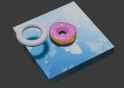
541.3 KB PNG
>>1016244
Hey, thanks for the advice. Here's my result (spent the whole weekend on it.)
>>
>>1016326
Nice.
Finishing things (and making a render of it) is one good habit to start. Another is not to get bogged down in tutorials. You need to find a ratio of consuming tutorial content vs working on personal projects so you don't end up in tutorial hell. Say for every 10-20 minutes of tutorial you watch and follow, try to work on something for a few hours.
>>
>>
>>
File: blenderdonutattempt.jpg (67 KB)

67 KB JPG
Started Blender yesterday afternoon and this was my attempt at making the donut. Kind of got bored like half way through and turned it into a lamp.
Should probably watch the tutorial fully though, no idea for example if this could be exported to a game or scene or anything, nor would I know how to do that.
>>
File: image.jpg (219.4 KB)

219.4 KB JPG
>>1016356
Look up "export blender to (game engine)".
There are a lot of skills to learn like uv mapping/unwrapping, texturing, materials/shaders, mesh optimization and triangulation, texture baking for normal maps/ao/etc, and subdivision surface workflows. More important to create and finish things rather than devotedly follow tutorials.
When modeling, you want to aim for a level of detail like the framework mesh in the image. From that, you can create much higher detailed or lower detailed meshes while having the flexibility to change the model. The more you model details into the mesh before the larger shape is finalized, the harder it is to change. For engine export, you'll typically decimate the mesh to lower the face count while still maintaining its shape so it looks like the right meshes more than the left.
You're going to mess up and make models starting with too high and too low of a resolution but you'll learn a lot from redoing your models to work around that.
>>
>>1016242
Edit > preferences > navigation > orbit around selection, as mentioned above.
Also, use the numpad. If you don't have one, you can enable "Emulate Numpad" in Preferences > Input. Use the "/" key to isolate selected objects in the viewport, hiding everything else; the "del", also on the numpad, will move the camera, focusing on the selected objects. Shift + C resets your viewport and 3D cursor, super usefull for beginners. You can also change how the camera orbits in the settings. I use "orbit around selection", but you can also orbit around mouse position, etc.
You're not being filtered, 3D softwares are legit hard to learn. Most look like a plane control panel at first glance.
>>
>>
>>
>>
>>1016380
Highly underrated/unknown shortcut is you can snap to the nearest ortho view while orbiting with MMB by pressing Alt. There's a threshold you have to be before it does it, but it saves a lot of time.
I still use the numpad because it's easier when I know i want top/front/bottom 95% of the time.
>>
>>
>>
File: 1 final0001-0240.webm (1.8 MB)

1.8 MB WEBM
>>1009405
It's alright for showing what Blender can do.
>>1009415
>>
>>1009405
Fun fact: donuts are the original shape of human life. When an embryo is formed it starts out donut shaped, and as far as I know the hole ends up as our entire digestive tract. Therefore starting your journey into 3d modeling with a donut is philosophically correct.
>>
>>
>>
>>
File: Untitled.png (514.3 KB)

514.3 KB PNG
>>1016625
the hair has one. does it affect the rest of the mesh?
>>
>>
File: my donuts.webm (3.8 MB)

3.8 MB WEBM
>>1012893
did we watch the same tutorial? mine turned out ok
>>

>>1016724
lol people are retarded. If the donut tutorial was there to teach how to make a donut they'd be done in 2 minutes, which is about how long it took me to make this.
Instead they cope and would rather struggle with basics for 8 months instead of spending a few hours learning how to navigate blender, some basic 3d concepts, and go into learn fundamentals after a week or however long it takes them to finish the the tutorial thats made and paced for beginners.
I dont care that they skip it tho, the dumbest thing they do is defend their retardation online but it is what it is
>>
>>1009405
Honestly just try and make stuff in blender, I know this seems like some retarded shit to say now but most of blenders stuff you won't use unless you're under a specific use case, just play around and try to have fun while googling things that you may not understand
>>
>>1016165
telling to try to do it yourself so you're not just a mindless zombie following instructions makes him way better than all the mindless courses where its just a guy telling you to do something like that without ever explaining the thought process behind it
why do you set it this number and not that? why not use this instead of that?
>>
>>
>>
>>
>>
>>
File: IMG_20250829_190950.jpg (3.4 MB)

3.4 MB JPG
People think that watching his tutorial and putting in minimal effort is all you need to do. But you actually need to be willing to iterate and work on the step you're going through.
Same deal with that book "Drawing on the right side of the brain", there are people who finish the work book but didn't seriously engage with any of the exercises and still fucking suck cock after finishing the book, and then there are people who seriously engaged with each of the lessons and come out of it with a different like pic related.
If making the Donut taught you nothing, then it's because you weren't willing to learn.
>>
>>1017763
i doubt that a book can take any real credit for this level of improvement if the results aren't actually consistent
everyone knows how to draw a stickman, if a book doesn't make it's subject matter as easy to draw as a stickman, i feel like it has failed
>>
>>1017776
the results are consistent, I used this book to start my art journey. by drawing number 7 I had already learned so much that I was able to depict things in a way I never could before. you're coming up with like 10 copes already. the person doing the exercises has to actually seriously engage with them. it's a fact.
and idk what your retarded second comment is supposed to mean. things simply aren't as easy to draw as stickmen, no matter how much you'd like to remain a retard 5 year old.
>>
>>
>>1017779
the idea that it should have to take like 10 years to improve at art is just nonsense to me, it's not like i'm incapable of making the hand motions necessary to draw what i'd want to draw, or to 3d model what i want to 3d model
>>1017777
everybody can draw a simplistic version of a face, and they can do it very quickly, yet the difference between that and a drawing that's accurate is literally just knowledge, and experience i guess
admittedly i can't speak for the book since i've never read it, i'm just bitter about the fact that sometimes i enjoy making art, and other times i don't among other things
>>
File: Untitled19.png (1.6 MB)

1.6 MB PNG
>>1009405
please make me feel good enough about my donuts to keep using blender
>>
>>

>>
File: donut photo.png (2.5 MB)

2.5 MB PNG
Funny that this thread show'd up because i've just finished the tutorial
>>
>>
>>
>>
>>
>>
>>
If you can endure my tutorial you WILL be able to use blender.
https://youtu.be/36JN2ma9dOE?si=6XK1z65sodN7M5Yt
>wa what i can use blender after watching a 13 minute video?
Yes the alternative is you watching various scattered tutorials
>>
i remember having a lot of trouble doing head modeling until i found a video from this artist that finally made things click: https://www.youtube.com/watch?v=fQZ7TEdFdMU
its kind of crazy how much better asian tutorials seem to be at actually showing you things
>>
>>
>>1016242
im not sure if this is a good practice but if the orbit camera feels like a struggle, or feels uneven.
in top left, view, frame selected.
i have it as a quick favourite in every mode, or rather everywhere like the graph editor (right click the setting and add to quick favourites that are accessed by pressing Q
it has other uses such as making sure your selection matches the intended visual space.
>>1016242
oh god, "orbit around selection" is an actual setting? LOL never knew oh my, thanks. afaik ive never seen it mentioned in a tutorial
>>
>>1009405
He's currently scripting the new donut tutorial for Blender 5.0, and he's soliciting advice for changes on Twitter. So if you got bright ideas for making it less shit, now's the time to scream into the void.
>>
>>
>>
>>
File: 1709566127681500m.jpg (43.7 KB)

43.7 KB JPG
>want to learn sculpting in Blender
>only tutorial is a 3 year old one from version 2.9
>all fucking shortcuts have apparently changed since then except G for Grab brush
what the fuck man... and having an EU keyboard fucks you so much because half the keybinds in any application involve Z which is of course swapped with Y
>>
>>
>>
>>1019509
that's precisely the video I was talking about. the video is from 3 years ago and he's using Blender 2.9.0.
>>1019510
might give this a try
also should've specified that I meant sculpting with a pen tablet, but luckily you two already assumed that I'm using a tablet. i wonder if modeling can be done nicely with tablet too or if it'd easier with a mouse.
>>
>>
>>1019504
>EU keyboard fucks you so much because half the keybinds in any application involve Z which is of course swapped with Y
Moin Moin, not an European thing just a German thing
It could be worse, at least you're not french
>>
I don't care to learn how to make models, not yet anyways. Is there beginner tutorials for just posing already made models for someone who never used blender before? Or should I still watch the donut videos?
Just trying to get started with making blender porn, I want to share the imaginary scenarios of vidya characters with the world.
>>
>>
>>

>>
>>1019835
Donuts are like Modern liberals, they come in all the colours of the rainbow but they are all the same by prescriptive design.
It is like a lot of "objective modernity", we just need to encourage people off the back of the "base tutorial" into something more.
-----
Also I am annoyed because that literally would not work on my machine.
What kind of rig should I get and how much should it set me back?
----
>>
>>1019899
>What kind of rig should I get and how much should it set me back?
1k for a budget gaming laptop (enough to get going), 2k for a decent desktop
Just get at least 16GB and a decent discrete GPU, /g/ can tell you what's a good deal and what's a meme, Intel+Nvdia is better for 3D work
>>
File: IMG_2991.jpg (870.6 KB)
870.6 KB JPG
>>1019515
Not that much has changed between 2.9 and 4.2… And they started releasing versions more often than they did 10 years ago. 2.5 to 2.9 is 11 years. 2.9 to 4.5 is just 4.
Just watch Speechar’s latest streams if you want to see him use the latest Blender. He’s just the best sculptor (at least in Blender) as of today.
>>
>>1019504
>want to learn sculpting in Blender
yudit is a professional fig sculptor who primarily uses blender. he's got a course releasing at the end of this year. been looking forward to it ever since he announced it. other than that, there really isn't that much in the way of blender character sculpting courses (at professional quality).
https://coloso.global/en/products/digitalsculptor-yoodyth-us
>>
>>
>>1019924
>Not that much has changed between 2.9 and 4.2
Basic modeling is still modeling, but it feels like so much time has passed since version 3.0, when I started learning Blender
Sculpting has improved a lot though, at least in terms of performance
>>
>>
>>
>>1020269
A manual tells you all the options and functionalities so you might not get which are important to your everyday workflow. Like, although you're not gonna get that from donut lord either, you'd never figure out how library overrides should be set up in practice just from the manual, and that's like one of the most central features for an animator
>>
>>
>>
>>
File: 1760640479268858s.jpg (3.8 KB)

3.8 KB JPG
They're just hard on you buddy. Lol arch Linux community >=2.0 *sigh"
>>
>>
>>
I've been using Blender to do hard surface modeling and I'm struggling. I have some experience with Inventor and ZBrush, but Blender's topology is a frustrating thing to get a handle on. It's very common for Booleans to break the entire component I'm working on, and though BoolTool is slightly better about this, it has a bunch of weird idiosyncrasies too.
Any videos people would recommend for reliably generating good topology? Good practice and things like that?
>>
>>
>>
>>
>>
>>
>>
>>
>>
>>1022898
Like just about any program outside of games, the physical location isn't what's kept in the config. So ctrl-z, a handy shortcut for US users due to the twi keys being close to each other, becomes a lot less of a natural fit for regions where z is halfway across the keyboard, so you've gotta remap to Y and hope that wasn't used for something else
>>
>>
>>
File: donuts.png (1.4 MB)

1.4 MB PNG
He taught me donuts
>>
>>
>>
>>
>>
>>1014976
commercial sound effects are usually made of other sounds layered together. Even very short sounds are thought about as having a beginning, middle and end. Look into ADSR for more information. That's volume change over time but we haven't touched the tonal qualities of the sound yet which is like the color channel of an image while the amplitude is the b&w channel.
The art form in all this is knowing how to layer together sounds, which takes practice to get a good grasp of how sounds will work together.
Cleaning up your own recorded sounds: it's always better to record as close as possible to the source, crank the gain so it's as loud as possible without peaking. Check to see what kind of noise your equipment chain is adding. After the fact, there are algorithms that let you remove noise from recordings, like the one built into FL studio. A little more technical, but you can use bus routing to add effects to the entire sound stack simultaneously, such as a compressor which will help meld the layers together and create a fuller sound. Tangential topics you can research are foley recording, building your own library of sounds, digital mixing or search "recording clean audio"
>>
>>
>>
>>
>>1023656
Every video I've seen of his had tons of cleanup steps and him manually edge sliding many of the verts. Both of which could have been avoided by knowing proper topology in the first place. I also haven't seen any truly interesting or impressive models in his tutorials
>>
>>
>>1009405
Are there actually people who actually force themselves through some torus shaped humiliation ritual thinking it helps them learn Blender? I learned so much by simply doing whatever I want in Blender. If I don't know how to achieve a certain effect, I look it up and find a 10 or under minute tutorial (anything longer is likely not worth the time unless it is multiple somethings combined like a tutorial on all body parts or something). I remember the techniques and can reuse them if needed, maybe even twist them for other effects I think I can achieve with them. The internet means you can force your way into anything by just doing. Blender has many tools and techniques that make something that would take hours take minutes. Unless you are planning on making a special donut render though, you aren't going to get much out of such a thing that can't be gotten better out of short tutorials that go more in-depth on each tool and technique. Why does anyone struggle with this shit?
>>
>>
File: Screenshot 2025-12-23 211335.png (2.4 MB)

2.4 MB PNG
>>1023717
NTA, but I've been using Blender to make cases for various things around my house. My topology sucks, but I've learned a lot just trying to make stuff to 3D print over the past couple of months.
About three years ago, I did the donut tutorial because I had never used Blender before and wanted to make video game assets for Doom clones. The tutorial was way too broad in my opinion. Knowing how to work with particle effects (sprinkles) add mess with the nodes was certainly useful, but for my particular interests (hard surface, printable goods) it wasn't very helpful. It *was* very long -- probably took me about three days to complete the lesson all the way to generating an .mp4 file turntable, and towards the end I felt like I was just delaying focusing on my interests rather than actually learning to make fast, accurate, well dimensions, topologically sound models.
I think the donut lesson is better for beginner-intermediate Blender users. People who can already make simple models and want to see just what the program has to offer for more advanced users. If a person isn't particularly interested in organic modelling or animation, I don't think it's a great use of their time. Doing follow-along modeling tutorials will probably be better for them to learn the basics of the program.
Pic related is a case for a vape device my friend owns. It's a print-in-place design with a sliding lock, integrated hinges. I used an animation rig so that I could test the slide and hinges. Exterior is ASA and interior is a TPU 85 insert. It's simple, but the prototype I printed with pure PLA worked out great. The donut tutorial probably had a 10% overall impact on my ability to make this thing. Making chess pieces on the other hand helped out immensely.
>>
>>
>>
>>
>>
>>
>>
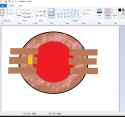
File: 1756652194680669.png (298.2 KB)
298.2 KB PNG
>>1017858
>>

>>
>>
>>
>>1024111
I will tell you I started by downloading blender and unreal engine, tried unreal playing around with it and quickly realized I needed to get comfortable with blender first. There’s a PS1 style (low poly) blender tutorial that was the most intuitive to start with so I went with that and it’s been much easier to get past learning curves though it is really frustrating at first if you don’t know hotkeys and I’m still not the best with them.
Learn what “grey boxing” is and you kinda learn your own workflow and the creativity is much easier to tap into once you create assets and models like you say, to import to unreal and make scenes or even just in blender. Modular level design is ideal as opposed to manually scriptwriting with concept art, story boarding etc. if you’re just trying to get started like I was. Just pick something you know you’re interested in and try to replicate that, just not in ultra HD graphics yet.
Sorry to ramble but this might be the only answer you get. People are assholes here bro it’s literally a board of people telling you to read their 15 year old jpeg’s of outdated versions of software while they scritch their chins.
>>
>>
File: C9dTXDrWrw.jpg (121 KB)
121 KB JPG
igmi lads
>>
imagine how many people did not pursue 3D for fun/as a hobby/to potentially make money after trying to do 5+ hours of making a donut and getting bored as shit instead of learning naturally and making something you actually want to make
>>
>>
>>
>>1024133
lookin good!
>>1024162
There's a bunch of tutorials for other stuff, if they chose the donut instead of say the one modeling Zelda's butt, they wanted to make the donut, and then dropped because they'd have dropped anyway.
No one would just drop it because of the donut, they'd seek something else to make.
>>
>>
I'm following his Blender 5.0 tutorial, but unfortunately at the texturing part, he doesn't teach you how to hand make a texture and apply it, instead he shills his website and asks you to download textures that already have all the bump data etc. applied, specifically for these tutorial objects. lame.
where do I go to learn actual texturing?
>>
>>
File: ObUeaKRbx9.jpg (78.2 KB)

78.2 KB JPG
>>1009405
>*teaches you nothing*
can confirm. finished and even though I made a donut on a plate and a mug I feel like I mostly learned nothing. they're just slightly manipulated toruses and cylinders. but i guess it beats just staring at the cube and not knowing what to do at all to get anything started.
>>
>>
>>1024356
Now go learn specifically what you want. Beginners have no idea how complicated 3D and the depth of topics involved. Most people don't even get to the final render.
There's no good "hello world" for 3D modeling, the donut is about the best we have to offer because of how much it covers
>>
File: 20250624001649_1.jpg (363.1 KB)

363.1 KB JPG
>>1024373
I would like to learn how to make environments like pic related. The problem is that when you look up environmental modeling and sculpting, it's 99% of the time some garbage like house walls and mostly about texturing, or it's aimed at people who just want to shit out renders, not for game assets. Idk how people even become environmental artists cause i can't find decent resources.
>>
>>
>>
>>
>>
>>
>>1024352
Well, something I can recommend is actually using procedural shaders over hand painted textures. There are some time where you may need to paint a texture, but doing it procedurally allows you to keep from making essentially the same asset a dozen times when you start animating more. It’s actually the reason I switched from 2d to 3d, because I’m able to make texture creation much more intuitive.
So, my recommendation for doing procedural textures is that there are three main nodes you’ll use: the different noise nodes, mix nodes, and color ramps. Already that has a ton of versatility.
You want a cracked glass texture? Use a distance to edge voronoi with a color ramp. You want to make the different spots of that texture show different things? Use the color ramp-voronoi as the factor in a mix node, and put more textures in the color slots. You can really just rinse and repeat for most other uses. You can even turn those noise textures into a bump node for a shader.
>>
>>1009405
The first mistake is assuming the Donut tutorial is about learning how to make a donut, because it's not.
It's about learning the interface and a basic workflow. It uses the donut as the means of conveyance.
>>
>>
>>
>>1009643
if you cant spend 2 seconds googling blender viewport navigation and reading the probably 2 paragraphs of necessary information that definitely exists as your first result via their documentation. youre the problem. Learning software is about reading documentation. The sooner you learn that the sooner you can drop tutorial slop. You have the words "viewport navigation" in your head. you know what it means and what it should signify in a 3D application. the only informaion eluding you is exact controls. hmm if only there was a place for every proper software that has exactly all this information and is typically searchable?