Thread #1019394 | Image & Video Expansion | Click to Play

File: file.png (748.2 KB)
748.2 KB PNG
What are GOOD courses for 3D animation in Blender?
So far I only found Alive! by Pierrick Picaut. The rest suck fucking ass, but maybe I missed something
223 RepliesView Thread
 Showing all 223 replies.
>>
>>
>>
>>1019394
There aren’t any good courses, Blender lacks animation tools for higher quality animation. Every Blender user is an absolute noob when animation is talked about. They have no experience in any form of animation, there methods are exclusively Blender.
>>
>>
>>
>>1019394
>Alive! by Pierrick Picaut
Holy shit you actually managed to understand a single word of what he says? Legend. His accent is just too thick to make sense of, which is a shame because the guy seems pretty competent
>>
>>
File: image.gif (149 KB)

149 KB GIF
>>1019408
It's baffling that it's literally the only good course on animation, though.
Look at pic related.
This is an actual animation made by an allegedly professional animator.. and it's the ONLY ANIMATION HE SHOWCASES FOR HIS COURSE
>stiff as hell
>terrible movement
>zero exaggeration for style
>no follow-through
And it's the only thing he's got to show for his course.
THIS is the average animation course right here.
It's either Alive! by Picaut, or trash like this
>>
>>
File: G05V9z9bMAAU3bp.jpg (2.8 MB)

2.8 MB JPG
>>1019394
All the good ones (barring Alive!) are on Coloso and easily pirateable
https://coloso.co.kr/products/3danimation-jungjonghyun3
https://coloso.global/en/products/3dcganimator-hirao-us
https://coloso.global/en/products/3dartist-nanigashi-us
>>
>>1019415
He apparently used to animate RWBY fights, which is a big red flag, and the animation shown here https://www.youtube.com/watch?v=O3oIDnuubso
at 34 seconds is not terrible, but absolutely not professional.
I'll still look into it for the mere fact we got so few options. Thanks mate.
Also
>inb4 if Alive! by Picaut is so good, why don't you just use that course?
It is good, but he makes inbetweens in the blocking stage by ear. I've no fucking idea how he does it. He just knows timing and movement down to a T, but I don't, I need spline to make inbetweens, so I can't keep up with him
>>
>>1019416
Those look really good but (and this is from just a glance, I might be totally wrong) they also look like they heavily rely on drawing the entire animation first.
Will definitely look into these and report back, thanks
>>
>>1019417
>>1019418
>He just knows timing and movement down to a T, but I don't
>He just knows timing and movement down to a T, but I don't,
Uh, I don't really know what you want here. It sounds like you nee do learn animation basics or fundamentals first before attempting to apply it to 3d, otherwise you're better off just using Cascadeur lol.
>>
>>
>>

>>1019420
PSDLY
Coursebusters Telegram Group
Blender: Free universe Telegram Group
OnlineCourseClub/GroupBuyClub (Not recommended)
>>
>>1019422
PSDLY uploads to websites that require premium accounts for anything larger than 1 gig (so everything)
Telegram groups are telegram groups.
I'm not saying it's impossible but I wouldn't call it easy. Pirating a movie is easy.
>>
>>1019423
>PSDLY uploads to websites that require premium accounts for anything larger than 1 gig (so everything)
It's not really plural, they only upload to fileaxa for 99.9% of the files there and the premium is only like 13 dollars as opposed to paying normally for a course which easily surpasses 100$, not to mention you can download pretty much however many courses you want.
>Telegram groups are telegram groups.
I'm not really sure what you mean by this. What are you having difficulty with?
>>
>>
>>1019425
>If I'm paying I'm not pirating.
Idk man 400+$ to 13$ stops becoming a mere discount at some point
>Telegram groups usually require jumping through hoops, like blowing the admin's cock and swallowing.
I don't really go to telegram channels that aren't piracy groups or chinese literary clubs so I can't really say I'm familiar with what you're describing. GBC sounds more like what you're talking about but it's a separate website rather than a telegram group. I have never spoken a single word to anyone in either Coursebusters or Free Universe, they're pretty laissez faire.
>>
>>
>>1019405
>>1019408
>>1019419
>The character was created with the help of my friends from Atypique studio, Alexandre and Antony!
>Big thanks to Fin for his help on building a better UI and tools on my rig.
Ya no, not entirely on Blender and was not alone because he paid people to help. Cult members not reading, old has time.
>>
>>
>>
>>
>>
>>
>>
>>1019440
If you’re going to learn about animation, you should at least find someone who knows how rigging works instead of paying people like those rich YouTubers who self claim they created videos themselves.
>>1019446
>>1019447
>Copy & Paste the channel’s own words
>Blendead cult “Gues hez a gooood animatir I swears”
Every time, every single time you lying pieces of shit get caught you start the insults instead of admitting the truth.
>>1019443
The Blender Community have become well known cult members that insult people whenever facts are presented. In a nutshell they’re the Trump supporters of the CGI community. There named Blendead for being a horde of mindless zombies or cult members who follow Blender developers leadership no matter how stupid the updates and try to justify the removal/addition.
>>
>>
>>
File: file.png (18.9 KB)

18.9 KB PNG
>>1019467
I didn't need them but I do have them in the file. Timings seem fine.
If it sounds like broken English it's because that's how he speaks.
In fact I don't think it's an accent or even bad pronunciation, I think he might have a legit speech impediment.
>>
>>
>>
>>
>>
>>
>>1019394
Would Alive be a good spot for a beginner? I've wanted to get into animation, but every time i see a tutorial its pretty dog shit. Even the Donut Tut had a section on animation that was a mess more than it was insightful
>>
>>1019567
Alive is great but with a downside: Picaut is extremely methodical, to the point of obsession. This goes in all of his tutorials, especially his modeling tutorial: he's constantly preparing to prepare the set-up so you can set up the preparation for Photoshop where you can prepare the texture for setting it up in Substance Painter... it never fucking ends. His workflows are LONG as fuck.
But he will teach you really well and won't miss out on anything. Just don't skip ahead.
The urge when watching a Picaut course to skip ahead will be very strong... but don't do it. Do everything and in order. Once you've finished and have learned, THEN you can choose which steps to skip.
>>
>>1019414
that animation is by grant abbit who's made many comments that he's not an animator, he's just a modeller
the course that gif is from is about teaching the bare basics of using blender's animation tools for newfags that havent touched blender, the alive course is designed around becoming an actual good animator and assumes you already know blender which's why its paired with art of rigging
>>
>>1019571
Yeah it can be laborious, but I can't argue against the Miyagi effect, AOER really changed my muscle memory for shortcuts, naming and organizing, with great speed gains. And I just finished the bobcat part of the bouncing ball tutorial in Alive and it's kinda crazy all I've learned already
>>
>>
>>
>>
>>
>>
>>1019416
I haven't gone through these, but Japs are horrible teachers in my experience.
It's like they forgot that they had to learn things, so now they take those things for granted. They NEVER teach fundamentals, they just assume you know everything.
On top of that they teach you their own style exclusively, not good animation in general.
Again I'm just speculating but my experience tells me to avoid these
>>
>>
>>1019639
>They NEVER teach fundamentals, they just assume you know everything
Devil's advocate, but a lot of courses target intermediate learners, not complete beginners
Maybe don't focus on cel-shaded anime animation if you can't make a donut
>>
>>1019641
Thanks for the vote of confidence faggot, no, I mean literally they don't teach you anything.
Like the entire thing is a 5x timelapse with a voice-over saying bs like "animation comes from le heart... just go with the flow man desu neee"
They can't teach worth a fuck.
>>
>>1019639
>>1019640
This lines up with my experience. The only good courses/teachers already stream lessons for free somewhere like youtube. Paid courses don't tend to teach you skills, more like "how to do this very specific thing the course is for."
Every paid course I've seen has been a cash grab and complete waste of time compared to things you could have taught yourself if you actually worked hard. I'd only ever pay for having my work critiqued/graded by someone competent since there's only so much self-critique you can do.
If you can't draw, then you shouldn't even bother trying to 3D animate. It's the same as sculptors never learning anatomy but buying/hoarding tons of sculpting courses because maybe just one more hit and they'll finally be able to make something appealing (they won't lmao)
>>
>>
>>1019690
That doesn't disagree with what I said:
Westerner is a +1 for better at pedagogy than the average Asian course
Having a youtube channel with tons of free tutorials and demonstrations is another +1
People like him are the courses that you should be buying because you like the teaching style and they go more in-depth for people who can't figure things out from the free videos. Or the creation of the content takes too much time/effort to do for free (as a professional) and no one will watch the videos if uploaded.
Masterclasses which are one-off courses by famous artists are almost never worth it unless you absolutely adore the artist and want to hear them talk about what they think about. You have to be very high level to understand how it could improve your work, most of these are just edutainment for /beg/s or ints.
>>
>>1019690
Yeah I just finished the "more bouncing ball" exercise. I kinda knew what to expect because the rigging one was a revelation to me but it's just as good and even though I'm only 20% in just the new understanding of keying and the timeline has been worth it.
There's a bit of what >>1019417 said in that he has you lay down a couple keys in the blocking stage, you think "oh now we're gonna add some more to get more control" and no you switch to splines and it turns out all the important keys were there and it's kinda black magic, but he does reiterate constantly that what constant practice gets you and I can believe it.
>>
>>
>>
>>1019720
There is some overlap like perspective and distortion proportion but to say that they're the exact same skillset is asinine as the fundamentals of drawing include motor functions (drawing a straight line), color/value theory, and other things. Also, how you'll interact with those fundamentals often differs wildly from one medium to the other to the point where they might as well be different concepts at some point as the application is different.
If you were to say to learn 2d animation fundamentals, then I would agree with you, but drawing is absolutely not a prerequisite although I won't deny its usefulness.
>>
>>
>>
>>
>>
>>
>>
>>
>>
>>
>>
>>1019821
Damn, that does look good.
Looks like I'm gonna have to pay...............................the price of 12 bucks for Fileaxa lol (lmao)
Seriously though thanks for pointing out this course, it looks rock solid
>>
-1 for the jap courses
got burnt badly by one for drawing a while back. They dont teach you shit they just do things and tell you
>go study anatomy
>go study this program
>go study how to make brushes
then why buy your course you japnigger
>>
>>
>>
>>
these ones seem to be the greatest so far :
https://thiagoklafke.gumroad.com/l/environmentartmastery for unreal engine
https://www.artstation.com/marketplace/p/ajXoN/efficient-environment-d esign-for-blender
for blender
>>
>>
>>
>>
>>
I just started learning how to rig a human and I thought IK would be easier. But the fucking pole targets are pissing me off so much that I might just animate in FK. Like I followed tutorials and I get that they are working as intended. But like I'm having trouble managing the pole targets to maintain the right distance (too far and they don't work, too close and the limbs bend backwards). And the damn elbows seem to have a mind of their own. The knees seem to work okay because legs don't twist as much as arms. Apparently this is considered normal.
Does anyone know what I'm talking about?
>>
>>
>>
>>1020763
Nah, I realized I set them up correctly, I'm just not using it for the right purpose. I SHOULD in fact switch between IK/FK. IK should be for limbs to stick to something, like a wall or handle or floor. Because then I can pretty much leave the IK bones alone. But when I'm just swinging the arms like in a walk cycle, FK works much better. Blender has an "influence" property that makes turning IK on/off easy.
>>
>>
>>
>>1020834
Nigga I use Blender because it's FREE. I'm not gonna pay for your course.
The problem with this hobby is that I just want to do certain things. I can't know how to solve an issue if I don't know what to search for specifically. So I have 2 options: I can pay $100 to listen to some twat with an annoying voice drone on about shit I don't care about for 50 hours like the graph editor just to get that 5 minutes of worthy IK knowledge. Or I can ask someone here. So I don't think it hurts to ask. And I THOUGHT I'd have better chances asking an animation question in the damn animation thread rather than some Q&A general. Apparently not. Peace out.
>>
>>
>>1020833
>>1020839
>were you trying to use FK and IK at the same time?
>you thought IK and FK were supposed to work at the same time ffs
I don't even know what you mean by that. My issue was that I was using IK for the wrong reasons because a lot of riggers insist it makes animation faster. And it does, but they didn't explain that I shouldn't keep IK ON all the time. So I was struggling just to make a basic walk cycle.
I can still mix and match IK/FK. For instance, I enable IK on a foot to keep it planted on the ground. But I use FK for my arms because I want them swinging freely. Working great for me so far.
>>
>>
>>1020838
>pay
Free IK tutorial goes into IK/FK switching too, and also would dispel some other idiot notions you still have, that's not some arcane gold account knowledge, you're just an idiot
>they didn't explain that I shouldn't keep IK ON all the time
They did, but because you're an idiot who doesn't read or watch tutorials, you're pretending it's their fault
>in the damn animation thread
Because you didn't read the thread either, you missed the notion that this is the course thread
>>
>>
File: 4IzZ6lvGDHXbgGb8L8P4w2thIyZsQ7SEYjvcWVblacI.jpg (158 KB)

158 KB JPG
>>1020843
>>1020845
>>1020846
You guys are just making up some narrative in your head that I refuse to take advice or watch tutorials. I literally came here to ask for advice but all I got was "try paying attention." That doesn't point me anywhere.
Sometimes my google-fu doesn't always work. It wasn't until I looked up "should I use IK or FK" that I got the answer to use both. Before that I watched several videos about rigging that never mentioned switching. Unlucky I guess. You guys COULD have guided me in that direction. But only now when I got the answer from elsewhere do you try mocking me and saying "it was le obvious."
>and will blame it on "muh some people are just born with talent"
Never even blamed anyone or mentioned "talent" once. I just thought people here would be more courteous, but nobody here owes me answers. My issue is solved anyways.
>>
>>
>>1020848
You're mocked extra hard because you're incensed that asking your question in the course recommendation thread, led to be told to follow courses. Oh but no, it has the word animation in the OP, this must be because this is the animation thread, as reading too many words is hard for you.
The stupid questions thread, despite or maybe thanks to its naming, would have been much more receptive to your plight of basic IK shenanigans.
>>
>>1020855
What exactly is "step 5" and "step 3" in this scenario?
>>1020833
>>1020839
>you thought IK and FK were supposed to work at the same time ffs
And is anyone gonna answer what this meant? Because we agree that IK/FK switching is a legit technique now, but that can't be what you were mocking me for right?
>>1020858
>The stupid questions thread, despite or maybe thanks to its naming, would have been much more receptive to your plight of basic IK shenanigans.
My experience with that thread is a lot of questions get ignored and mainly easy questions get answered. Rigging may seems easy but a lot of people avoid it so I likely wouldn't have gotten an answer. But I should have tried anyway. Definitely won't be asking here anymore.
>Oh but no, it has the word animation in the OP, this must be because this is the animation thread
I chose this thread because "courses" could refer to guides or tutorials. So I don't see what's wrong with asking a question to expect some kind of video or resource for it. The only guy who referred me to anything was >>1020748 but it was pretty much a non-answer. And I have no idea what tutorial this schizo >>1020763 is talking about. Probably the same poster as >>1020855 who loves to act cryptic and enlightened but is full of shit.
>>
>>
>>
>>1020868
Actually, ironically enough, paid programs are better than Blender in every field except animation.
Zbrush beats it at sculpting.
Substance Painter soundly beats it at texture painting.
Actual CAD programs beat it at their thing.
But animation? What does Maya actually have over Blender?
>drrrr pros use it
That's not an answer
>>
>>

>>
>>
>>
>>
>>
>>
>>1021021
Right, but you might want to look into proper Pose to Pose workflow. I might be wrong but it looks like you're just placing keyframes randomly (and like most beginners, probably way more keyframes than necessary)
Again, I can't tell for sure so I'm sorry if I'm wrong, but those are usually the beginner faults
>>
>>
>>
I think the fact that there aren't any solid animation tutorials in on part with Blender. Everything's a mess, including the tutorials. It's only when you want to start to work semi-seriously with the tool that you're slowly realizing this.
>can't find a definite rig for humans, people either tell you to go with rigifiy or implement their own retarded methods for IKs because "I found this to be better"
>3 different animation tools, nobody can decide which one you should seriously spend time on
>blender fucked up the most casual one with its latest update anyway
>people keep suggesting traditional animation when it just wouldn't work with 3D unless you go for a specific motion style
>the tutorials from the blender "gurus" or even blender itself are the most outdated shit you can find
It's no wonder why you eventually have to go fuck it and do everything yourself, which ultimately turns you into another one of the "personally this method works better" guy. What we need a good, centralized tutorials but I don't think it's ever going to happen.
>>
>>
>>
>>1021582
Didn’t there exists a post that said Alive was created by a YouTuber who had no animation experience and the videos were just lame examples of basic 12 principles? Plus I don’t see Alive ever going deep into animation terminology like this guy: youtube.com/playlist?list=PLugegG07di3886WYN6u7v9BeBd0VFG3_J
Guys, you gotta stop falling for scammers.
>>
>>1021586
>Didn’t there exists a post that said Alive was created by a YouTuber who had no animation experience
No you made that up just now. Pierrick is a professional animator, he's worked on actual games. Plus it's not like you can't look at what he's capable of animating. Stop being a disingenuous baiting tard.
>and the videos were just lame examples of basic 12 principles?
>links videos that are just lame examples of basic 12 principles
lol
>>
>>
>>1021587
>>1021588
>No sources to back up claims
He’s only 10 years in 3D animation vs me with 20 years who used other software like MMD, Cheetah, Maya, free3DCAD, worked with programming languages, etc. Also unlike that scammer who “self taught”. I actually went through college, got certification in Maya and Adobe. Working on actual job projects before the dumb AI stuff happened. I have the skills, knowledge and industry history. Not Pierrick Picaut the scammer.
His game Noara is dead, what stupid development team would allow multiplayer only and not try to include bots when low on players. 4 players only? Ya good luck find someone who not only likes Tactical games but also bad animation of the said game. Still early access and highly believe to be abandoned.
Guy is a quack.
>>
>>
>>
>>1021602
4chan doesn’t let me dox myself/self promote and I don’t want to hear your crazy conspiracy theories in my official business email. What part of “lame animation” did you not understand. Obviously i did look into it, you’re an inexperienced Blender cultist who never got criticized by professional artists who created movies, videos and televised shows. He is in the same boat as you who believes he’s a professional but never got better.
>>
>>
>>
File: armstrong-made.gif (1.8 MB)

1.8 MB GIF
>>1021608
>>1021609
Neither of you even present anything, you also don’t have any right to believe he is better all because you say so.
>>
>>
>>
>>
>>
>>
>>
>>1021629
>>1021631
>>1021633
Here we see cultist being scared of being told the truth. They talked amongst themselves for protection and mental enforcing. This paranormal state is called love bombed. Anons, you can’t keep doing this and assume that’s the correct answer for supporting Pierrick. The videos he uploads aren’t up to animation standards, YouTube is a public available service for anyone to upload videos it doesn’t prove he is better at animation because of a website. Your inexperienced in animation shouldn’t be the reason why you are correct too. So unless you’re going to be better at animation or try anything other than Blender, you are literally just not capable of having a opinion.
>>
File: 1753736513903294.gif (3.8 MB)

3.8 MB GIF
>>1021635
You are a dumb and lazy nigger that would rather whine to be spoonfed than spend two seconds looking something up
https://www.youtube.com/watch?v=4n48e8cGGTI
PYW, a course that has an instructor capable of animating better than this, or stop posting at all you retarded ape.
>>
>>1021636
Maya Learning channel is free, the guy is a professional brought to you by Maya. Has his own company, won awards, got films experience and he’s certified.
https://www.youtube.com/watch?v=rt9cSAZ3I3s
The companys movie trailer: https://youtu.be/TKviRZRUkaE
>>
>>
File: 1730340010762534.jpg (30.4 KB)

30.4 KB JPG
lmao we actually made the baiter post on-topic
>>
>>
>>
>>1021650
That "course" fucking sucks ass. He shows the bouncing ball, then everything past it he literally NEVER shows the full animation in motion. Just tells you "do this, do that, and it will work" and never actually shows his animation
>>
>>
>>1021659
It’s obviously the basic understanding of creating the model, rigging it and how one would make a avi/frame images. You can’t skip to the animation and just think your progress will be understandable. The Blender scammer doesn’t get anything right when telling you how rigging works because he wants you to pay more on pointless content that an animator doesn’t need.
If you want to learn more about the specifics of something in the software, you gotta learn that very skill without the other being in the way. Animation requires understanding how a model is made, how one rigs it, how to move it, how to add lights and how to produce a video. Animation job isn’t just about moving something, you have the biggest responsibility when it comes to the audience viewing everyone’s content.
>>
>>
>>
>>1021580
I imagine this is an issue with it being free software, where they don't have the same financial incentive to make the program more easily accessible and would rather just keep working on the program itself; in my experience dabbling in gamedev the godot engine has a similar issue.
On the other hand it's still perhaps better this way, because non-free software has developed a tendency to make things worse for money: at least blender won't retroactively cancel the lifetime subscription you paid for and force you onto a monthly plan while filling half the window with ads because they wanted more quarterly growth in a mature market.
>>
>>
>>
>>
>>
>>
>>1021712
It’s supposed to be educational, the blander scammer had an entire animation of creatures in Noara going left and right. No idle animation, tails rotating badly, still background characters momentum in CGI scene and no animation for UI screen characters.
The difference in experience are clear anon, Blender scammer can’t animate with items and cannot bring life to the characters.
>>
>>
>>
>>
>>
>>
File: Screenshot_1562.png (752.4 KB)
752.4 KB PNG
>>1019416
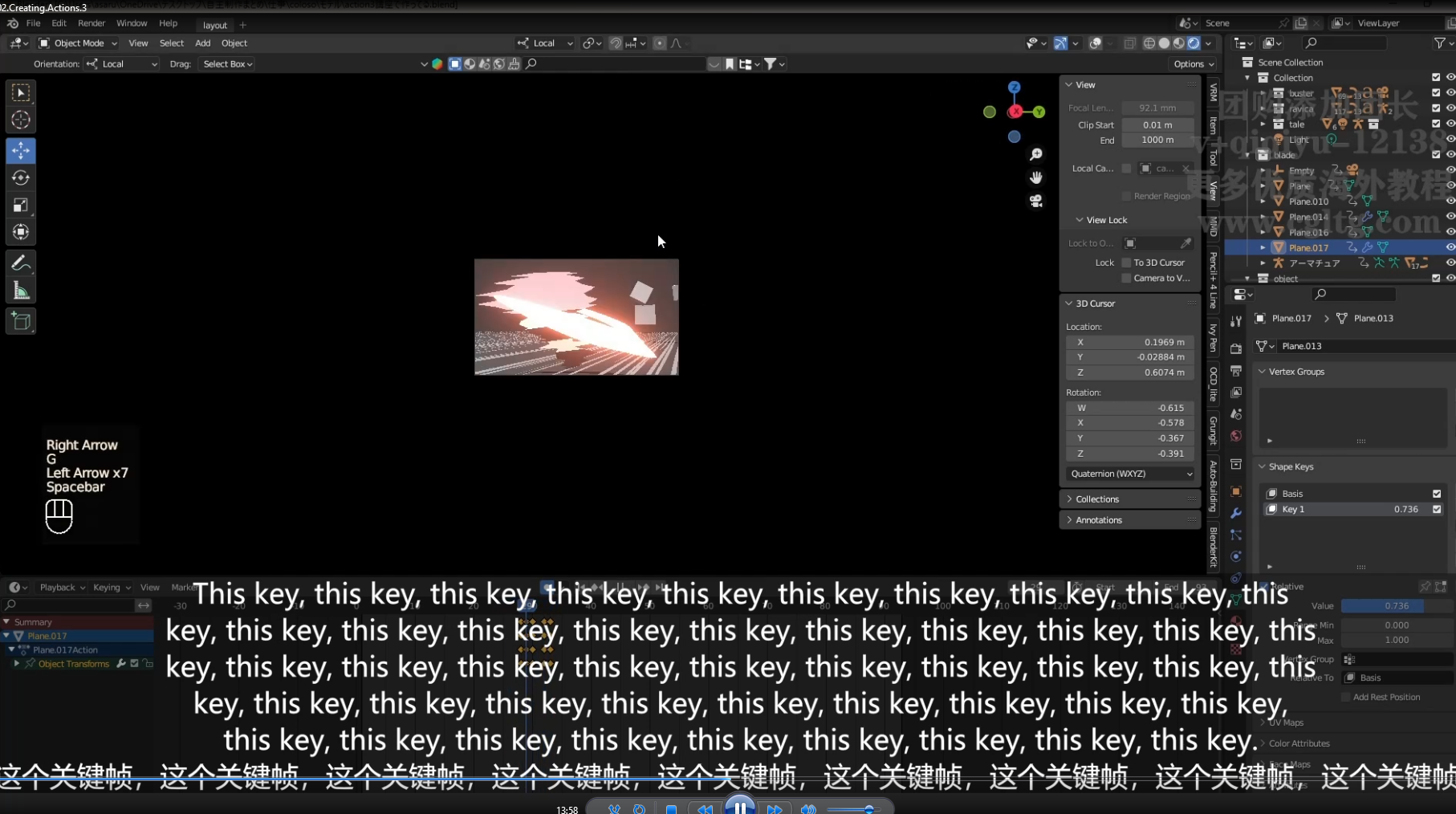
lmao nice subtitles
>>
>>
>>1022447
Yeah for big ass robots that bounce with each step, but how would this be useful for humans?
>humans bounce too when they walk!!!!!!!
Okay so it's a niche use for a walk cycle, I'll still do it manually in less time
>>
>>
>>
>>
>>1022456
So for every single movement I'm supposed to create a fucking Empty, do all the constraints, bake that shit, then delete the empty and undo the constraints and all that?
I'll do it myself with a followthrough frame of my own, or even with Blender's automatic Breakdowner than you very much.
>>
>>1022462
I mean, if you do it yourself, then it merely becomes a questuon of whether the space switching approach is faster or more flexible than your own current manual approach. So it depends on your current workflow.
Breakdowner sounds cool, but just a really cool onion skinning addon, if I understand correctly? Also I can only see 2.x versions listed, does it work with blender 4/5?
>>
>>
>>1022463
>>1022465
The breakdowner does what it says on the tin: for the bones you've selected it looks at the previous frame and the next frame, and lets you adjust which of the two frames get favored more. At 0% it's literally the same as the previous frame, at 100% it's the same as the next frame, at 50% is the middle interpolation AKA as if you hadn't done anything.
There's also two variations of the Breakdowner tool called Push and Relax which do different effects but with the same idea of creating a new frame in the middle of two.
This whole space switching stuff seems like peak Picaut to me: ends up looking good but is overly meticulous. Don't get me wrong, his Alive course is the best animation course out there, but you still need to pick and choose what to listen to with him. His idea of "good enough" is a little too above MY idea of "good enough"
>>
>>1022466
>This whole space switching stuff seems like peak Picaut to me: ends up looking good but is overly meticulous.
It's more of an efficient and repeatable way to get the software to do the work for you with overlapping action and secondary animation. Parts of it are meant to be automated with scripting, and it's an improvement over manually weaking FK chains. There are free plugins for world and aim space switching
It's not his idea, it goes even deeper
https://youtu.be/MjjiwZmiXW4?t=1554
>>
>>
>>1022466
>His idea of "good enough" is a little too above MY idea of "good enough"
Yeah but that's why his course is one of the best and not one of the "good enough"
However, you're accurate in that like all courses it's up to you to pick up whatever tool you feel you need from his toolbox. However at least you're aware that the tool exists and the way it's used
> it seems like you're swapping one manual labor for another. Automation's supposed to speed things up, to be an upgrade. Not a sidegrade
That's entirely running on your gut feeling it's a sidegrade and not a lot faster once you get the hagn of it. ALso as that other anon said the core idea behind space switching is a lot more expansive than just allowing faster overlap and follow through, it's about being able to completely change the frame of reference of any movemement and manipulate its curves in that frame, then just as easily put it back in the original or change it to another. Also the nifty secondary application that whatever fancy constraint chain you cannot implement because it'd become a circular dependency can be dealt with using space switching.
>>
>>1022483
You are right in saying that I'm making assumptions. The thing is, I really don't feel like going beyond my current workflow is going to help enough to counteract the added learning curve.
Knowing the principles, knowing when to use pose-to-pose and straight-ahead, knowing where to place keyframes for important poses, where to place breakdowns, and where to place anticipations/overshoots is all I need to know. Modifying this workflow feels like fixing something that isn't broken, to me.
I'm looking for courses so I see how other animators do things, and copy the stuff they do. This space switching stuff... meh, not something I feel I need.
>>
>>1022484
>>1022483
ahhhh hold the phone, hooold on.
Turns out space switching is useful when manipulating objects that aren't rigged, like when a character has to pick up a cup.
Instead of making that cup a permanent part of the character's armature (which would be way overkill if the "picking up a cup" scene happens only once), space switching is used, and apparently it also allows for changes to the character's movements to be made, without having to go and re-do the cup's animation.
Okay, I'll admit that's a big deal and I'll look into that. If anybody else like me was skeptical about space switching, this might be an interesting part about it. I'm definitely not interested in using it for like... character animations in and of themselves, but manipulating other objects? Yeah that sounds useful
>>
>>
>>1022486
No, in that case you wouldn't make it a permanent part of the armature either, you'd just temporarily bind the cup itself to a bone through a child constraint.
And that'd be true of another character too, like shaking hands. Basically the whole idea behing how just about any good rig is done, including most autoriggers like rigify and P2's stuff, is that for the rig itself constraints are never used on the controllers (the bones that are exposed to you).
Then in a given scene you link the rig and add whatever constraint you need for that particular scene specifically either on the controllers (for characters) or on the object itself (for armature-less objects like a cup).
If you need to duplicate the scene or otherwise clean the rig without relinking it, you know you can reliably show all controllers (easy through the rig UI), ctrl-a and clear constraints and you're good to go. Similarly, you can add a constraints just for the purpose of blocking out some aspect of the animation and just bake the motion when you're done. That's why the baking menu has the clear constraints option. But none of that is space switching.
Space switching is using temporary constraints and objects to change the frame of reference of a motion. Turning a world motion into a root motion, a linear motion into a rotation, a child object motion into a world motion, etc. You're moving the motion into a frame where it is easier to work on, usually where you don't have to counteranimate, including the originally discussed trick of for overlap/followthrough that's about moving a local motion curve into world space, then moving it back into local once you're done.
But just picking up a cup, you don't need to bake that to produce the final effect, you can just use constraints for that scene only. You could bake it in the end because it's cleaner, but that's where the idea of space switching finds its roots, not actual space switching.
>>
>>
>>
>>1019394
If you're doing animation by hand, all I can say is consume everything but most importantly practice.
Blender isn't really great for hand made animations, so the only way you can get better is through practice. There isn't really a lot to teach other than the basic usage.
There're several methods to do mocap relatively cheap depending on your use-case, so if you're interested in animating humanoids you should look in to that. For objects, do it programatically with the physics engine. The biggest issues are animals and non-humanoid creatures.
>>
>>
>>
>>
>>

>>
>>1022495
To be fair the audience would look at the tricks and less on the character and their mouth. Plus these are Unity models with game mechanics limitations. The MMD versions they give out offers more mouth control.
>>
>>1022521
Meanwhile Maya lets you rotate with many different options and control the rotating angle to the precise position. Something Blender has never added, plugins exist but that just proves that Blender Devs never listened to feedback.
>>

>>
>>
>>
>>1022534
I always use shortcuts now, they're lightning fast and let me obtain good poses in seconds.
For micro-adjustments... I still use shortcuts. R, X to lock onto the x axis, then I rotate while holding shift (which is the micro-adjustment modifier key for more precise movements).
The gizmos are slow as fucking molasses and anyone who defends programs that only have those are idiots
>>
>>
>>
>>
>>
File: IMG_0635.jpg (117.8 KB)

117.8 KB JPG
>>1022531
>>1022533
>>1022534
Blender will never add these: https://youtu.be/NCq1xdhiI3Y
10 years and Blender needs plugins to match the same functionality.
>>
>>
>>
>>
>>
>>
>>
>>
>>
>>
>>
>>
>>
>>
>>
>>1022578
>Pressing 4 buttons to rotate a item is better than Autodesk’s Maya version of one
Stop you’re sounding like a cultist, there is no reason to press R+(XYZ)+(number) when things like Auto-R exist. You’re living in the old ways that’s slowing you down and making you insane.
>>
>>
>>1022586
Cultists, never defying their awful rules and beliefs. What if one day Blender developers decided that everything changed and rotation is now CTRL+Shift+R+(XYZ)+(number)+Enter+ALT
See how stupid you are to follow awful software that doesn’t help the artist. The whole point of the tools is to help you, not become trap in.
>>
>>
>>
>>
>>1023935
Depends on what you're doing. If you need a couple models for an animation (or just learn animation) then do the rigging course.
If you need to make a videogame with a ton of characters then get AutoRig Pro and go straight to learning animation
>>
>>1023935
If you want to actually learn animation but not particularly rigging you can do so without knowing how to rig, and grab premade models. The rigging concepts you might need to manipulate the rigs will be talked about in Alive. Take the rigging course if you actually want to learn rigging
>>
>>1021691
The beauty of Godot is that it's so light and simple and easy to use. Wanna use Unity? first download the downloader, wait half an hour to open, a bunch of features don't work for whatever reason etc etc. Godot just opens and you can use it and if there's a problem it's usually your fault (in my experience).
>>
>>
>>
>>1019394
animation bootcamp by cg cookie might be good,
if anything else his accent (i assume he's an aussie, whats with all the aussie tut guys) is probably a lot more tolerable than that french guy. but it's from 2023 so it was recorded with an older blender vers
for facial animation there's a book called: stop staring, it seems focussed on maya but the principles shown would be software agnostic. a blender rigging series that i assume implemented ideas from that book was: rigging isn't scary, half by free and the "advanced" section was cheap.
due to how everything fits together id recommend going over retopo mainly on the face as well.
and remember, if u actually want to learn something, ideally you'd do it every day.
also, in blender 5.1 (in alpha until feb 4) they added "bone info" in geo nodes. so heh that could be another area to look into in the future, id guess when used with the sim geo node
>>
>>
>>1024448
Thing is, you think the ball bouncing tutorials are strictly about bouncing balls, but in, say, the p2design alive course the ball bouncing section is about navigating the timeline and graph editor, using keying sets, animating armatures, blocking, polishing, suqash and stretch, secondary motion, actions, fast iteration, keeping your graph under control, expressing character, different weights and materials using different motions, or in what ways a good rig can make animation drastically faster.
It's all stuff you're gonna need for animating a human, but much easier to learn on a ball that's got a lot less controllers, and by the time you're done you'll already known most of the basic tools to animate a human.
And that stuff will take you like an afternoon at most so just get it over with.
>>
>>1024450
Oh I know they're useful, I'm saying I'm well past that stage and would like a good advanced tutorial.
I actually did not like Alive very much. Sure it's long and it's got a lot of character animation, but he uses zero terminology and just shows his workflow. He doesn't talk about workflows (pose-to-pose, straight ahead, or layered), he doesn't show a system, he doesn't explain rules, he just does shit really. He's good and his animations are great but Alive is overrated
>>
>>
>>
>>
>>1019394
>So far I only found Alive! by Pierrick Picaut. The rest suck fucking ass
And why do you need more than that one? It teaches you everything you need to know. Animating in a different style then just becomes a matter of applying your own tastes.
>>
File: 3591823.webm (3.8 MB)

3.8 MB WEBM
I'm still a beginner in animation and I was watching some videos from Alessandro Camporota who seems like he among the best in terms of youtube content. one thing that stuck out to me was webm related, a rig he manipulates in maya. the controls and rig look so welcoming and smooth to work with. I haven't really encountered this in blender even with pre made rigs. I know its probably 90% the user but does blender also have controls and gizmos that help you affect the pose like shown here? it just seems so natural what he's doing whereas when I'm moving a rig around, it feels extremely clunky and things don't seem to stick the same way. I'm sure it's a massive user error on my part but I just want someone to tell me that if so
>>
>>1024564
Auto Rig Pro or Rigify rigs look better than that.
Also that's just posing, not animation. Don't think you can just start posing off of a reference video and place keyframes at random, you need a workflow like pose-to-pose with its breakdowns and settles and other rules
>>