Thread #1019553 | Image & Video Expansion | Click to Play

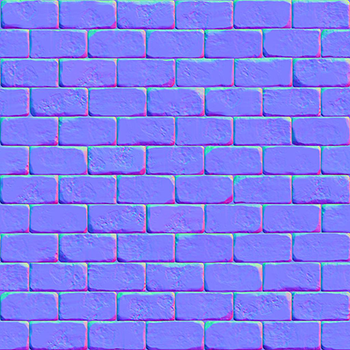
File: normal_mapping_normal_map.png (225.8 KB)
225.8 KB PNG
How would I go with painting my own normal map from scratch? Experimenting with a better workflow than the traditional baking here.
44 RepliesView Thread
 Showing all 44 replies.
>>
>>
File: picker.png (118.1 KB)

118.1 KB PNG
>>1019553
Bake a sphere that you can then use as a color picker. Going lower poly will help you reliably pick colors. Some programs offer such pickers out of the box
>>
>>
>>
>>
File: handpaintedNormals.jpg (135.6 KB)

135.6 KB JPG
>>1019553
Look at a normal map of a object with easily recognizable up/down left/right in the green and the red channel. You can hand paint great looking normals by hand by painting a pair of grayscale images with a gradient in the correct direction of shading. Download filters for Photosop like xNormal or the Nvidia normalmap filter and you can normalize the result of that to generate a matching blue channel.
>>1019554
Hand painted normals has a lot of utility and is a powerful technique once you get the hang of it.
Perhaps you are trying to add deep normals to a existing photo texture of something, or you're otherwise
adding normals to something that inherently has no geometry, like a 2D painting etc.
There are many valid reasons why you may would wanna generate a normal map without having to bake anything.
Pic related is another way of doing it, paint in your curvature as a mask and then sample colors from a normal sphere and replace the correct looking colors at the corresponding angles.
>>
File: handpaintedNormals3.jpg (68.5 KB)

68.5 KB JPG
>>1019569
For reference this is what that model looks with and without hand-painted normals.
>>
File: handpaintedNormals4.jpg (283.6 KB)

283.6 KB JPG
>>1019570
To create the mask you just make a selection where you wanna drop down shading and create the gradient with a proper size soft brush the side similar to how you paint shading with an airbrush.
>>
>>
>>
>>1019553
You could try drawing it in black+white then converting it into a normal map with laighter. I haven't done that, admittedly (or maybe I did and forgot), but it's worked well for when I wanted to convert image textures into normal maps so I don't see how it'd fail to do the same with a black and white image.
>>
>>1019596
> You could try drawing it in black+white then converting it into a normal map with laighter
That's a bump map, it can't express a full spectrum of what a normal map can. It doesn't have reflection "angles" basically, it only has height. You can convert any bump map to a normal map, but you can't convert any normal map to bump map without losing information.
>>1019589
Trvke.
>>
>>
>>1019658
Not really "converting" because that's impossible, at best it can "generate" a normal map from bump map, and in terms of angles I think it's gonna be the same as baking normal map from geometry? Which kinda defeats the purpose, because custom angles is what people want handpainted normal map for, and here you skip this step altogether and let automation pick the angles according to some hidden prebuilt algorithm.
>>
>>
>>
File: 20250717191853_1.jpg (335.2 KB)

335.2 KB JPG
>>1019668
> lowpoly retro trannies
Normal maps were never used in old lowpoly games, and they are extremely rarely used in new lowpoly games, and when they are, those are the crazy hybrid styles you won't ever confuse with anything old.
>>
>>
>>
>>
>>
>>
>>
>>
>>1019789
>Imagine trying to retopologize in base Blender
I still retopo in default blender, but I only need to retopo manually once every two months on average
I would probably get retopoflow or something if I needed to do it daily
>Softwrap
That looks trippy and I don't like that they're charging 40 bucks for a better shrinkwrap and a grab brush
>>
>>
>>
>>
>>1019553
>painting my own normal map from scratch
>better workflow than the traditional baking
lmao no
Here's what you actually meant to say:
>I can't sculpt and I can't model, so instead of learning I'll try to reinvent the wheel and do retarded shit
>>
File: dddd.jpg (35.7 KB)

35.7 KB JPG
>>1019553
Check this you can use geometry to create tileable textures!
https://www.youtube.com/shorts/rhNIpMYstgY
>>
>>
>>
>>
>>
>>
File: file.png (3.8 MB)
3.8 MB PNG
>painting a normal map
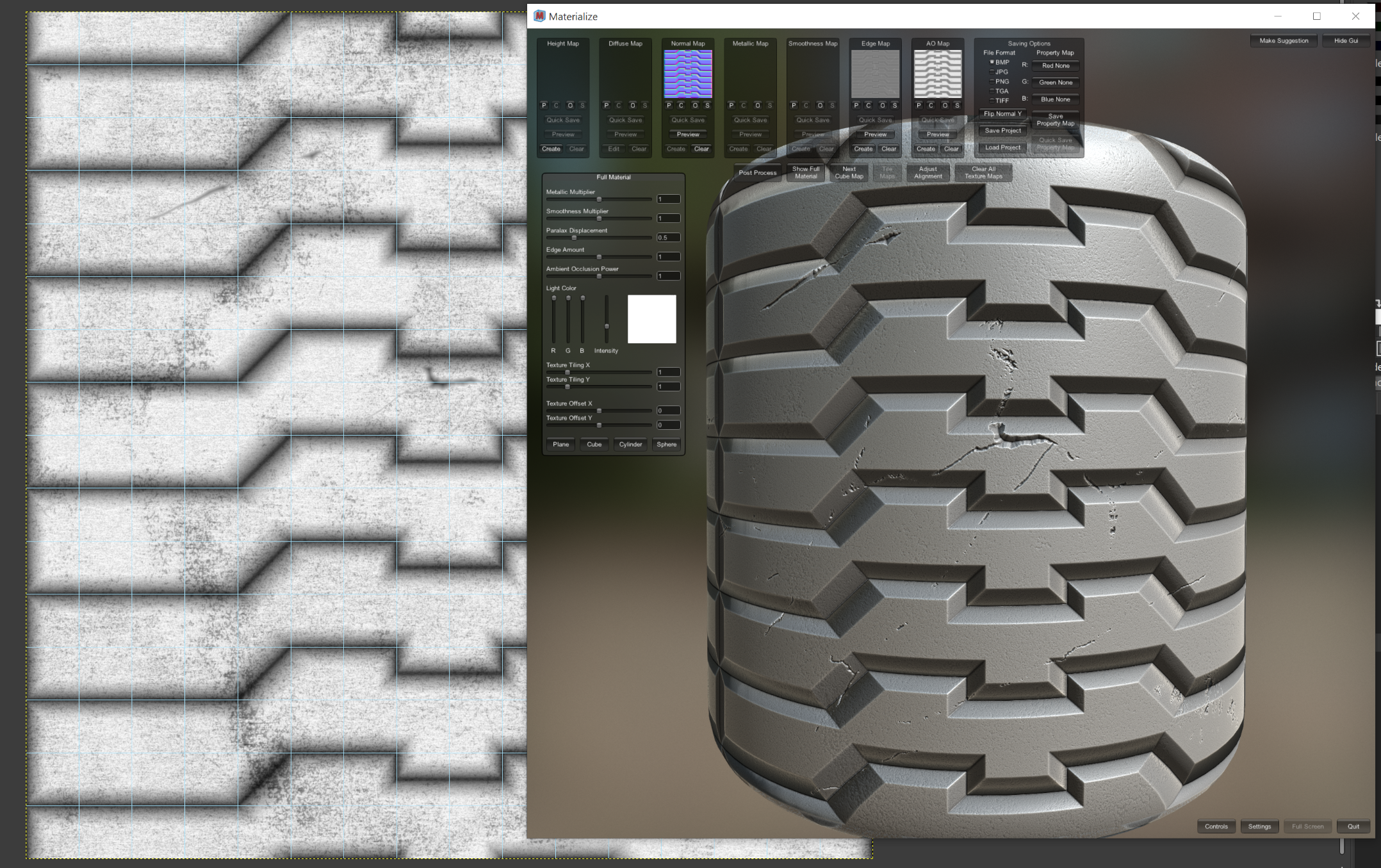
Brushstroke stylization aside, why wouldn't you just make a bump map and convert that to normals instead?
In GIMP the normal map filter lets you control the steepness of each converted layer, so you can over or under-emphasize different elements like scratches and bevels.
And since GIMP 3.0 you can toggle and preview the normals in realtime as you edit the greyscale.
Just a matter of getting comfy with the gradient tool and using the curves filter to add bevels or dimples in the inclines.
>>
>>
>>
>>1019553
Sculpt in Zbrush or an alternative, create the textures from the sculpting. Alternatively you can use substance designer to create these kind of textures procedurally. Personally, if you're doing this solo I recommend to use the Zbrush approach. If you're doing this to get a job, learn to do both.
>>
>>1019553
I fucking wish someone made a good test/showcase of this app's Normal Map Authoring https://sparseal.com/uniform/ because it looks like a nice method for polymodelling...
wish it was ported or something similar was created for blender
>>
>>1024904
i mean look at this
https://x.com/sparseal/status/1731696097700049181 they literally skip the highpoly sculpting by "sculpting" directly on the normal map
how has this not been done on other softwares? Normal map sculpting should be an option in blender/maya
baking is such a fucking bother
>>
>>1024905
you're not going to sculpt hard surface models like weapons which need precision CAD modeled high poly variants and perfect surfaces you retard
baking isn't going anywhere, it will remain the standard and this shit feature from the video may only replace baking for stylized low poly assets. it'll be a niche.
imagine getting filtered by baking.