Thread #1021898 | Image & Video Expansion | Click to Play

Anonymous
3d printing 11/13/25(Thu)18:29:52 No.1021898 so i design stuff with Blender for 3d-printing. Lately a friend asked me to design some mechanical parts for printing and I realized Blender isn't suitable for this, because when you apply a subdivision modifier, all the dimensions change because the geometry gets deformed. I was going to learn freecad but i watched some people doing stuff with it on youtube and every time i watch a video i say to myself "i could model this in Blender in like half the time." is this the nature of CAD modeling, or is this specific to freecad?

Showing all 14 replies.
>>
Anonymous
11/13/25(Thu)18:33:01 No.1021900 >>1021898
3d printing stuff is more of a >>>/diy/ thing, they'll be much more knowledgeable than here
>>
Anonymous
11/13/25(Thu)18:56:56 No.1021902 >>1021900
thanks
>>
Anonymous
11/13/25(Thu)20:06:01 No.1021904 >>1021898
try solvespace
>>
Anonymous
11/13/25(Thu)23:24:07 No.1021910 >>1021898
Blender isn’t designed for CAD, please stop. The 3D printing was only simple objects, we know you didn’t do anything constructive if you’re complaining about simple gear design.
>>
Anonymous
11/14/25(Fri)05:27:29 No.1021931 >>1021898
Blender does suck ass for that, but also just dont subdivide? Why do you need to do that at all
>>
Anonymous
11/14/25(Fri)07:33:04 No.1021934 >>1021898
There is a CAD thread here >>993073
I believe FreeCAD has a very steep learning curve compared to other CAD softwares
For 3D printing you could stick to Blender, there are tips and tricks to make it better, but not knowing CAD will hold you back if you ever want to CNC something
>>
Anonymous
11/14/25(Fri)08:37:19 No.1021935 >>1021904
looks good, might try it for a bit
>>1021931
when you model something with a hole or a round shape, you want a subd modifier so it prints like an actual round shape instead of a hexagon.
>>1021934
thanks.
i agree freecad is a pain in the butt to model simple things.
>>
Anonymous
11/14/25(Fri)10:53:43 No.1021939 >>1021935
>when you model something with a hole or a round shape, you want a subd modifier so it prints like an actual round shape instead of a hexagon.
Remember you're not making an asset for a render, or game or animation. It's for 3D printing.
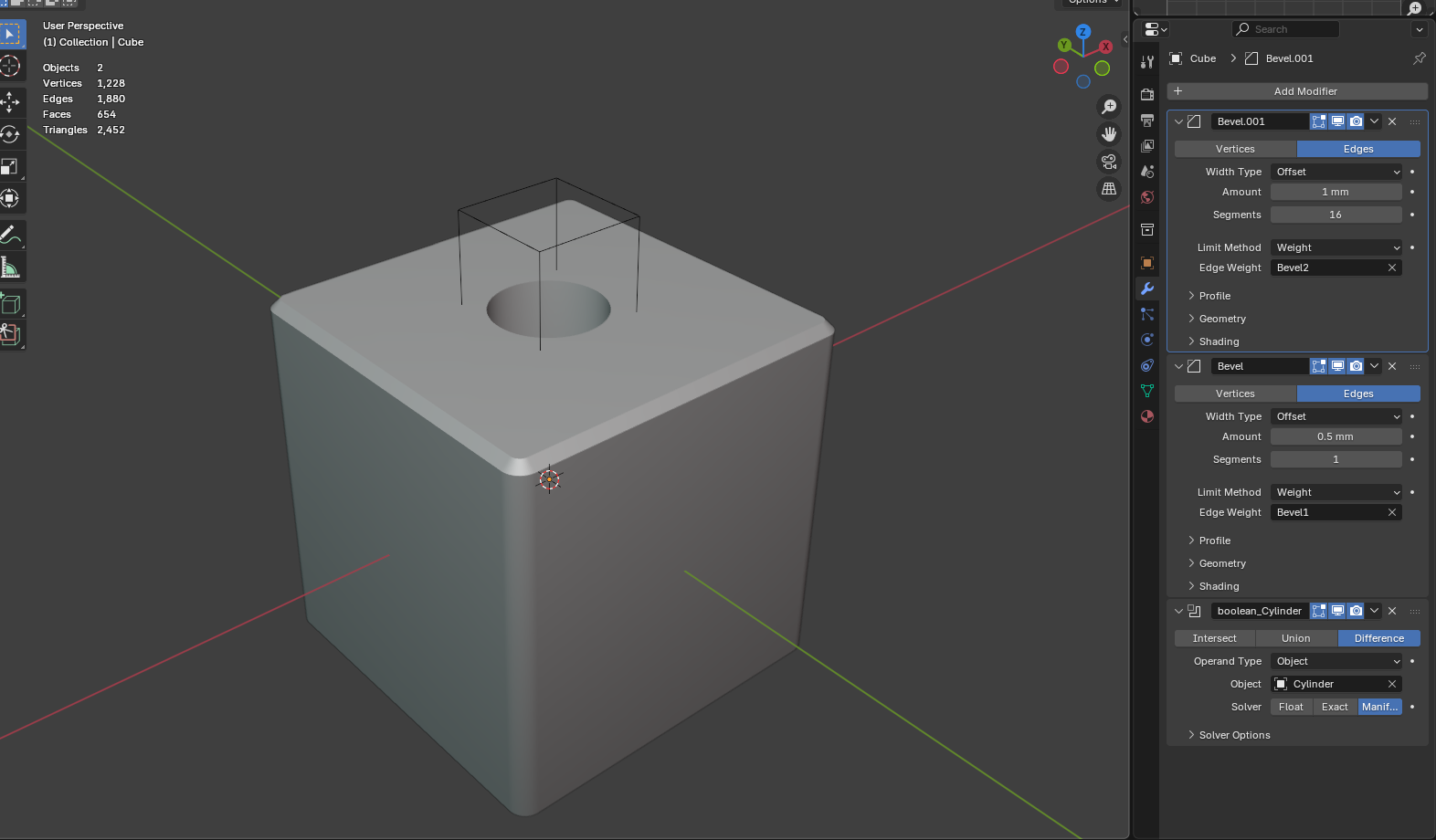
You want a smooth hole, you create a cylinder with 256 edges (or more if it's a big hole) and you boolean that out. You want smooth edges, you bevel them.
And for the love of god, never turn smooth shading on.
>>
Anonymous
11/14/25(Fri)12:12:04 No.1021941 >>1021898
AFAIK there is no decent free CAD modeler.
FreeCAD's modeling is a pain in the ass, I basically only use FreeCAD when I need FEM simulations.
The cheapest CAD tool I know of that you can buy is Plasticity ($175) followed by Rhino ($1000), the others are all SAAS trash.
>>
Anonymous
11/14/25(Fri)14:00:48 No.1021947 >>1021941
I believe Fusion360 has a free license; I don't know how limited it is
>>
Anonymous
11/14/25(Fri)15:32:21 No.1021952 >>1021941
Solid Edge community edition. License lasts a few years.
Bit of a learning curve and might be picky about graphics hardware, but powerful.
>>
Anonymous
11/14/25(Fri)15:43:14 No.1021953 I recommend OpenSCAD for anything parametric.
>>
Anonymous
11/14/25(Fri)16:49:31 No.1021954 >>1021900
As much as it is a technical non-arty task, id still like to know more about and sicuss best prwctices when it comes to making more fanciful models meant to be 3d printed.
Zbrush looks like it has a bunch of built in tools for it but ive never messed with them.
>>
Anonymous
11/14/25(Fri)20:14:09 No.1021960 >>1021954
Zbrush tools for 3D printing? Nah man, it just sculpts