Thread #108016156 | Image & Video Expansion | Click to Play

File: 1761677140304700.jpg (428.7 KB)

428.7 KB JPG
which ones are you using?
247 RepliesView Thread
 Showing all 247 replies.
>>
>>
>>
>>
>>
>>
>>
>>
>>
>>
>>
>>108016198
Opinion on this project?
https://github.com/martanne/vis
>>
>>
>>
File: '(zun-sneed).jpg (268.5 KB)

268.5 KB JPG
zutto emacsu desu
https://youtu.be/RPeFQwBFURk?t=1623
>>
File: 1768300941618655.jpg (456.2 KB)

456.2 KB JPG
>>108016618
pic related
>>108016198
are they? i thought all the more fancy shit was plugins. part of the reason i dont like it and like helix
>>
>>
>>
>>
>>
>>
>>
File: 1744409998727975.jpg (141.1 KB)

141.1 KB JPG
>>108016978
just tested it there's no space+? bind
>>
File: G_rWwhRXAAADxSb.png (178.7 KB)

178.7 KB PNG
>>108016156
GNU EMACS, the choice of the great man. name one great programmer that used vim.
>>
>>
File: 1408.png (63.4 KB)

63.4 KB PNG
>>108017164
it's literally the last entry in your screenshot
>>
>>108016174
>>108016659
>>108017163
>>108017216
emac.
https://xahlee.info/emacs/misc/famous_emacs_users.html
>>
>>
File: 1744494091217517.jpg (229.5 KB)

229.5 KB JPG
>>108017415
you're right fuck dont know how i missed that i think i was clicking shift+/ instead
i did finish most of the :tutor document and a lot of this stuff isnt mentioned there so i assumed i had to open up the docs at their site each time
>>
>>
>>
>>
File: ZoomerSmug.png (16.1 KB)

16.1 KB PNG
>>108016156
grittycode my broski
>>
File: 1760209975485017.png (46.5 KB)

46.5 KB PNG
>>108016156
Recently switched from Neovim to Helix and it's so much better
>>
>>
>>
>>
>>
File: 1740241165393268.png (142.4 KB)

142.4 KB PNG
>>108018445
i think vim is probably as good if you take the time to learn all the shit but i tried to start ricing it and got lost in all the configuration and extensions where's my entire helix config is pic related and works flawlessly with many languages and LSPs.
same with kakoune it i just couldnt be assed to setup LSPs there
>>108018594
give helix a try it just automatically uses most common LSPs and it's a 4 line .toml file to set up auto-formatters
>>
File: 1761638123651315.jpg (163.5 KB)

163.5 KB JPG
>>108016174
>>108016659
>>108017163
>>108017216
>>108017452
The greatest computer program in existence.
>>
>>
>>
>>
>>
>>
>>
>>
>>
File: 1756432303361451.png (1.4 MB)

1.4 MB PNG
top GUI editor: zed
top TUI editor: helix
>>
File: 1756877022516165.png (135.6 KB)

135.6 KB PNG
>>108017452
ZUN uses emacs
>>
>>
>>
>>
File: 1769746990227990.gif (863.1 KB)

863.1 KB GIF
i use qtcreator for code.
geany for text. can your vim dogshit conveniently regexp through large number of files and matches? the only justification to ever use vim is if you have to ssh into remote machine, and then i'd rather use nano. pretentious faggots.
>>
>>
>>
>>
>>108020272
who needs treesitter when i have a local llm to fix my mistakes for free?
>but ai is a bubble
yeah it's going to plateau until we switch from llms
that said, ai is worse today than it will ever be in future
it turns out i DO want auto-correct on crack
>>
File: Notepad_plus_plus.png (77.8 KB)

77.8 KB PNG
>>108016156
>>
>>
>>
File: 6f1bdbc06215b1fc7a6b9a0e24acef23.jpg (336.5 KB)

336.5 KB JPG
>>108020467
tui is incredibly clunky for large amount of files.
vimfaggotry is the same phenomen as /g/ praising c. you are only doing it feel le based, while you never actually interacted with any undertaking that require actual power. and sure for your hello world toy file c and vim are adequate.
>>
>>
>>
>>
File: purchase.png (61 KB)

61 KB PNG
>>108020520
>y-you're indian!
no, i'm an english ethno-nationalist
>>
File: 2403a742ce33e286eaa5c7235a2b87a7.png (484.1 KB)

484.1 KB PNG
>>108020522
yea i'd rather click in a sidebar than memorise a 9000 page doc to utilise the functionality i need once in blue moon.
here's how it actually is, fagboy:
-editor should have direct shortcuts(+ duplicated in mouse) to navigate inside and between files, type, and do all the operations you actually need all the time
-it should also have context menu and gui for the shit you rarely use
-it must also have excellent font rendering and lighting fast gui. which you will never ever get in tui.
designing an editor not from user interactions, but from some retarded paradigm like vim's retarded mode switching results in dogshit. vim does everything except actually editing text well.
>>
>>
>>
>>
File: 26.031.06.01.05.scrot.png (328.3 KB)

328.3 KB PNG
>>108020467
>>108020456
>>
File: 1713419598162098.jpg (508.6 KB)

508.6 KB JPG
>>108020456
>can your vim dogshit conveniently regexp through large number of files and matches?
yescommand -nargs=+ Search silent grep -r --include '*.c'.
>>
File: 2020-01-24-013511.jpg (12.1 KB)

12.1 KB JPG
>>108020563
cope and seethe, c-ssy.
>>
>>
>>
File: judgementalcat.jpg (109.5 KB)

109.5 KB JPG
>>108020594
bud i know how to use grep that's not convenient. i know you just want to feel like le cool hackerman, but you better cut that shit out and get a real editor. like vscode, that's a good one for newbies.
>>
File: hero.png (127.1 KB)

127.1 KB PNG
>>108016156
Fresh for big edits in terminal
Nano for small edit in terminal
Kate for full projects across multiple files
>>
can someone explain what the tui autism is about? It made sense when people were just using vim with maybe one or two plugins, and they did the workflow of quitting out of vim, running some commands, opening a file in vim, repeat.
But now with neovim and helix and fresh, it seems like you guys all want fancy ide like experiences with everything integrated where you never have leave. Hell i just saw that a bunch of terminal emulators are adding *protocols for displaying images*. At that point, isn't it just easier to make a proper gui instead of getting five terminals to all implement that protocol?
>>108020644
like why are you putting a damn menu bar and an embedded terminal in your terminal app? If you're gonna use the embedded terminal for your commands shouldn't it just be a gui app.
I mean I'm an emacs user so i understand editor autism, i just don't under the fixation with it being a tui
People say it's cause they want to ssh into servers, but both emacs and vscode have solved that problem, and your employer isn't going to let you install your neovim config with 5000 plugins on their servers anyway
>>
File: vimgrep.png (98.9 KB)

98.9 KB PNG
>>108020620
you're a cat, I will not explain further
>>108020691
>can someone explain what the tui autism is about?
tmux is my ide, usually vim and a repl running side by side
>>
>>
>>108020456
>regexp through large number of files and matches
I like using :g/re across all open buffers with:bufdo g/reor:argdo g/reif it's a subset. And if it's a huge amount of files and I don't want to load them into vim's memory, I just use regular linux commands like grep.
>>
>>
>>108020691
No. The terminal emulator is a general purpose application. The terminal can cat a file. It should be able to cat an image. This isn't just for IDE's but to reduce any reliance on applications outside of the terminal for edge-cases like seeing an image. Bloated vim configs were always a thing. There's just lsp, dap, and coding agents, now. That's it.
>>
>>
>>
>>
>>
>>108020812
it just seems like it would be way easier to fix those minor problems than do everything through a terminal protocol designed in the 60s for completely different uses. It's easy to let the editor edit remote files and start remote processes, and having better pane and window management in vim would be a benefit for everything you do
>>
File: works on my machine.jpg (40.1 KB)

40.1 KB JPG
>>108020863
it ain't broken, and it pays the bills
>>
>>
>>108020848
i neither said nor implied that was the case
boris brought the boriswave because he wanted the financial times to like him
our career politicians have no beliefs; they are simply handed a book of agendas to push
>>
>>
>>
>>
>>
>>108020562
vim is like swimming or riding a bike. When you get it you know it and you don't need to actively think about how to do something. For plugins, sure you might need a new keybind. But you need to know few shortcuts in your IDEs too so what's the difference? None, but you can just use something like command palette in IntelliJ, and I have such thing implemented in mine with fzf
>>108020775
vim inbuilt terminal is dogshit that's why we run vim in tmux pane and spawn shell and other stuff in other panes.
>>
>>
>>
File: 1769731502456010.png (351.6 KB)

351.6 KB PNG
>>108021004
>i mutilated my mind to use troonware and now i must proselytise because of sunk cost fallacy
vim is just bad troonware and it should die. and you shouldn’t have started down the tranny path because you were promised you could become a real hacker.
>>
File: out.webm (2.1 MB)

2.1 MB WEBM
>>108020936
>>
File: 2018-11-18-204230.jpg (21.1 KB)

21.1 KB JPG
>>108021145
how have you not cringed to death recording that embarrassment?
>very slowly try to navigate his terminal shit
>visibly confused
>hands probably shaking
>can barely see shit in his god awful tui
>S-SHUT UP IT'S J-JUST LIKE A REAL EDITOR
i would laugh at you but you're kinda too pitiable.
>>
>>
File: out.webm (2.3 MB)

2.3 MB WEBM
>>108021288
>>
>>108021288-- rebind [[ and ]] to [m and ]m
vim.keymap.set('n', '[[', '[m')
vim.keymap.set('n', ']]', ']m')
vim.keymap.set('n', '[]', ']m')
vim.keymap.set('n', '][', '[m')
vim.keymap.set('v', '[[', '[m')
vim.keymap.set('v', ']]', ']m')
vim.keymap.set('v', '[]', ']m')
vim.keymap.set('v', '][', '[m')
>>
>>108021489
better yet:-- rebind [[ and ]] to [m and ]m
vim.keymap.set('n', '[[', '[m[m')
vim.keymap.set('n', ']]', ']m]m')
vim.keymap.set('n', '[]', ']m]m')
vim.keymap.set('n', '][', '[m[m')
vim.keymap.set('v', '[[', '[m[m')
vim.keymap.set('v', ']]', ']m]m')
vim.keymap.set('v', '[]', ']m]m')
vim.keymap.set('v', '][', '[m[m')
>>
>>108017873
>>108021417
>Larry Wall
>Paul Graham
>Great programmer
Paul Graham is a writer, not a programmer, and Larry Wall is a linguist who developed a programming language once. How does that reflect greatness?
>>
>>
>>
>>108021808
Bill Joy, co-founder of Sun Microsystems. I can go on an on. It's very easy to find vim programmers because it's the default editor in Unix. It doesn't even matter because the large majority of programmers use IDEs today for work, like intellij, visual studio, vs code, and so on. I could easily find emacs developers as well, and the same is true, most developers today use IDEs at work.
>>
>>
>>
>>
File: screenshot-01-02-2026-06:05:36.png (36.7 KB)

36.7 KB PNG
For me it's nano.
>>
>>
>>
>>
File: 1748198708006683.jpg (57.4 KB)

57.4 KB JPG
>>108020691
>fancy ide like experiences with everything
well yea its about its about what IDEs used to to just faster and more responsive i can usually get to any file i want in 5-6 keystrokes using the helix fuzzy-finder and the LSP features just werk out of the box with no setup.
>>108020691
>Hell i just saw that a bunch of terminal emulators are adding *protocols for displaying images*. At that point, isn't it just easier to make a proper gui instead of getting five terminals to all implement that protocol?
you mean the kitty image protocol? you misunderstand its use case for example in pic related im ssh'd into a remote machine instead of having to do tedious shit like transfering the file to see what the image is about i can just watch it with a single command.
>>108020691
>like why are you putting a damn menu bar and an embedded terminal in your terminal app?
convenience.
you can hypothetically get rid of menus,bars,GUIs,even TUI and CLI just have a computer with a keyboard and no screen and run everything that way but people want feedback and a reasonable amount of stuff they are willing to memorize for speed while having the other stuff quickly acessible/easy to look up on menus. it also eases transition from other editors with top menus.
>>
>>
>>108020691
>But now with neovim and helix and fresh, it seems like you guys all want fancy ide like experiences with everything integrated where you never have leave
I think that's great, because you sometimes have to use a terminal, and sometimes it's simpler to just open a file up rather than starting VSCode.
>*protocols for displaying images*
I see nothing wrong with this
>why are you putting a damn menu bar and an embedded terminal in your terminal app?
Because the menu bar is a decades-old GUI design concept that LITERALLY JUST FUCKING WORKS. It makes use of a text-only interface in an intuitive way. Programs on DOS were absolutely using this. It was only freetard software that for some reason thought having fucktons of special snowflake shortcuts was the way to go instead of making shit that just works for everyone.
>If you're gonna use the embedded terminal for your commands shouldn't it just be a gui app.
No, fuck off, making a GUI out of text is good. I'm very happy to see this getting more popular, after decades of Linux dark ages.
>>
>>
>>
>>108024454
You want to hold alt and press the first letters of things you see. I want everything thrown into a fuzzy searchable list if it's not a command that I run or a key that I press. Instead of looking across my screen toward tiny hamburger menus, the menu is a big ass window in the middle of my screen that tells me shit about the stuff I'm selecting. You think vim isn't a gui made out of text because its interfaces are discreet.
>>
>>108020691
I work on multiple remote systems
Having to set up a remote gui editor session just for editing some stupid config file sucks
Helix is nice because I can just put the binary on every system and nearly don't have to bother with some complex configuration setup to make it usable
>>
>>108024579
It's just vim scp://usr@host/path/to/dir-or-file
That's it. That's all there is. No crazy session bullshit needed to make a quick edit to a config file, and no input lag from a wireless connection to the remote host.
>>
>>
>>108024633
I am so happy you asked me this question.
set this in your init.lua or vimrc (ask ai for the vimscript translation)
vim.cmd.command("Sw w !sudo tee %")
This will make :Sw save the file as root. You need to have SSH_ASKPASS set in your sudo, ssh, shell, or vim configuration somewhere to an askpass program. There are multiple providers. I use lxqt's.
>>
>>
>>
File: out.webm (1.1 MB)

1.1 MB WEBM
>>108024731
>>
>>
>>
>>108024226
I feel like a lot of people are misunderstanding me. My question isn't why do you want those features, it's why does it have to be a terminal app when you end up fighting against the terminal to make it look like a fancy gui. Everything would be way easier if it was just made into a gui app.
Like I'm not trying to be all emacs > neovim, neovim is doing a lot of cool stuff, but emacs has been able to view images over ssh for forever, since that's natural to do in a gui without having to gather support over a whole terminal ecosystem.
I'm trying to find a more charitable interpretation of the terminal fixation than "it makes me feel like a hacker"
>>
>>108024850
>emacs should be the only way to do this so that I can continue to feel better than everyone else
>everyone should be forced to learn e-lisp in order view images.
>Having them generally available in terminals makes my epeen feel small.
>being able to type viuand look at a file in a terminal is for gay zoomers who like being able to use a terminal to access files or something.
>>
>>
>>108024814
>>108024838
not what I asked retard, editing shit using scp works fine
I asked how to save shit over SCP (logging in as a regular SSH user) as root using sudo (ON THE REMOTE MACHINE) and the solution he gave didn't work.
this worked https://unix.stackexchange.com/a/744137
>>
>>
>>108024899
It would never cross my mind to use gvim because it isn't a terminal. I feel like gvim is taking the terminal away from me. Vim is a command I run in the terminal. It goes back to my shell when it closes.
>>
>>108025002
but you can just run the terminal inside of vim. nobody will tell me why it's important for the terminal to be outside of vim. If it's inside of vim you can use your vim keybinds to manipulate the text and copy it into vim registers. I know tmux has register features but it is a lot nicer to not have to manage two different register systems imo
>>
>>
File: vim_clean.jpg (8.4 KB)

8.4 KB JPG
>>108016156
>>
>>108025049
The terminal in neovim, at least, has problems caused by the fact that you're running the terminal in nvim. Use the terminal to remote into another machine with relative numbers in the machine and you will quickly see problems as you create panes in tmux. It also makes it awkward to manage working directories, as you have to worry about the working directory of gvim, as well as that of the terminals spawned within, which is backwards when accustomed to vim starting in your pwd, and the terminals inside inheriting it. I do use nvim as a multiplexer when I'm using it to edit and I need a shell because it's more convenient to access the text contents of the terminal buffer that way if for whatever reason I need to search/yank something. I don't want to have to use :lcd ever. That's an ergonomic footgun.
>>
>>
File: poop.png (13.4 KB)

13.4 KB PNG
>>108024027
THE BEST
>>
>>
>>
>>
>>
>>
>>108026188
It is pathetic to see someone like that make a statement about another out of ignorance and hate. They wallow in it and somehow find just enough strength in that twisted pride to continue.
This place is full of broken people who fill me with sadness.
>>
>>108026238
They are mostly correct. I am no developer, but I do more than write config files. If I were a developer I wouldn't have forgotten that using sudo tee doesn't save a file on a remote session, but since it has been so long since I last fucked around with any of that, and because it is directly above my ssh settings in neovim, I assumed without thinking at all.
>>
File: Screenshot 2026-01-31 at 5.01.30 PM.png (142.9 KB)

142.9 KB PNG
>>108024561
I'm not a party to this conversation, but I want both
>>
>>108024850
I've used VS Code and used it to connect to remote systems and it's okay but throwing up a Helix binary and having it snag my pretty-short Helix config from GitHub is nicer
and I never figured out how to do the sudo thing properly with it
>>
>>108024616
most GUI editors also have remote SSH options, and it's normally the last resort that I use(d) when port forwarding or other solutions did not work
most of the times, i do not want to work within the login software environment of a remote system, but either load an environment, enter a container, ..
way easier to just have the tui editor where you need it
>>
>>
>>108016198
What's the difference? Vim was already bloated and already used like an IDE.
If I had to say anything is wrong with vim and emacs, it would be the ad hoc scripting languages. We don't need more languages just to customize a text editor/IDE. Emacs should have championed common lisp or something.
I also like the suckless approach to customizing programs: just edit the source code. Scripting languages are bloat. However, recompiling with every minor change can be a headache. If we are going to customize a text editor in a systems language, then there should be an interpreter for that language alongside the compiler.
Vimscript came about as a convenient way to type commands on vim's command line. But what we actually need is not vimscript. Rather we need alternative syntaxes for languages that already exist. Same thing for shells like bash. Shell scripting languages are unnecessary, but the syntax is convenient for command lines.
Feature creep in vim and emacs is a natural transition from text file editor -> text buffer editor. I think the terminal emulator in nvim makes a lot of sense. All the power of vim now applies to the output of the terminal. It's all just text anyway.
>>
>>
>>108026848
Why would we use a full blown programming language to set keybinds, macros, env vars, etc? That's retarded. Just use a scripting language. Vimscript is great. Everything you can do in vim can be explicitly automated with it.
>>
>>108026993
Because people write plugins which become as complicated as standalone apps.
A real programming language can also handle simple stuff just fine like keybinds, macros, environment variables, and the command line.
>>
>>
>>108026275
>If I were a developer I wouldn't have forgotten
Not every developer uses a remote session. They can't possibly know anything about you that you haven't told them.
>literally only uses it to edit config files
That is pure arrogance, ignorance, hate and it is truly heart wrenching they would post that. Just hating someone in the void for no reason other than to hurt them if you can exposes a wickedness & evil that I am hopeful is coming to an end soon.
>>
>>
>>108027147
This kind of hits different when the language is made of, as explicitly as possible, the things you do in the editor. You might as well be suggesting we rename all commands on linux to their equivalents in powershell.
>>
>>
>>

>>
>>
>>
>>
>>
>>
>>
>>
File: poop.png (11.2 KB)
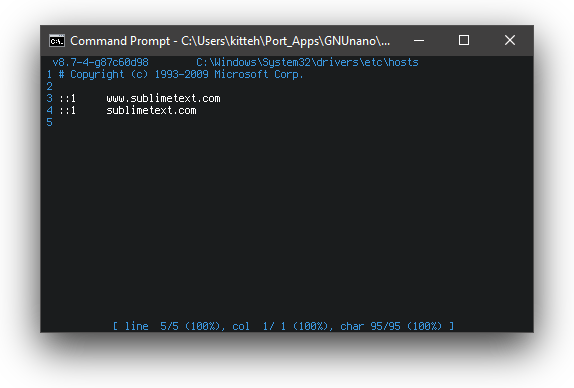
11.2 KB PNG
>>108028379
>nagware
I use this simply for a portable version from like 2017, Version 3.0 Build 3143 and it doesn't bother me at all.
>>
File: 1683824650818.png (39.8 KB)

39.8 KB PNG
Kate/KWrite is pretty alright
wish I had the time to spend on kak
>>
File: 1700035206650184.jpg (109.3 KB)

109.3 KB JPG
>>108027221
>That is pure arrogance, ignorance, hate and it is truly heart wrenching they would post that.
you have to go back.
>>

>>108029294
To where? I have been here for 20 years, lil miss proving my point. ;^)
>>
>>
>>
>>
>>
>>108017109
I was the same. Gave (n)vim a go but found it a pretentious piece of software and settled on the micro/nano combo. I was content until I began working extensively with text files. It got to the point where I NEEDED better ways to work with text so badly that I was forced into learning vim and now I don't want to touch any other text editor
>>
File: poop.png (29.5 KB)
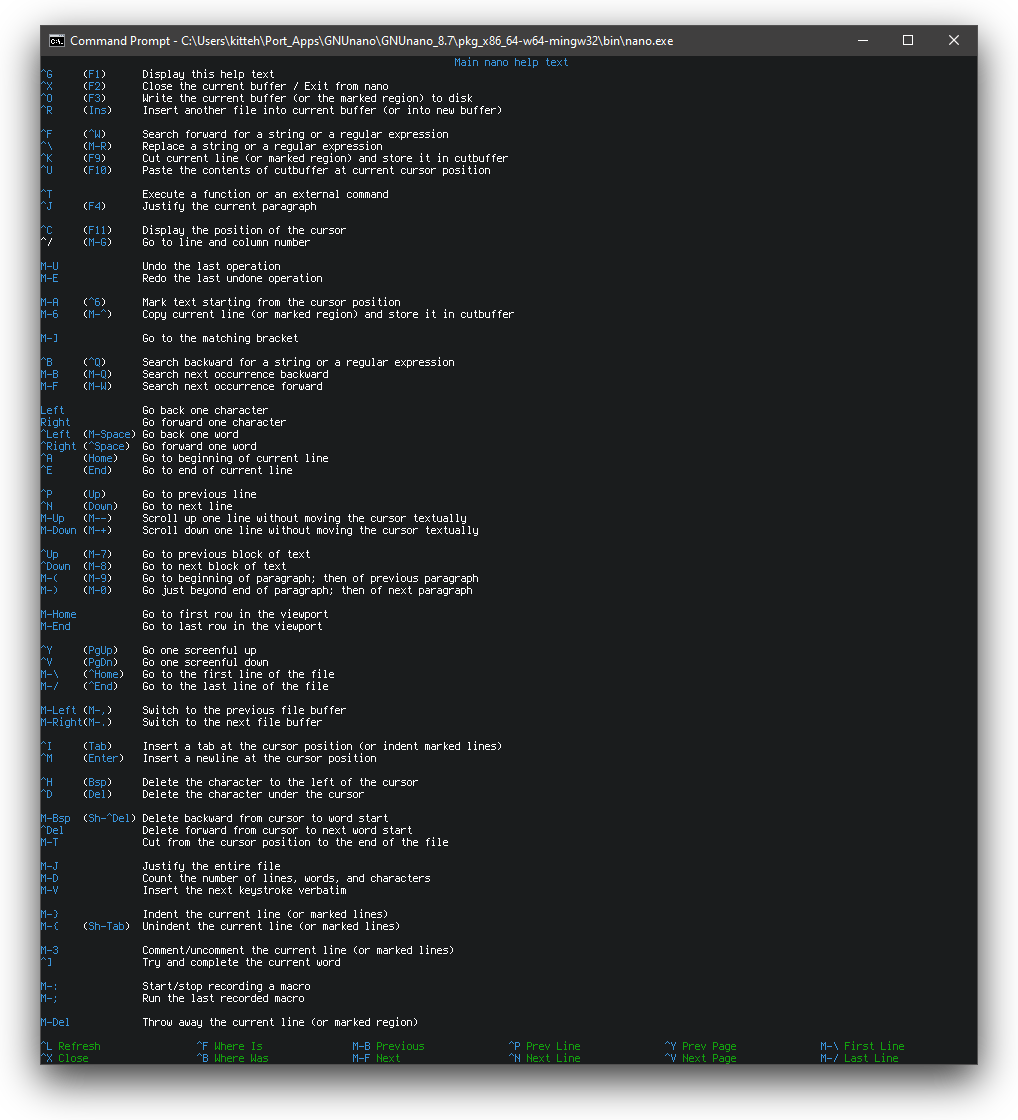
29.5 KB PNG
>>108034503
>I NEEDED better ways to work with text
>>
File: 1749754190226301.png (36.9 KB)

36.9 KB PNG
>>108016156
i need a text editor that looks like this
>>
>>
>>
>>
File: 1754769437540565.png (1.1 MB)

1.1 MB PNG
>>108038166
>>108024027
nano has themes?
>>
>>
>>
>>
File: poop.png (12.9 KB)

12.9 KB PNG
>>108038571
Of a sort.
https://www.nano-editor.org/dist/v8/nanorc.5.html
>>
>>
>>
>>
>>
>>
>>
>>
>>
>>
>>
>>
>>108016156
I use vscode but I fucking HATE it. I wish there was an alternative for me personally, but I've gotten so used to seamless project-wide search, good multiple cursors, and the extensions I use for fuzzy search, multiple cursors, folding, etc. There are alternatives to almost all of those things in each individual major alternative (vim, emacs, etc) but not all of them. I have to choose what I'm willing to give up. And then I have to accept a huge loss in productivity (that I almost never have time or resources for) while I learn whatever new system
Just like 5 minutes ago I tried to open a script file and it opened in an "untrusted workspace" and so the cursor region expansion extension I used stopped working. Fuck you microsoft. Fuck you vscode devs. There's probably a good reason for this but for me I don't fucking care about it. There's so many things like this all fucking day, it's awful. Usually it's something involving searching for the right setting in an endlessly huge list of settings
I also use janus as a simple text editor, micro as a simple cli text editor, and kate as a mid-way editor
My problem with command line editors is in my experience they have quirks that are really non-ergonomic, like how many will just quit on ^D and some even on ^C. Of course, ctrl-C is copy in almost all program, so even when I have the muscle memory I get fucked over by it occasionally. Another one is that closing a window with a terminal often (maybe always I haven't looked into it) just closes the program it's running, meaning losing work or coming back to a recovery screen much later. Another is many of them don't interface well with clipboard systems, so you have to go through this big rigamarole of getting that working on fresh installs
All editors have problems, I suppose; and it's just what you're willing to trade to have the things they individually provide
>>
>>108048842
if you don't use AI why not use sublime text?
> better project wide search
> built in indexing engine
> superior gotos vs vscode
> native (written in C++)
> just works ootb
> pairs well with sublime merge (superior to vsc's source control)
don't hit me with the its 100$, its literally free and you're retarded if you pay.
I use sublime text with zero packages.
also learn to use shift/ctrl ins for copy paste.
>>
>>
File: Screenshot From 2026-02-03 08-48-54.png (35.2 KB)

35.2 KB PNG
>>
>>108048575
make one
>>108047092
>no its not water its h2o
but yeah, use safetensors instead of pickle
>>
File: 612320840_122160219734892895_5837496806532520797_n.jpg (167.6 KB)

167.6 KB JPG
>>108016156
Zed
>>
>>108021288
shut the fuck up tranny holy shit nobody cares
go back to being psyopped by kikes on epstein's island, pretentious washout
>>108026171
nice alt, tranny
jfc this site is a hellhole
>>108026275
dude you're fine they're just malding because they wasted the prime of their youth learning keybinds
>>108027221
did you get grok to generate this for you, good fucking lord
>>108045828
real, IDE ricers actually create something challenge impossible
>>
File: 520471129-4a998eb3-a97a-4744-bc49-66a94b9f11a2.mp4 (1.7 MB)

1.7 MB MP4
FIMpad with llama-server.
>>
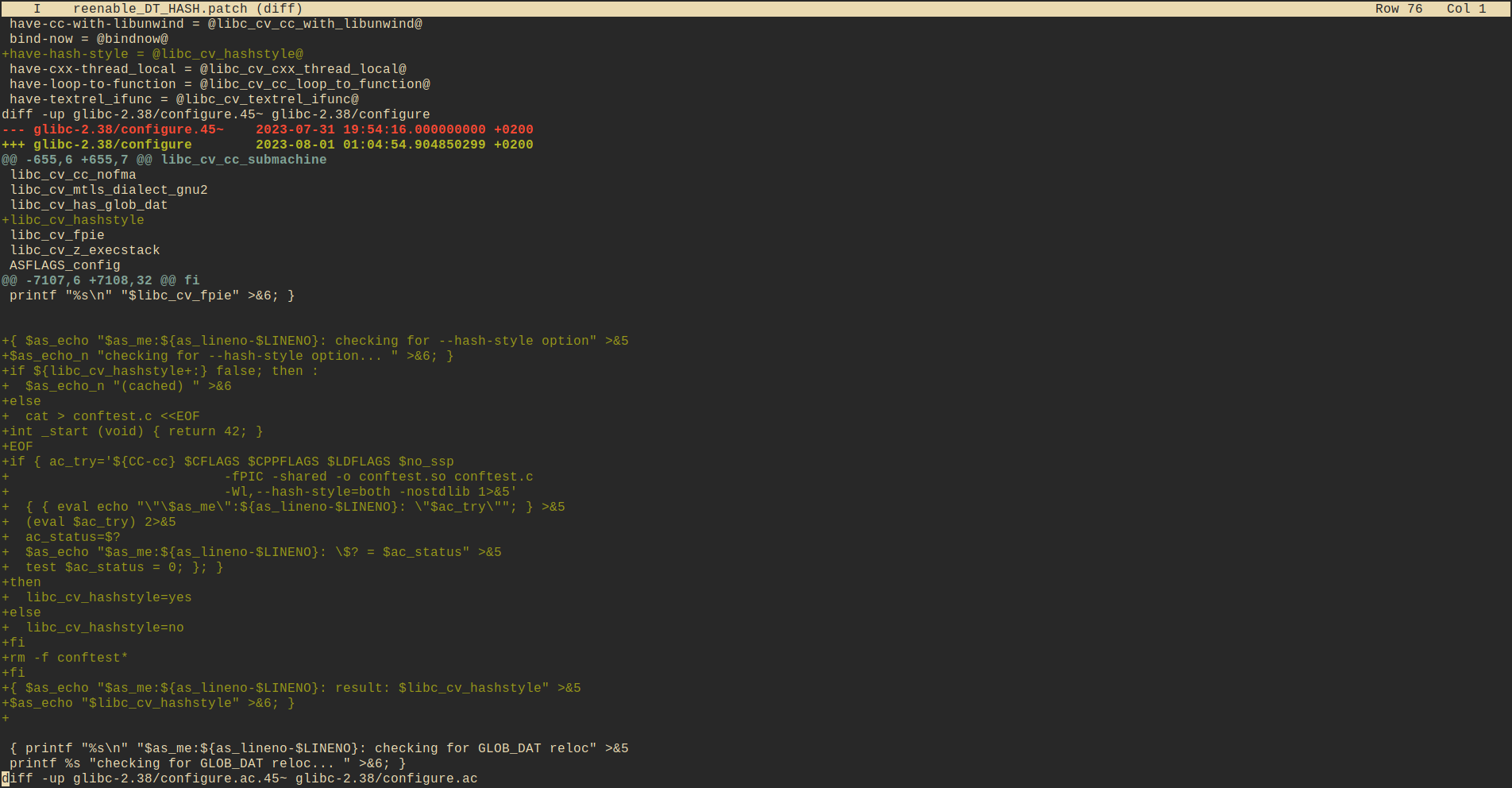
File: Screenshot_20260203.png (154.4 KB)
154.4 KB PNG
JOE (or Joe's Own Editor)
>>
>>
>>108049746
>>108048842
ita
I've just been messing around with a few different editors to see how they've changed since last time I messed around with them
* Sublime 4 wasn't great. Things seem really clunky. Editing settings via config means having to refer to reference materials constantly. Poor discoverability for settings. Good cold folding. Installing packages seems very awkward. Theming seems awkward. Multi file search is there but nowhere near vscodes. No fuzzy finding in file search. Hard to find or no commands for manipulating cursors. Really good window management it seems
* Lapce was a lot better than I expected and a lot better than I remember it last time I checked it out. Really good fuzzy search (via ctrl-g or ctrl-p /) and multi file search. Very, very few packages listed in their built in package manager. Also good window management (apparently), though workspace switching seems awkward. Almost none of the ui controls work. The context menu shows up but nothing is clickable. Almost none of the command palette commands work. Busted build or something. Also, no minimap or visual spatial indicator where your cursors are at. No cold folding?
* Zed has a weird black border around its windows. Good code folding. Cool multifile search but kind of awkward and too much information by default shown for my tastes. Not good for finding and going to definitions in any files quickly. Command palette doesn't sort by last used. Cool it has built in modal editing. Many of the commands also dont seem to work
* Helix is a cli editor so it of course has weird ergonomic issues: no file drag-drop (at least not out of the box), no double click to select words in my terminal (miw works for this, which is awkward; probably can be set as a macro somehow though), global search is cool but you have to select each entry to see what is on that line, search lines aren't clickable, ctrlz-ing instead of u fucks me over yet again, also poor discoverability
h8 me editor simple as
>>
File: blocked.fb.png (3.4 KB)

3.4 KB PNG
>>108016156
spent a weekend programming in gforth default block editor
1024 character blocks, no newlines, you just type commands to do things
>>
>>
>>
>>

>>
>>
>>
>>
>>108056509
This post sums it up well. Emacs was the best thing around for a very long time, and it's an extremely impressive system, but the amount of work required to achieve what you can do so simply in VsCode just isn't worth it.
https://news.ycombinator.com/item?id=28094421
>>
>>
>>
>>
>>108016156
I just use Emacs right now.
Nvim is really responsive and fast. It works very well for editing Text. And working on ONE project at at time. Maybe Tmux is a fix for some of the gripes Ive had with Nvim but since then Ive tried out emacs and have been satisfied so far. Maybe ill come back to setting up a tmux workflow sometime in the future, when Im tired with emacs.
integrating stuff with Emacs feels smooth, since the whole Editor Environment is written in Elisp. For example It started with me trying to learn common lisp and setting up Emacs for that but now I do my Webdevelopment in Emacs as well, since the ecosystem around Emacs is just so convenient and you start to get a feeling how powerful it is. Dired for example is such a great file manager and it just comes included.
Or recently I set up IRC in emacs, since I already know Emacs I can just integrate in there and dont have to get a seperate IRC client.
Also having everything as a text buffer is also amazing. Just doing M-x compile and then having all output as a text buffer is very convenient. Its why eshell feels so great for me. Emacs does a lot of heavy lifting for you.
When you get used to elisp you can just adjust some stuff around the editor and eval it and its already applied. No need to restart. Also very convenient. But you can also basically customize it from the ground up in its functionality and inspect the code of the editor while its running, tweak it etc.
And I havent even started looking at org mode or the email client. Feels like theres insane potential in emacs. Elisp is so simple, yet so powerful that there hasnt been an editor with the same capeabilities and extensibility.
But I have to say
In comparison I like ivy more for searching through a file but when fzf through a whole project fzf-lua is better and has visual feedback too, in emacs I havent found a good way to do that yet.
>>
>>
File: GZ9A0CxX0AIC16m.jpg (38.2 KB)

38.2 KB JPG
>>108016156
Zed
>>
>>
Mousepad for C code.
Code for Python.
Obsidian for text/Markdown.
I would use Code for C as well, but unfortunately C support is trash, and it seems to completely lack good code completion and other cool features. I considered CLion, but it's an AI corporate nightmare of a software, I might as well use a text editor.
>>
>>
>>
>>
>>108056509
>vscode with vim bindings for IDE work (it just werks)
If you want IDE just use Intellij. Has far more features than vscode and everything just werks. I don't understand point of using laggy mess over another laggy mess with fewer features.
>>
>>108059471
yep zed mostly just works
i find neovim + opencode more enjoyable but i have to tinkertranny to make it usable
but sometimes zed works too much and i have to tinkertranny to disable nonsense
also zed seems to use insane context window defaults and ignores any ollama num_ctx
>>
>>
>>
Sublime Text
Monokai Pro theme. I believe Monokai is/was the default for Sublime Text
Iosevka SS04 Extended font after using DejaVu since the beginning of time
I'm hopefully Zed actually goes somewhere but I'm in no rush.
>>
>>
>>
>>
>>
>>
>>108063111
cheers but i just set everything in my settings.json, for example:"language_models": {
"ollama": {
"api_url": "http://localhost:11434",
"auto_discover": true,
"available_models": [
{
"name": "ministral-3:latest",
"display_name": "ministral-3",
"max_tokens": 32768,
"supports_tools": true,
"supports_thinking": false,
"supports_images": false,
},
],
},
},
>>