Thread #7868019 | Image & Video Expansion | Click to Play

File: file.png (95.5 KB)
95.5 KB PNG
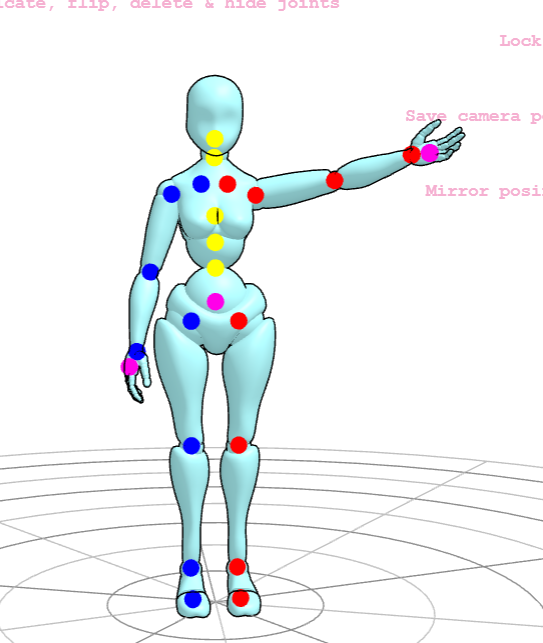
What do you suggest?
I like some thing local that will not start extorting for subscription money.
Something pirated or GPL(Linux).
I did hear people use blender however I need some rigs for that.
Any suggestions?
PS: Picture is from some (((WEB))) app (very dirty word)
25 RepliesView Thread
 Showing all 25 replies.
>>
>>
File: file.png (514.1 KB)

514.1 KB PNG
>>7868030
>hijacking your thread anon
No problem.
> a lifetime sub is 99
>> a lifetime sub
Sorry that is bullshit they change their mind or the website will die and you got nothing.
> 99
Yea however think of it like this imagine learning this crap and wasting all this time for it all to be shutdown or lifetime being redefined to not mean lifetime.
Meanwhile you can run the pirated software from 1995!
Watch more Louis Rossmann!
>>
>>
>>
>>
>>
>>7868106
Do you know how to setup blender to make it easy to pose like the other programs?
I know it's easily the best option of all programs and I've used it to light static objects and scenes, but I can't figure out how to find good models and make them poseable.
>>
>>
>>7868395
>I did hear people use blender however I need some rigs for that.
There should be a lot of free models that are already rigged out there, and I'm pretty certain there are add-ons that do some simple auto rigging too, though that would likely be hit and miss, but it should be good enough just to pose a model for references, surely.
Hell, depending on the model, you might not even need rigging, it's not too hard to simply move limbs around and pose a character - assuming there aren't too many vertices, that can make it more of a hassle. Megaman legends was made without the use of rigs, for example, and you only need to pose a character for references.
>>
>>
>>
File: file.png (2.3 MB)

2.3 MB PNG
>>7868410
>There should be a lot of free models that are already rigged out there
Anyone has any or can recommend links?
>that do some simple auto rigging too
This literally sounds like
>Bro simply make your own sculpting tools!
Yes while this is possible I wanted to start using the rigs not fucking around in making one.
>auto rigging too
WE are talking about models who need to have every finger rigged and they do not need to be the le realistic waifu models they only need to be good enough for drawing.
I wanted to know what others used and try different software with different solution since I know blender however posing a character was always a pain in blender.
>>7869043
>I prefer blender for what it offers over everything else. Hdri lighting, fov, complete control, etc.
I'm sorry is this /3/ ?
> Hdri lighting
????
You are not on /3/ !
>I prefer blender
What rigs do people actually use on /ic/ if they use blender and please do not say
>Hdri lighting, fov,
>>
>>7868155
Blender's posing interface is as intuitive as the others by default. All you need to do is import a model and its rig, select it, and enter the pose mode. From here, you can rotate the bones like you would those other programs. Blender just seems daunting because it provides many more features than those programs do, but you don't have to use them.
>I can't figure out how to find good models and make them poseable.
Some of the justsketch.me models come from Mixamo, and those are apparently rigged (I haven't tried them so I don't know for sure).
>>
File: BlenderRig.png (301.9 KB)

301.9 KB PNG
>>7869512
Anon thank you, Your comment made me look for models and I got this:
https://sketchfab.com/3d-models/planar-human-base-rigs-15a1d670d29b419 5a10c23dca0d13da9
Here is a quick thing I made just to show that it is possible to easily pose in blender, really cool stuff.
>>
>>
>>7869501
I go a bit beyond for 3D references. Is it overkill for 2D drawing? Yes.
Anyways, the MakeHuman addon is decent for something like DesignDoll.You can generate a rigged human with custom portions if no models on the internet are satisfactory.
>>
File: file.png (665.6 KB)

665.6 KB PNG
>>7869774
>MakeHuman addon
I used that years ago when it was astand alone program.
It generated these super complex models with all detailed teeth etc.
And they where strange like if you took a generic average human and made them slightly fat and tall. Basically like some generic soccer mom or something.
Not use if I want to use them for reference since I want to do the le super hero comics etc.
Are they Ok now?
>>
File: file.jpg (136.4 KB)

136.4 KB JPG
>>7869512
Thanks.
I try it.
However I like to know what others actually use.
>Blender just seems daunting
I use blender and have for years.
The problem with blender is that it is cryptic and ass backwards.
I remember how strange it was back in the day.
Remember when left and right click was reversed? Remember the hidden menu for settings that was next level hidden?
I remember.
As for pose mode it is a big WTF.
Since the pose mode makes you model snap into one pose and you have a time line.... How do you store poses?
On the timeline like remember what pose is what?
Is there no way to make like a bank of default poses? That is not this level of retarded as to store them all on the timeline?
>>
>>7870185
By default they generate with minimal features and need assets to fill things like eyes and teeth in.
The main thing is that you can tweak proportions and muscles to however you want them. They don't look the best but they're ok for my use case.
I just might consider that sketchfab model since it focuses on the planes of the body.
>>7870196
You can set up an asset library for poses but because Blender, it is far far from intuitive.
>>
>>
>>
File: file.png (2.4 MB)

2.4 MB PNG
>>7868019
>>7868155
How exact do the models need to be? It's relatively easy to just slap a built-in default model and rig it up with Rifigy. It's not precise but it can be used to help with basic composition and posing.
>>
>>
File: file.png (508.6 KB)
508.6 KB PNG
>>7870732
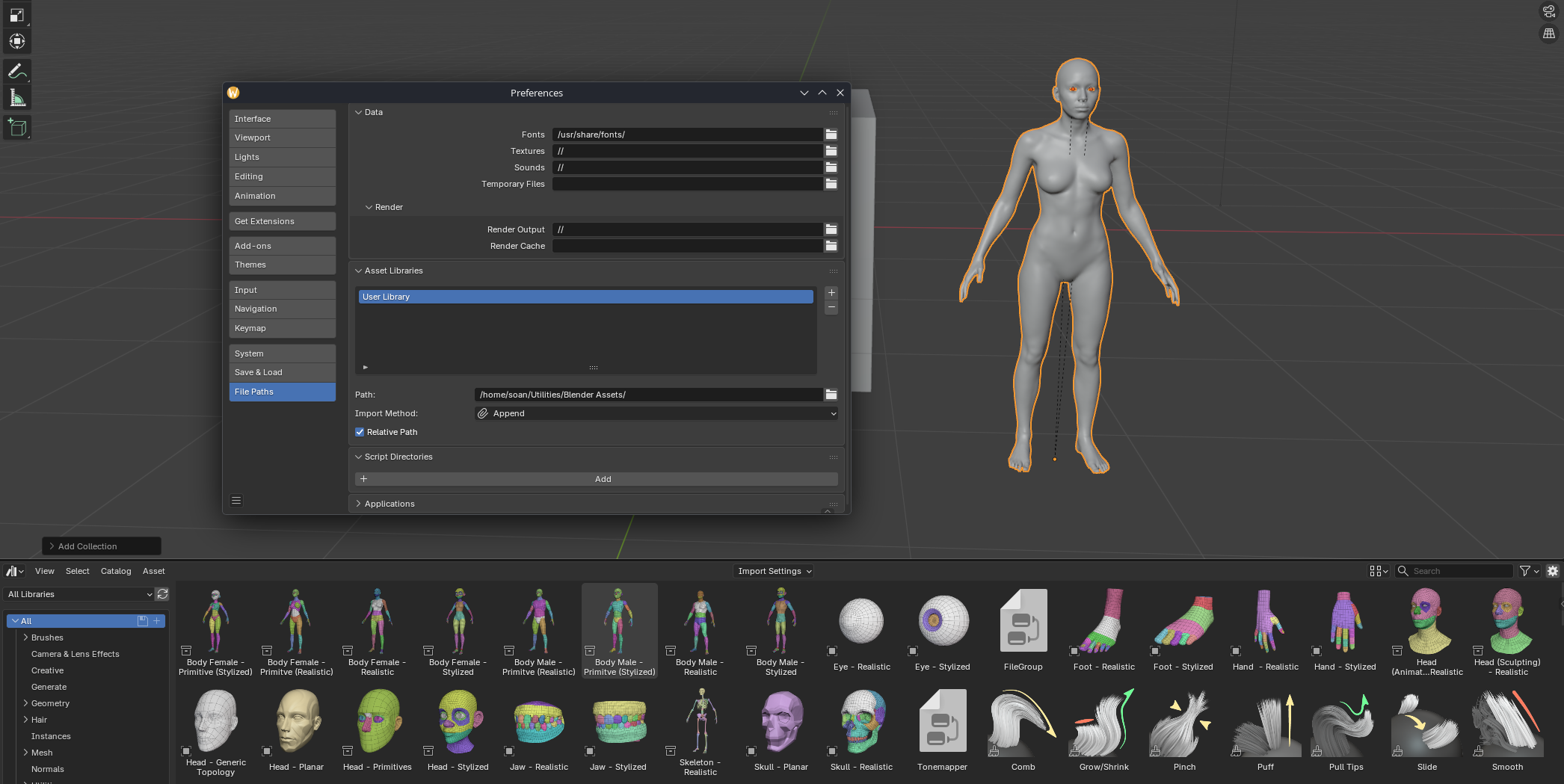
https://studio.blender.org/training/stylized-character-workflow/base-m eshes/
Just plonk these into whatever you have set as your "Blender Asset Folder", then plonk them into a model using the Asset Browser editor.
Then enable Rigify and rig everything up (not hard but you might want to review a tutorial to get the positioning right)