Thread #4462455 | Image & Video Expansion | Click to Play

File: Untitsdfafadsled.png (780.2 KB)
780.2 KB PNG
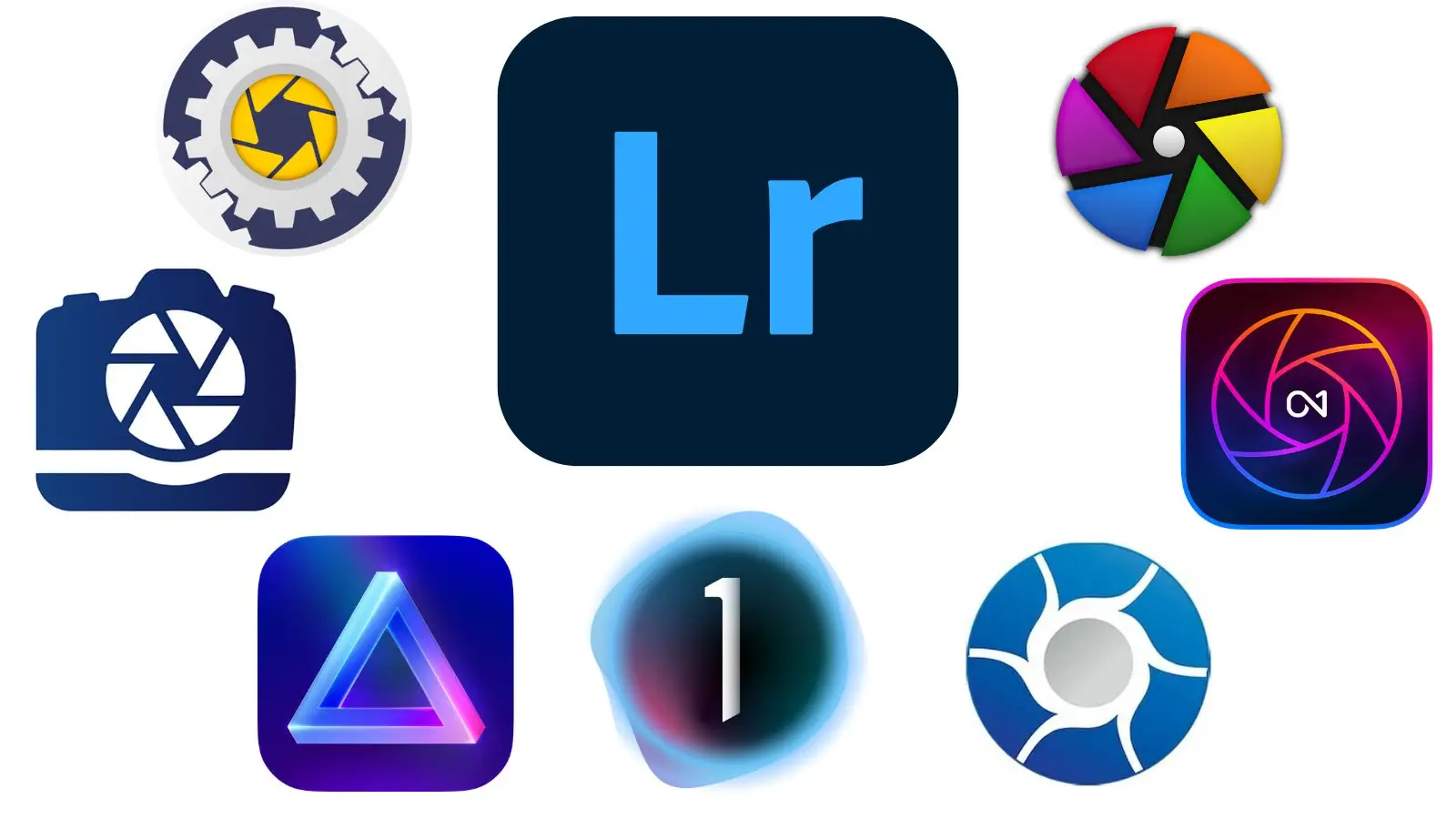
So is everyone using Lightroom or what? I already have Affinity 2 and would like something with a permanent license for library as well.
291 RepliesView Thread
 Showing all 291 replies.
>>
>>
>>
>>
>>
I'm a relative newcomer and I've been using pirated Lightroom Classic. I honestly find it bizarre this is regarded as professional software worth paying a subscription in perpetuity, mostly on account of bugs and limitations:
- I had massive performance issues that accumulated after browsing my library when editing labels. Turns out that having the "Metadata" panel open caused some resource leak.
- Resource management is straight from 1995 - it will use all 24GB of VRAM for GPU acceleration even if I run something like a small game, everything grinds to a halt when it starts swapping to system memory. No way of just setting a limit either.
- A silly bug when rotating images from the library that leads to either thumbnails or actual image not rotating which hasn't been fixed.
- It doesn't support having my library on a network drive
- It doesn't event support auto-import from a network drive
- No automation between DNG converter and Lightroom.
- DNG converter does the same resource-gobbling, but will actually.
At least once you get into developing the images it's nice to use. The processing tools are very distilled to what you're likely to use 99% of the time - I can see why Lightroom users get overwhelmed by Darktable.
I'm slowly getting used to Darkable now as it's just nicer software to use. I did some negative scans and that went a lot better in Darktable, the masking options are far superior as well.
>>
>>
>>
>>
>>
>>

>>
>>
>>
>>
>>
>>
>>
>>
>>
>>
>>
>>4462617
How is it for picture profiles and retaining settings? One thing I would love is having the custom in-camera settings I use be read from the RAW file, while Lightroom just uses the default profile that comes from the manufacturer and only my SOOC JPGs look how I want.
>>
>>
I'm probably the odd one out with this but I tried using gimp and (pirated) photoshop at the and time and thought gimp was easier to use and wouldn't have to worry about some hax0r using my computer to crash a train or some shit. I had been using canons own raw editor (DPP) for raws but recently decided to switch to loonix only once again and it's a fuckaround to get it to work. So anyway, what I was getting at was how bad exactly are RawRapey and Dorktable at handling Canon raws vs Canons own software which I thought was pretty good.
>>
>>
File: 3088-2.jpg (3.9 MB)

3.9 MB JPG
>>4462632
C1 does white balance a lot better somehow. Same sliders, but it just works better. Guess which is which.
>>
>>
>>4462634
White balance is a standard.
Orange to blue
Green to magenta
Every program and camera is the same here.
Other color casts are managed with levels/curves, or in C1, for hardware specific casts, LCCs
https://support.captureone.com/hc/en-us/articles/360002583678-The-LCC- tool
>>
>>

>>
>>
File: 20250825_191007.jpg (1.8 MB)
1.8 MB JPG
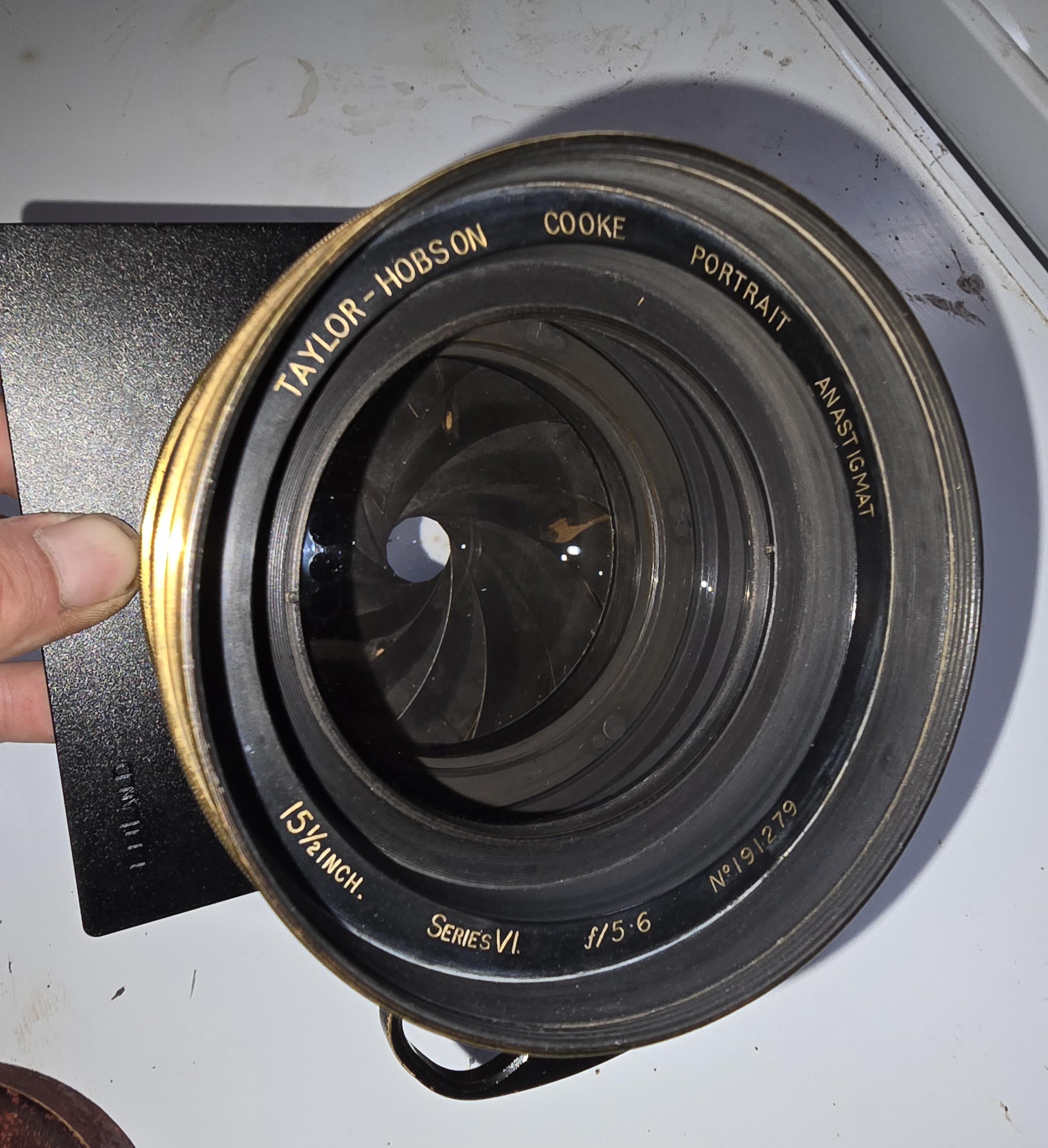
Look at this legendary dogtography lens I got for a weirdly little money. These were made between 1908-1930 I believe. Pretty good condition for 100 years old.
>>4462646
He is not glowing yellow/orange in real life. I've noticed with many pictures LR makes things too yellow, especially my dogs fur. It happens a lot when you try to boost contrast.
>>
>>
>>
>>4462655
I don't usually change that from the default setting unless I've made a specific profile with my color card. Either way I wouldn't be suprised if it was simply user error. I havent devoted much time to actually learning how to edit photos on the computer. It's not as important for me as making prints in the darkroom.
>>
>>4462655
I will say that moving sliders in C1 seems to work out better for me than moving sliders in LR. For white balance it feels like LR moves in much larger steps than C1 and somehow it influences the image differently. I have an easier time manually setting white balance in C1.
I also really like the histogram slider thing in C1. Even if I was just doing something stupid in LR I enjoy editing more in C1, so its not too big of a deal.
>>
>>4462655
LR has god awful default profiles. Every camera color science meme ever is entirely based on lightroom being shit. You really need to buy a 32+ swatch target and make your own per illuminant for LR (just to put up with lag, $144-240/yr costs to keep up with gear upgrades you definitely won't buy, etc)
Lightroom also has much worse default curves than C1.
And much worse noise reduction and sharpening (sharp grain vs. the wet scan look) unless you use AI and enhance
And more false color/shit fine detail than C1
A competent darktable setup (with a fine tuned demosaicing pipeline and everything) is just a little more work than getting lightroom to play nice and actually gets C1 tier results. C1 just does that instantly with fewer bugs, a better UI, and the demosaicing fine tuning (which is some per ISO, per camera hell) already done. And $200 for a one and done if you catch it on sale.
Cameras have hit a hard plateau for everyone but super gear reliant action photographers and videofaggot gearcucks who think they still need 8k 120fps raw so what upgrades are there to keep up with? Especially if you shoot a modern camera that embeds lens profiles into the raws (phaseone's profiles are typically undercorrected anyways) so new lenses will always be supported
>>
>>4462663
So you dont think it was user error?
I will also add that I was using a Leaf aptus 6 mfdb to take those pictures, so it would naturally jive better with C1 than LR, right? It has a bunch of these built in profiles you can use. It made me sad that dog portraits look best with the "product" profile lol
>>
>>
>>
File: 510f3532eb03e.jpg (36.1 KB)

36.1 KB JPG
>>4462663
>using software prices as an argument
har har har, avast landlubber)))
>>
I use PS and LRC, both are the best for editing and I just buy once a year a yearly subscription.
Doing one paid gig will pay more than that subscription and in my country I can detuct that subscription money from taxes. So no reason to even think about adobes scam prices.
>>
>>
>>
>>4462657
> don't usually change that from the default setting
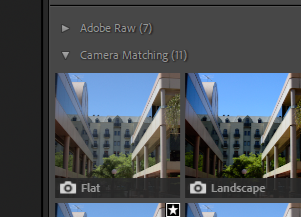
yeah that's the issue then. lightroom from installation just defaults to their own profile (adobe color), but you can change the setting to use the cameras own profiles to get the colors you actually saw in-camera.
>>
>>
>>4462729
>profile says embedded
Looking at the wrong spot I think. You should see something at the top that says Profile: Adobe Color and then click into Profile Browser, from there you'll see the option to use the profiles from your camera.
I'm actually not even sure what you must be looking at, I don't see the word "embedded" anywhere on my Lightroom.
>>
>>
File: 20250826_004806.jpg (2.6 MB)

2.6 MB JPG
>>4462733
Top right. Is it because Im using lrc?
>>
>>4462737
That's really weird. I'm using LRC too and I don't have that at all, I've never even seen "embedded" come up before, not even when I've loaded a JPG. But if you click those 4 little squares next to it, that'll bring up the profile browser and you should be able to find your cameras profiles in there.
>>
>>
>>
>>
>>
>>
>>
>>
>>4462747
Ah, then yeah, with something that niche you'd maybe have to look around for the profiles, I'm not too sure. I only ever use pretty regularly available cameras so I've never had to do anything extra beyond setting LR to use my cameras profiles.
>>
>>
>>
>>
>>4462751
All good, to each their own really. I've considered C1 myself sometimes but their pricing model seems kinda weird and I think I'd have to buy it again if I got a different camera model. I also do work as a photographer and fuck around with various cameras, so having to keep buying C1 stuff over and over when I use a new camera would be a nightmare.
>>
>>
>>
File: IMG_5593.jpg (253.5 KB)
253.5 KB JPG
>>4462455
i use dark table
>Guys which slider program is easier to use
>>
>>
>>4462753
Standalone is like $300 (or $200 on sale), and then you essentially get the next year's worth of small updates, which can include new camera compability. You get a discount if upgrading within the next 1-2 years, but no standalone loyalty discounts beyond that anymore.
If you use their subscription, you get a discount for standalone for each year subscribed, long enough and you end the sub with a free standalone.
>>
>>
>>4462753
Subscribe then. it's only $2 more a month. Buying to own is for the guy who still uses a 5dIII in the studio and puts out better work than people who upgrade their sony yearly, hence adobe abandoned that guy - he's not really in their target market. He's an unprofitable individual.
Some companies would release cameras on a subscription (high failure rate) if they could find the right fanbase to get away with it.
>>
>>
>>
>>
>>
>>4463053
If you upgrade every other year or so it works out to be less than subscription, which is what I've basically done (except the early upgrades were much cheaper), and you do get most of the following years version updates and camera support
Upgraded 3 times for camera compatibility, and once for features, but that's over 8ish years
>>
File: JqK6dWa.gif (473.5 KB)

473.5 KB GIF
>buying software
i shiggy diggy
>>
>>4462455
Yeah using Lightroom until someone figures out a way to port 15 years of local edits over to capture one. Fuck no I din’t give Adobe any $, the last time I paid that’s shit company was in college when we were forced to. Never again. I just keep buying every new application that comes out from independent devs to support them, but keep using Haxnodes Lightroom app bc I’m not throwing away a million hours of work. Yes the situation is fucked, just like every other situation on earth, bc some shit company gets their hands on a good thing, gets greedy, and has a bright idea how they could make even more money by wrecking it, doing a shittier job and buttfucking everyone sideways. Fuck Adobe and fuck Lightroom.
>>
>>
>>
>>
>>
>>
>>
>>
>>
>>
>>
>>
File: hatedhimforhe.jpg (130.6 KB)

130.6 KB JPG
>>4463267
>>
>>
>>
>>
>>
File: IMG_5485.jpg (157.1 KB)

157.1 KB JPG
>>4463483
....i need to go rethink my life
>>
>>
>>
>>
>>
>>
>>
>>
>>
What alternatives to Lightroom exist that are either free (or very cheap) or easy to pirate?
I'm looking for something that offers the same tools, especially AI mask selection, RAW development etc, and runs well on simple laptop hardware with no dedicated GPU (Ryzen 7 8845HS).
Does something like this even exist?
>>
>>
>>
>>
File: IMG_0187.jpg (201.5 KB)

201.5 KB JPG
>>4462455
I use Darktable, but I'm really just an amateur...
>>
File: dxo.jpg (80.7 KB)
80.7 KB JPG
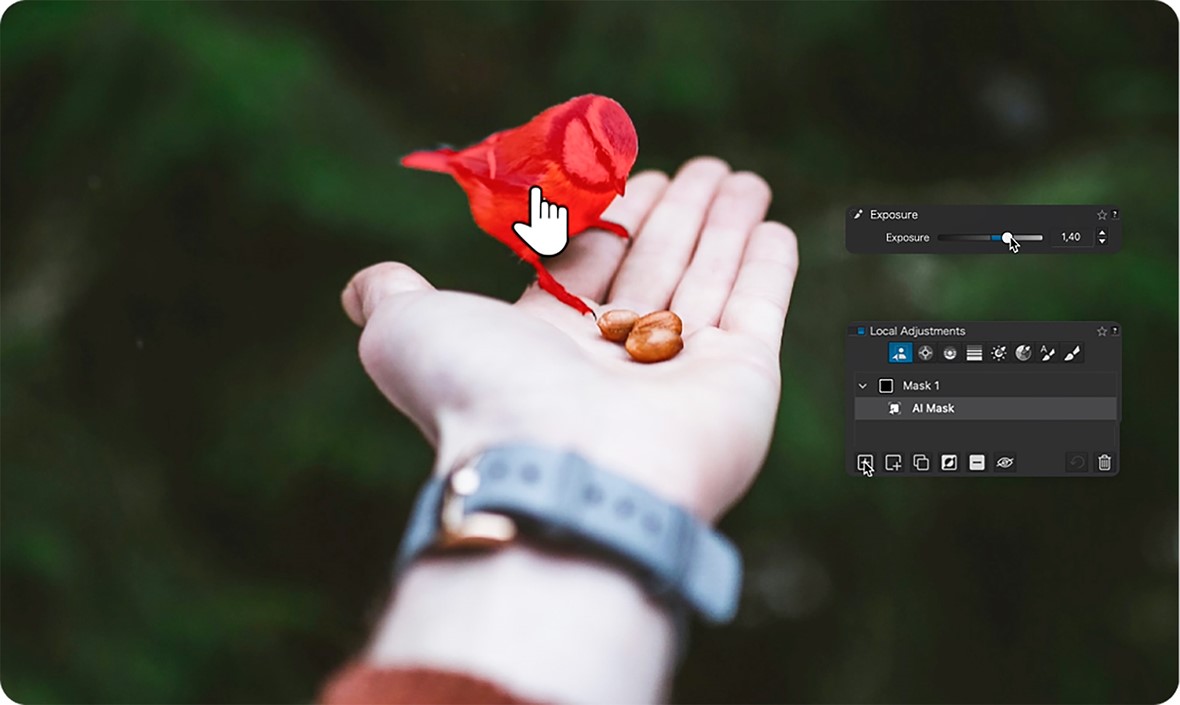
DxO PhotoLab 9 dropped yesterday. Adobe well and truly BTFO by DxO and Capture One.
https://www.dpreview.com/news/9595323730/dxo-s-photolab-9-promises-act ually-useful-ai-features
https://www.youtube.com/watch?v=255qbzYqsAE
>>
>>4465110
Does it still have awful color science? When I was trying out Photolab, it would always gravitate towards the same acid colors - like the edited image in this forum post https://forum.dxo.com/t/highlight-shadow-recovery/16326
>>
>>
File: 1747253372337982.png (320.1 KB)

320.1 KB PNG
Capture 1 gives me way better performance, LR has been degrading like crazy in the last few years. After 10 years of using it, i made the switch. Now editing photos is finally not torture. It's too bad, because overall I've been used to LR so much that switching is like switching OS at this point. And I hate switching OS. And I like the ergonomics of LR better, though in C1 I can do everything I could in LR, so at least it's a very good equivalent.
Only issue is the C1 startup time is very slow for some reason, but it's smooth sailing once it's opened.
Also, C1 users, do you go with sessions or catalogs? So far I've been using sessions, but now that I'm used to C1 and committed to keep using it, I intend to use the feature letting me import my LR catalog in it. As such, I assume this import feature means I'll keep using a catalog.
Is it a good idea or not?
>>
>>
>>4465245
Adobe
>$12/mo for LR
>$20/mo for LR + PS
>both include Adobe Portfolio and LR mobile
>$15/mo or LR + PS if grandfathered in
C1
>$17/mo for C1 desktop
>$23/mo for C1 desktop + mobile
>$330 (around $200 on sale) for standalone, cheaper than Adobe at 15 to 28 months (or faster on sale)
>standalone pricing discounted for each year of subscription, up to 100% off
Not sure what market you're in where C1 is 3x more expensive?
>>4465161
Sessions for sure. Switching away from larger catalogs of multiple things to only using individual sessions was the best organizational change I've done. If you think C1 is slow to load now, just wait until you're having it load a full catalog. In any individual session, you can still browse files from other sessions anyways.
The stock UI sucks, but it's much more customizable. I don't use the browser window at all, just G to switch between full grid view and whatever I have selected. Make use of speed edit keys, like holding Q + mouse wheel / click + drag / arrow keys will adjust exposure. I have my tools sectioned off and ordered to my workflow.
>>
>>4465260
sometimes i hate about media apps in general is when you install it and it's like "where do you keep your files?" and i say "here" and then it's like "shit, bruh" and locks up because there's too many. they should at least count and give you a warning if import will take all night. this happens in almost every FOSS app
>>
>>
>>
>>
>>
>>4465134
PL color rendering has improved since those posts in 2020/21 but the default "Natural" preset is oversaturated to appease phonefags and the highlight recovery is a bit shit.
One problem with the DxO forum is it's full of a bunch of turboautist boomers who think turning up clarity to 100 makes every shot look incredible.
>>4465161
Putting price aside, all 3 are gimped in different ways imo. Like how the fuck does C1 not have any edit history? The second you close it, all changes are committed to every file and the official response is "click reset on the tool" lmao
>>
>>4465402
RAW editors in 2025:
>LR Classic
Reasonable feature set with the most "AI" tools. Excellent NR. Resource-hungry mess that will fuck your machine with Creative Cloud telemetry bloat (Core Service, Update Service, UI Helper chromium shit, "Content Manager", Core Sync, ...)
>DxO
Best for optical and distortion corrections. Modules for every lens and body calibrated with real hardware. Equally excellent NR. Colors can be weird/optimized for Ken Rockwells. Lacks simple options like constrain crop and the highlight recovery sucks.
>C1
Color rendering seems better than LR and DxO. The fastest of the bunch. Perspective correction (keystone) is useless beyond simple adjustments. Undo history is completely missing and developers are lazy when it comes to adding lens and camera support.
>>
>>
>>
>>
I definitely use edit history in PS, but I have never once ever missed having it in C1
If I like how something looks, I save the adjustments as a preset
If I want to thinker a bit, I just press F8 to make a copy and tinker away
Forget it's even a thing until I open up Darktable for a DT thread
How often are you all actually using edit history i a raw processor?
>>
>>4462619
>picture profiles
>retaining settings
What does this mean?
>my custom in-camera settings
They aren't baked in the RAW file, you'll have to take a few pictures, match the look, save it as a preset and then apply it to the RAWs you import.
>>4462632
You can do slight color shifts by changing the white balance on any raw converter, it works the same way every time.
You can also do by-color editing in both Lr and C1.
>>4462665
It's a fact that default settings result in different looks in each RAW converter.
That said, one picture's significantly brighter, so the user has done something, and such a big difference likely came from tweaking stuff (very) differently between the two.
>>
File: MoonRiverLc21.jpg (425.1 KB)

425.1 KB JPG
>>4462455
I use C1, been using it since v10.
I was previously using Lr and decided to try out other options, then stayed with C1 for the massively more flexible color editor and mask workflow.
At some point an acquaintance was doing tethered work using Lr and, out of curiosity, I took some time to compare Lr's and C1's tethering capabilities.
It wasn't even a competition, I really can't imagine what Lr was doing to be that slow but C1 was three to four times as fast to show a new picture after it was shot, plus it offered the option to control the camera settings in real time and had a live view window.
I believe Lr has improved over the years, and I liked C1 better when the HDR tool only had a "Highlights" and a "Shadows" sliders instead of the four White/Highlights/Shadows/Blacks it has now, which it has copied from Lr, but C1 has also improved in terms of performance, masking tools, face editing features, what have you.
If only the engineers at Panasonic hadn't made it impossible to tether the S1 with a raw converter, C1 would have everything I need (but I can still shot tethered thanks to C1's hot folders or however they're called, only I have to pass through Panasonic's own tethering software).
>>4465161
I have a catalog to which I add pictures taken a few at a time and that don't need much organization, like if I'm trying out something or taking two pictures of the moon.
Every other project/shoot/session/job gets its new, very own session.
>>
>>
>>
>>
What's the best value for money if I'm shit at editing and for now mostly want to inpaint turds and rubbish from my street photos (I live in France)? Affinity looks okay, inpaint tool looks pretty basic, but it works.
>>
>>
>>
>>
File: IMG_5962.jpg (630.7 KB)

630.7 KB JPG
>>4466024
I use the software bundled with the camera (NX Studio &cet. for Nikon, DPP &cet. for Canon) and Gimp.
(Roughly flattened impact melt fragment, about 55mm wide. Need to get the stuff for polishing.)
>>
>>
>>4466028
Decided to try our Rawthera/p/ee since I didn't like Darktable and DPP4 doesn't exist on Linux, but it's just fucking terrible. Cool the power is all there but I don't sneed 57 modules to comb through. I need levels, HSL, gamma, NR, sharpness, etc.
Darktable is kind of the same but I'm so unimpressed with the NR of either there's no incentive to use them for anything shot over ISO 1600.
Looks like the only sensible thing to use is 1st party software if you're going to be a freetard. Unfortunately for me that means getting a workaround in WINE going, so fuck my life.
>inb4 just use windows
I do, but I use linux-specific things all the time, and the niggers at Canon have a Mac version of DPP4 but can't be arsed shitting out a Linux version? Fuck off.
>>
>>
>>
>>4466178
I think my main point was poorly pivoted. I mean more like, the UI is a bloated unintuitive mess, with no consideration of workflow and seemingly no logic to how things are worded.
>read the manual
No. If I can spend 5 minutes in DPP, C1, Digikam, LR, or even OM Shitspace and get the hang of things no worries, there's no excuse.
>>
>>4466195
I put some time into leaning darktable so I could finally kiss paid raw developers goodbye and now I get better results in a couple minutes than I ever did in LR and C1.
It's really easy and fast to use, you just have to learn a couple basics. If you can't be bothered to do that, I wonder how you ever got into "professional" photography and developing raw files.
As for confusing UI, I don't think that's really the case, it's quite similar to LR.
Maybe this will help:
https://www.darktable.org/2024/12/howto-in-5.0/
There's also videos about how to switch from LR to darktable, never needed to watch one of those tho.
>>
>>4466195
Capture one is basically the only good editor
And yes, linux is not supported nor should it be. between the bloat of the kernel, systemd, and gnu/garbage (including gtk and gnome), it's harboring an untold number of purposefully added backdoors courtesy of at least 3 different countries intelligence agencies.
>>
File: Yamaguchi_assassinates_Asanuma_1960.jpg (379.7 KB)
379.7 KB JPG
>>4462455
https://github.com/cybertimon/rapidraw
Just found this last night. This dude got sick of Adobe and made his own lightroom.
>Not the guy
>Not shilling a free product
>Tried it yesterday for the first time it's way less confusing than darktable
>Lacks a few features but the dev seems interested in feedback and improving
>>
>>
>>
>>
>>
>>4466195
From where I'm standing, RT has borderline unusable file browser - that's true. The fact that they refuse to implement a normal image preview, like it exists in every other editing program is just beyond me. ART actually tries to fix that. Otherwise, I think the editor is good.
>>
>>4466263
there are several ways to do highlight recovery, I never had an issue getting highlight detail back
use either tone equalizer or color balance rgb and use the brilliance grading
you can use masks to only affect the sky or the upper luninance ranges, if needed
you could also just make a 2nd exposure module, then make a mask for the highlight areas
>>
>>
>>
>>
>>
>>
>>
>>4466715
>Good photographers fiddle with camera settings to keep their jpegs looking good!
Boasting about worthless skills is for people who have no worthwhile ones.
Can't imagine wasting my time fiddling with white balance, "active d lighting", picture controls etc when I can just auto iso exp. comp -1, take photos, and set all that shit 10x faster on a computer later. Jpeg is a straight downgrade from the workflow of negative film intended for consumers who did not know or care what was going on, people seen as literal cattle by the manufacturers.
Also, older cameras perform better in raw because manufacturers never updated the firmware to render better jpegs. "Dont pixel peep! (view anything larger than 1920x1080)" is a cope. If you have to tell me how to look at photos to defend a camera, you're using it wrong or it's a bad camera. Pick one.
>>
>>
>>
>>
>>4466811
Was just curious if anyone here uses it and has their opinions about it. I'm a beginner with all this photography stuff and I've been messing around with RawTherapee when it comes to photo editing. Kind of wanted to try out other pieces of software (with more features etc) but I'm not really into Adobe's jewery with their subscription plans and all that. Stumbled upon ON1 the other day and it looks decent but at the same time I havent really heard about it otherwise. There are some reviews that say it's good but I'm not sure if it's just some random shill on the internet or not. Even the comments in most of those reviews looks like they were written by AI bots.
>>
>>
>>4466718
Camera operators are just lazy collage artists.
Collage artists are just lazy painters.
Painters are just lazy illustrators.
Illustrators are just lazy designers & architects.
Architects are just lazy engineers.
Engineers are just lazy mathematicians.
Physicists are just lazy physicists.
Physicists are just lazy philosophers.
Philosophers are just lazy fuckers oh my god are they useless.
Illustrators are just lazy
>>
>>
>>
>>
>>
>>
>>
>>
>>4466902
CHINKS could be here, he thought. I've been burned before. There could be CHINKS anywhere. The cold glass of fixer felt good in his hand. I HATE CHINKS he thought. Girls on Film reverberated the entire bathroom making it pulsate even as the $1 instant coffee circulated through his government microfilm reels and washed away his (merited) fear of hackers after dark. "With caffenol, you can shoot anything you want" he said to himself, out loud.
>>
I've been using lightroom for a few years 99% on tablets. First ipad pro then switched to Android. The iPad version was very frustrating. I like using cloud sync uploading via tablet. On iPad whenever you switch apps or the screen turns off or locks the cloud sync stops immediately. It'd take forever to sync with constant screen tapping. Apparently only Apple cloud is allowed to sync when the app is not in focus, no non-apple sync in the background. Dont know if it's changed then. But there's no alternative without cloud features, let alone with, so I'm stuck with it.
>>
>>
>>
>>4466978
Immediate import and backup post shoot in case the worst happens. Having my catalogue on any device anywhere (smart preview), so I can show, adjust, export, print if needed. Edit from anywhere and Any edits only need to sync Metadata and not the full images again. Online soft proofing, this let's people sign in and pick images, I can select those images and create a new album with them in Lightroom, super convenient. Shared cloud albums can also be downloaded via link for other people, but I stopped doing that since last I checked they don't export in sRGB, and IG posting screws up the colour after posting while getting the preview before posting correct. Maybe that's been fixed in either LR or IG since then.
My workflow has been tablet based for years now, and there still isn't even a single non cloud alternative, let alone an alternative that supports what I use above.
>>
>>
>>4466983
You may have heard this before, but it bears repeating occasionally: Do not rely on "Cloud Sync" as a backup.
Firstly, you can't guarantee where the files actually are. If you lose your account one day due to whatever SaaSy bullshit is going on, you may find out you've been optimised to only have the last month of data on your device.
Secondly, you're at the absolute mercy of software bugs nuking your library everywhere simultaneously. As an example, iCloud one day decided that my dad didn't have any files any more. Not on his Mac, not on his iPhone and not on his iPad either. Saved only by an actual backup on his work PC.
>>
>>
>>
RapidRAW is the future. 18 yrs old guy created free LR competitor.
https://www.free-codecs.com/download/rapidraw.htm
https://github.com/CyberTimon/RapidRAW
>>
File: IMGP3141.jpg (1.1 MB)

1.1 MB JPG
I use Lightroom v8.5.1 (actually pay for it and all to be fair it was $80 for the year) and my camera (Pentax K1ii) isn't fully supported by LR (no Camera Standard profile for example)
Sometimes Adobe Color or Adobe Portrait works to get the colors where I want them to, but has anyone tried the Color Fidelity profiles? Sometimes the Adobe profiles come out too green or blue and I'm better off using the jpeg if I'm not pixel peeping.
https://www.colorfidelity.com/
$25 is a little pricey but I kinda feel like its not doing the camera justice.
>>
>>
>>
>>
>>4467211
I keep the physical copies, the cloud sync is a backup in case something happens to the physical copies (theft, loss, baggage loss, etc), its a backup in another physical location other than where my cards are. Hence also considered setting up ftp server on my home pc with Hotspot while shooting to stream to. The cloud sync also downloads to my home pc.
I don't tend to remove them off the cards until I'm really done with them and just got a new 512GB cf express to make that easier and use the 64GB with dual card shooting as my import card
>>
>>
>>
>>
>>
>>
>>
File: 538961056_24559495640354496_9130629143996131451_n.jpg (93.8 KB)

93.8 KB JPG
I use LR Classic, IrfanView and PS 2015
>Paying for ((((((((subscriptions)))))))))
>>
>>
>>
>>
File: Untitled.jpg (34.2 KB)

34.2 KB JPG
>>
>>4463302
>Used the trial for 7 days
>Forgets
>Payment triggered
>Accidentally bought subscription for a year
I'm stuck using it for a year now. They use percentages instead of number format for the values of the adjustments, which is kinda annoying if i'm trying to copy values from lightroom.
>>
>>
>>4462455
I'll pay for software the day one of these fuckers packages a damn ai into it that lets you train it with your own stills without needing to be a fucking python programmer. Like mf's if I have a scan of a 50yo photo or movie film where my grandmother is smiling and smootching my grandpa, but the image quality is low light, out of focus or just too low res, BUT I have a million super sharp perfectly lit closeups on glorious 35mm kodachrome from her that same year, then THE BEST POSSIBLE USE OF AI in the arts is if I can tell the ai to reference all those stills, and maybe even some sharper stills of the same beach, or the dock, or the boat, etc, and render the scene in better detail, with color & light options. For all the jerking off over how ai is the end all be all, I have yet to see anyone be able to do this except the deepfakers busy putting emma watsons floating head on some cartoonish pornstars body and buying some $15,000 shitbox computer to do it, which will be outdated in 3 weeks.
>>
>>
>>
>>
>>4470760
Well its partially Nikons fault, they never made a proper adapter that'll get the Defocus Control lens working with the new Z bodies, and they also didn't make a new DC lens, so if you're really going to make a concerted effort for BOKAAA, you're left using an old 2010 D850 or halfassing it in 2025 software.
>>
>>
>>4462455
>So is everyone using Lightroom or what?
Why wouldn't I?
It's easy to:
>SET UP YOUR CATALOG ON AN EXTERNAL DRIVE
>SET UP A FOLDER STRUCTURE TO STORE IMAGES
>CREATE A COPYRIGHT METADATA PRESET
>IMPORT IMAGES
>EDIT IMAGES
>>
>>4470793
also
>costs more than capture one over time unless you insist on upgrading gear constantly (skill issue)
>is slow
>has AIds and logs every photo you import for the AI gods (and probably others)
>has image quality issues with sony and fuji
>known for meh, flat looking color profiles
>less autistic color adjustment capabilities
>high ISO look from lightroom is kind of nasty and harsh/digital compared to the way other programs render noise reduction, without using AIds (looks phone-y up close, because it is)
>>
>>
>>
>>
>>4471065
I was joking a bit with my post since it's a film camera but I can still answer this: darktable renders RAW files very flat, compared to both C1 and LR so there's more room to create the look you want. I like the results I can get for both my Alpha 7 III and X-T5. You really have to learn how to get there tho and many aren't ready for that.
>>
>>
>>4471093
Another anon. What he probably means, Darktable has no built in camera profiles and does not support Adobe dcp profiles. You have to dual your own look for your photos, because there's no reasonable default look.
>>
>>
>>
>>4471114
It's so cheap though and I can shoot tethered from my iPhone.
I just can't decide whether or not there's actually a benefit to using it over LR.
I wan't the objectively best tool to use with photos from my Leica.
>>
>>
>>
>>
>>
>>
>>4468718
Two different people you faggot. The worst part about /p/ is the "people". A bunch of delusional browns with shit photos larping as smug creative types. Consider sticking your head up your own ass and suffocate on shit stink.
>>
>>4467972
It's what my Dad uses. He bought a lifetime licence years ago. I've honestly got no idea how good it is or how it compares to other products. He just uses it cause that's what he thought was good in the 90s and has stuck with it ever since.
>>
>>
>>
>>
>>
File: DSC_0611_DxO.jpg (1.6 MB)

1.6 MB JPG
Anyone been using DxO lately? I took the 30-day trial and think it's pretty OK. Cancelled my lightroom subscription lately since I can't justify paying as much for LR+PS a year as a full license would cost. Other option would be Capture One, but I think DxO did a better job with the RAWs than it does. Too bad C1 trial was just 7 days so could not find time to compare them properly.
>>4465402
They literally have "ClearView Plus" which makes everything look like Ken Rockwell took the shot.
>>4465134
It's fine, at least for my NEF files. Looks pretty much the same as C1, nothing weird going on. Color editing is a bit off there though, and the images get saturated a bit much for my liking.
Then again, I could research how to pirate LRC and just get the PureRaw from DxO. That could be a pretty permanent solution. Picrel ken rockwell slider at max.
>>
>>
>>
>>
>>4471837
This. …well sort of. Nik’s native software runs slow as shitballs but it does perfectly remove all distortion bc the same aspie incels who engineered the cameras & lenses built their geometry into the softies too. So I use NX for ingest, to get a perfectly processed raw file, then save them shits as .tiff files for working & archive the raws off, bc tiff supports everything, all but depths & color modes, lossless data compression, layers, everything photochop saves in a psd. I’ll manipulate those in Lightroom for work & C1 for art projects, & if I need to view them outside the apps I can prepare them to be able to do that too. They all live organized on 2.5 TB of my workstation, with a full backup sync’d automatically to an exfat partition on my laptop (over wifi), so if I grab it & go, I know it’s always up to date. I use a cracked Lightroom on the windows side only bc I never let win10 connect to the internet, and fuck no I’m not letting Adobe shit & piss their crapware all over my Mac installation. No fucking way, the Mac side is perfectly clean and will stay that way, as the side that connects to the internet, though pretty locked down with littlesnitch etc.
>>
>>
>>
>>4472006
>compootors sound complicated
Ok zoomer. jfc it could not be any more simple. And change introduces incompatibilities and loss of function that require more complex workarounds. This is about the most fast & effortless thing I doo on a computer, its almost entirely automated.
>>
>>
>>
>>
>>4473215
Picked it up. Honestly looks like it does too much to an image(replacing your clouds?) but I'm interested in seeing how the AI works with automatically detecting the area it should mask like eyes or the background.
>>
>>
I learned that some people just up and transfer their shit directly from camera to phone, edit it with an app and that's about it.
Is lightroom on android even any good? I'll be honest I'm getting kinda tired of the camera RAW to PC editor to phone process that I'm doing just to post them.
Another thing that bothers me is HDR. No not, HDR, HDR. I mean display HDR. All I find about properly uploading pictures to a place like instagram is that it is supported, but a bit of a mess to get it right. I keep seeing this Greg Benz guy advertising his photoshop plugin that makes the process easy but I'm not willing to pay for photoshop and certainly not 30 bucks for this shit.
>>
>>4474059
>I'm getting kinda tired of the camera RAW to PC editor to phone process that I'm doing just to post them.
I set up a share folder on my NAS at home that I just drag stuff into, and on the phone it's as easy as copying it over via an android app like CX File Browser. Even easier if you set up automatic syncing like I have and it just makes a local copy on the phone the moment I put pictures in the folder.
>Another thing that bothers me is HDR
The inconsistencies across all the possible devices your photo is likely to be viewed on can not be avoided, if you are posting publicly to social media. That goes for HDR screens as well. If you optimise for HDR then SDR suffers. You may as well keep things standard and shoot for 100% sRGB coverage and that's that.
It's the same shit that happens when you edit photos on a HDR monitor; it's brighter than it really is, and the color accuracy is out the window.
Save yourself the headache and forget it. Without a controlled workflow and output devices, there's no point. Maybe if you were displaying things on HDR monitors in your home like those smart albums then it would be worth.
>>
>>
>>
>>4473215
I tried one of those (ON maybe?), and I don't think they are good unless you are really into sky replacement and such. At which point I think these programs should also let you replace people in the scene with scantly dressed anime girls. Maybe they already do.
>>
>>
>>4474468
After having made the mistake of buying it indeed it's just not worth it. It's sluggish, UI looks too fucking fruity. I'm constantly looking for shit that isn't there. It's all AI this AI that. Oh well. Might stick to ART I guess since it works on linux
>>
>>
>>
>>
>>
>>4467972
I had never heard of this until I saw this post, so I downloaded the trial.
I have to say, I like it. It is very fast, which helps a lot with library management. The raw development so far has been good. I haven't tried their editing features past developing. Thanks for bringing this up!
>>
>>
Couple questions. How does culling feature in c1 work, because I thought it's to delete shit but it won't let me delete anything. How is that culling? Maybe I'm just retarded (probably).
Second question, is there anything similar or on par with affinity photo 2 that doesn't use a sub? These faggots seem to be going the subscription model route and I was gonna buy it on black friday for a discount but now it seems I can't.
>>
>>
>>
>>
>>
>>
>>
>>
>>
See, I first started out with rawtherapee, because people seemed to dislike darktable, but holy shit is rawtherapee sluggish in comparison. Darktable is a bit overwhelming for me and surely it's getting a bit difficult to get used to it, but I can move a slider and the preview won't be laggy.
>>
>>
>>
>>
>>4476987
Ansel is not very active in development afaik, they're quite behind Darktable (main) git branch
Ansel was born out of a French maintainer's descent into madness that the rest of the Darktable team was going in a way he didn't agree with so I wouldn't use it unless you explicitly agree with the developer of Ansel on what Darktable should be and have read his manifesto
it also used to be a lot faster than Darktable was, not anymore but that was kinda cool at the time
>>
>>
>>
>>
>>
I just noticed Capture One renamed their product tiers and the Perpetual license is just called the Pro License now.
Has anything about what it entitles you changed or was it just a move to align the naming with their subscription tiers?
>>
File: capture one linux.png (78.3 KB)

78.3 KB PNG
See maybe it's me, but I don't get it. 5 years ago maybe, sure. But these days I don't understand what is so difficult about just letting people use a compatibility layer and making a few tweaks to ensure the rough edges are gone. Is their program so truly special and unique that it would warrant making a new application from scratch?
>>
>>
>>4479590
this is in fact why I STOPPED using c1. It's probably marginally better as a RAW processor than DT, but I loathe using windows to the point that it was just not worth it to me anymore. I use Darktable now exclusively and find it just as capable but with a larger learning curve
>>
>>
>>4479602
>just as capable but with a larger learning curve
Considering I haven't used RAW processors for long enough to have "learned" how to use them, would you recommend darktable over rawtherapee?
While I find it convoluted it's not like I'm getting shit expertly done with any software at the moment. I haven't even touched Lightroom.
>>
>>
>>
>>
>>
>>
>>
>>
>>
>>
File: kWJB2s1UOohOF8iSSHhTXISz6SQ.jpg (17.2 KB)

17.2 KB JPG
>>4462455
>be me
>trying out alternatives to RawTherapee
>download and install darktable
>run it
>it immediately crashes
>kill the process in task manager and uninstall it
>download lightroom classic
>log into my photo editing software
>mfw
>read the data collection notification
>notice I will also be installing Adobe CC and I have no choice otherwise
>yeet that shit off my computer instead of installing it
>look at capture one website
>download free trial
>log in again
>mfw
>get into the photo editor
>wheres_muh_fodos.jpg
>click around on the file browser tab until I find a sync option
>locate my pictures folder
>"import 24768 images?"
>click yes
>surf da web while I wait
>five minutes later my laptop fan is making jet engine sounds
>click back to capture one
>"generated 252 of 24768 image previews"
>open task manager
>kill it
>uninstall
I'm so sorry RawPee, I'll never leave you sweet baby, not as long as I live
and I woulda had to pay for CaptureOne in a week too
>>
>>
>>
>>
>>
>>
>>4466814
I've been using on1 for several years now. I like it. Nice workflow, great integration of catalog, basic ai exposure control, noise reduction, etc. I don't have to use separate programs. They make improvements every year in their filtering accuracy and detailed editing of portraits. It's not without its moles, but for me it's fine.