Thread #1277480 | Image & Video Expansion | Click to Play

File: 1644887700901.jpg (1004.4 KB)
1004.4 KB JPG
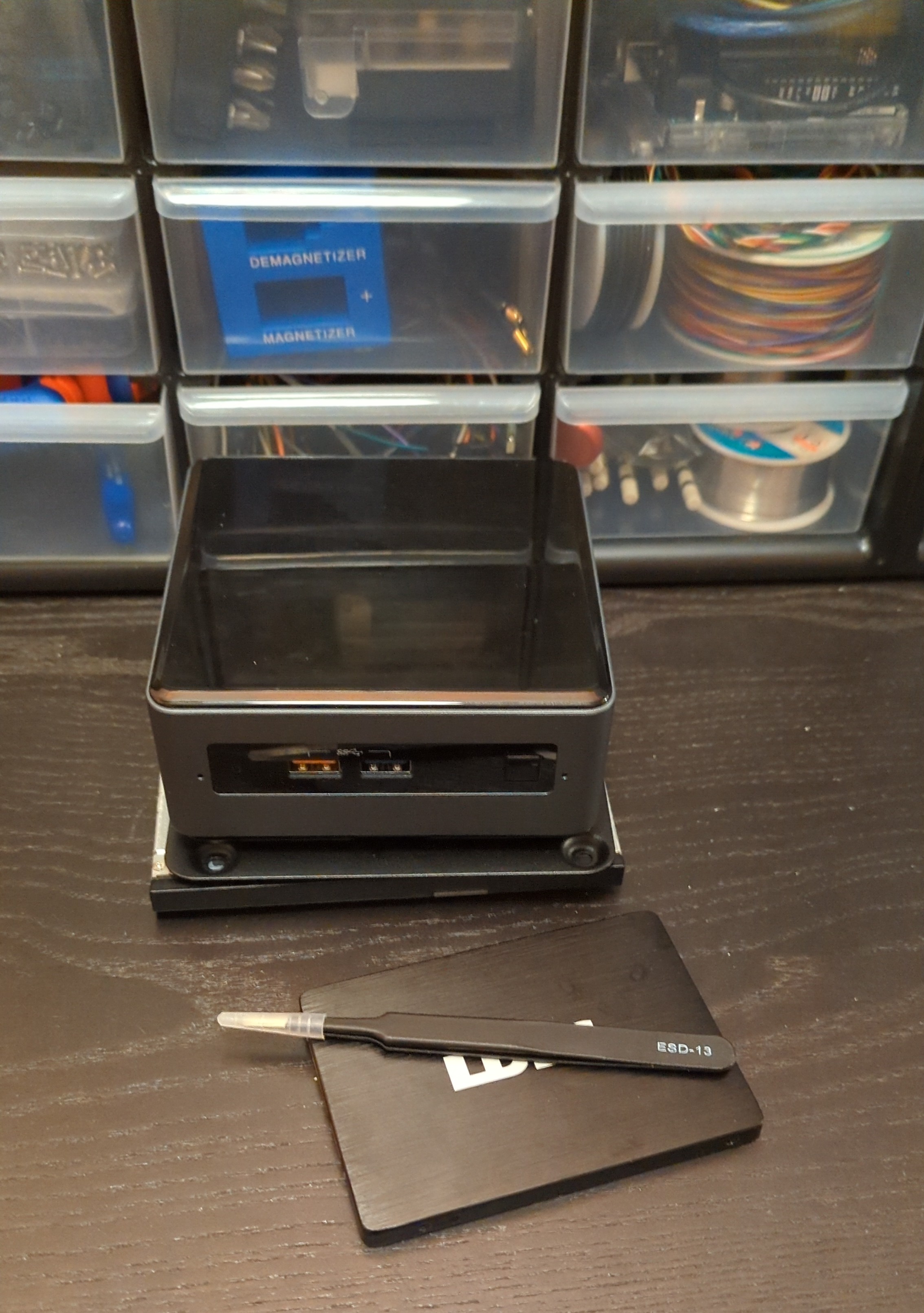
Post hardware that you are using for torrenting.
Here is mine :
- Intel NUC
- WD Blue 2TB
298 RepliesView Thread
 Showing all 298 replies.
>>
>>
File: IMG_20231009_104934~2.jpg (1.5 MB)

1.5 MB JPG
Intel NUC, UPS, and 21 TBs of external HDDs
>>
File: 1693742550216674.png (2.7 KB)

2.7 KB PNG
the only thing that matters is upload
>>
I've got a "whitebox" nas that raids 10 drives into a raid 10, about 20TB total (full). Have another few drives on the way that I am just going to mirror in pairs instead of being autistic. This is done using RAID cards with battery cache on bangblows servers (lol). Eventually I will pool a bunch of cheapo storage together using some sort of software "raid" and use that as a backup target. a lot of my environment is connected via 10GBps twinax
>>
>>
>>

>>
>>1277978 Don't worry anon, It is backed-up using 3-2-1 rule
>>1277995 I don't rewrite often, the NUC doubles up as a media server too, so the reads are okay 99,9% of the times. I did heavy write sessions only about once a year in which the perf was terrible on any of the drives - 2x5TB, 1x6TB, 1x4TB
Some may ask about the reliability of the USB. I personally haven't got any problems, only once one faulty drive disconnected all of the USBs.
>>
File: IMG_0520.jpg (2.8 MB)
2.8 MB JPG
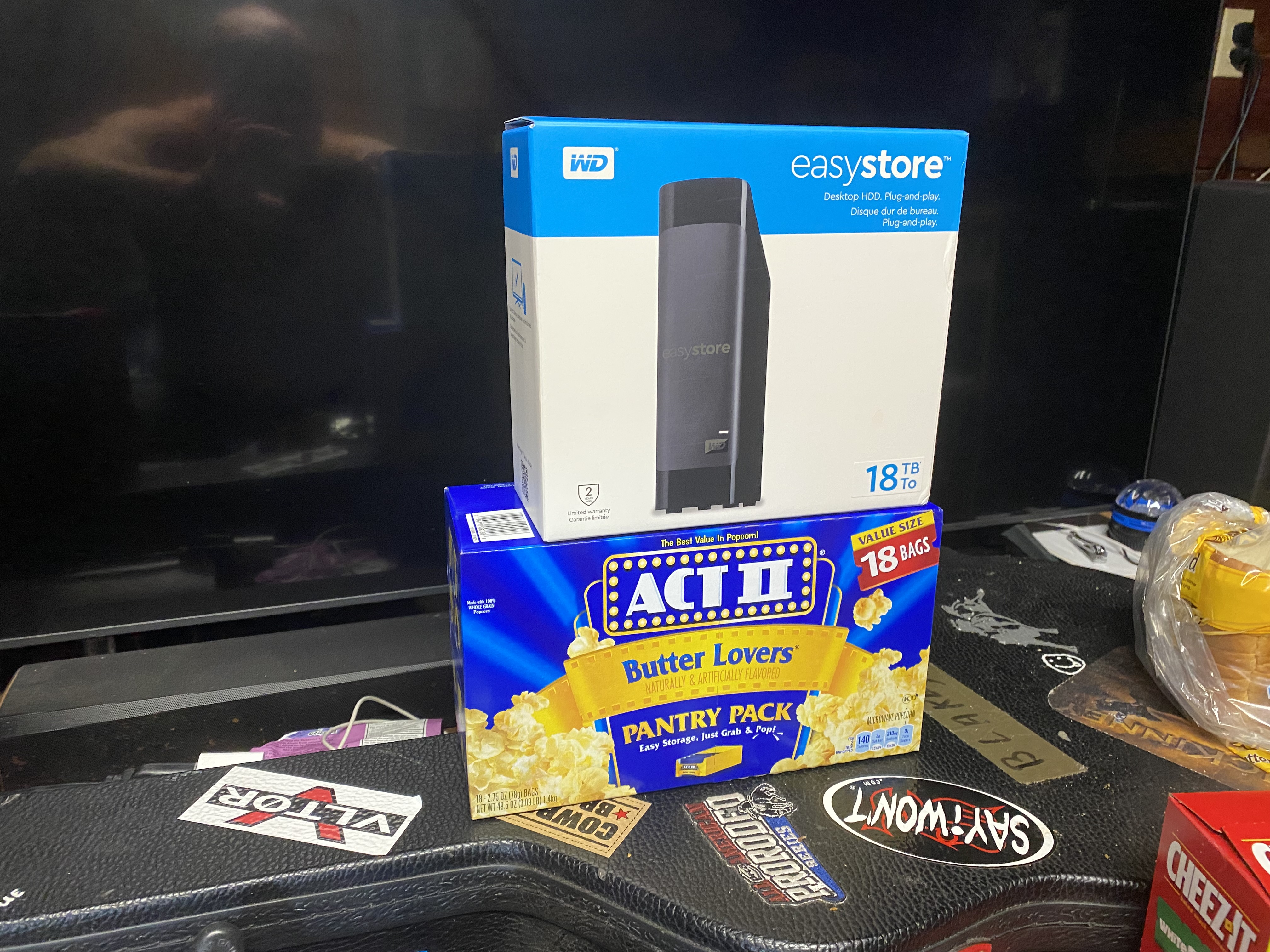
>>1277480
I have this external hard drive for my tv shows, doujins, and pictures I save from 4chan. I have a separate 8TB internal HDD for movies, and an 8TB SSD for vidya
>>
>>
>>
>>
>>
I am using thinkcentre m910q as home server.
- i5-7500t
- 16 GB ram
- 256 GB boot drive
- 1 TB internal hdd for storage
Are there any caveats to mounting usb hard drive to rutorrent in docker container? What happens when drive is removed while container is running?
>>
>>
>>1281196
>Why do you want to remove the hard drive ?
i think it's more a case of "if" rather than "when". either by accident or whatever. sometimes systemd doesn't play nice with USB, if you do a kerbel uodate or something it wont reload the usb modules sometimes leading to an unmount or some other issue
>>
File: i638928.jpg (422.9 KB)

422.9 KB JPG
>>
>>
>>1281235
what the fuck is the point of colocation?
>pay for hardware
>perform all the maintenance yourself
>pay to rent the rack space
>the company still controls the networking
>it's not local
it's like the worst of all worlds
>>
>>1281266
>pay for hardware
yes, I own the hardware. I can move it to another provider or host at home if I could actually get good internet
>pay for hardware
that's kinda the point, its 10 min from my house so it's not a big deal. I do it to learn shit
>pay to rent the rack space
$200 a month for power and 2gig internet is not a bad price desu. it is expensive but it is better than what I can get at home even if I payed a ton of money
>the company still controls the networking
nope, they give me 5 ip addresses and then I have to do the rest, router and switch.
>it's not local
you got me there, I wish it were but I get get anything past 30mbps where I live
>>
>>
>>
>>1281219
I've never had this problem, if you use Debian I think it's also made for this kind of thing
I use arch for the workstation, during a kernel update if the hard drive is connected during the update I can eject it and put it back correctly otherwise you have to restart, but once connected there is no has no problems
>>
>>
File: IMG_5007.jpg (926.2 KB)
926.2 KB JPG
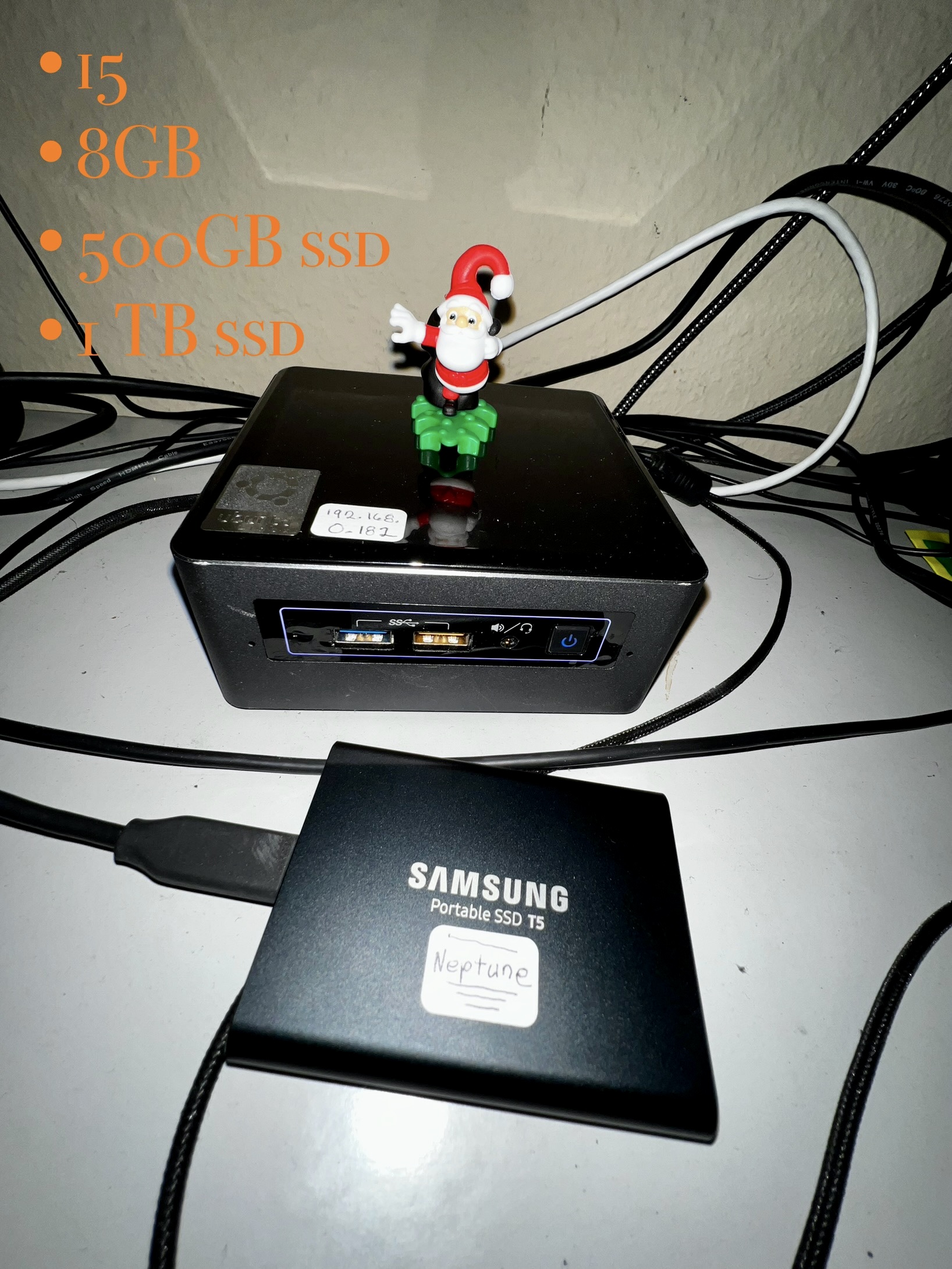
>>1277480
Intel Nuc Poster
>>
>>
File: IMG_4900.jpg (2.6 MB)

2.6 MB JPG
>>1282835
It’s Free.
Gets the job done.
It’s what I’m familiar with.
I’m only using it for qBitorrent
>>
>>1277480
No pics:
But I have a dell 3050 running proxmox, which hosts a torrenting VM which is linked to my truenas server filled with various size drives; 250, 320, and 500gb I have no redundancy, because I will will be moving files to my local disks when I need them.
>>
>>
Hi, new here. It seems I can cheaply get some high capacity drives that use an SAS interface instead of SATA. The guy I’m getting them from tells me he hasn’t pulled them from a server, but the asking price is favorable regardless. I’ve been using my workstation PC for now, and I should be able to connect the drives via PCI-e card. Is this a good idea?.
>>
>>
>>1283764
It'll work, just bear in mind you lose some of the flexibility of SATA like being able to pop a drive into an external enclosure and read from it. Also, if you use the RAID functionality of the SAS controller instead of using it as an HBA, you will need another of that card or one from the same family to recover your data if the card fails. For what it's worth I choose SAS when I can.
>>
>>1283764
>>1285444
SAS is usually a good choise, i find them more reliable than SATA drives. don't bother with hardware RAID, just use your controller to pass through the drives for software RAID like ZFS or BTRFS, unless you're using windows in which case hardware RAID is preferrable over their software abominations.
usually SAS drives are much cheaper than SATA when "second hand" and since they are usually built to higher standards and used very consistsntly/are bettrr cared for, a second hand SAS drive is usually much better off than a second hand SATA drive. as usual though always check the power-on hours; anything over about 50,000 and you should be skeptical.
if you need a cheap SAS card i would suggest a H200 series card, preferrably pre-flashed into IT mode (if not, it's not that hard to do it yourself) so you can pass through the drives to a software RAID. bear in mind nit all SAS cards allow passing through individaul drives. the H200 is a super cheap, super common and super reliable SAS card so it's easy to get, easy to use and easy to replace. Very good performance, too, compared ro other cheap cards. Just be sure it's in IT mode. any ebay listing will specify this, and even better if they specify it has LSI firmware as opposed to Dell firmware.
>>
File: images(67).jpg (21.5 KB)

21.5 KB JPG
>>1283764
also forgot to mention in addition to the SAS card you'll need specific cables.
the H200i for example uses two SFF8087 plugs, so you would want something like picrel which allows you to plug in four SAS HDDs per connector, for a total of 8 drives on the H200i. they will also need traditional SATA power cables.
if you have a chassis with an expander backplane you can get more drives, i have a H200e (e for external connector as opposed to i for internal) running 12 drives right now.
and one last thing, SATA drives will usually work just fine in a SAS backplane or on a SAS card, so mixing and matching is generally fine.
however a SAS drive will never work on a SATA port and in fact you cannot plug a SAS drive into SATA (but you can plug a SATA drice into SAS)
>>
>>
>>
>>
>>
>>
File: 20240128_200332.jpg (1.8 MB)

1.8 MB JPG
i hate this fucking thing
it takes up too much power
its old and slow
fucking dell proprietary drivers and iDRAC
the diskshelf is a jet engine unless i tell the fans to slow down every 3 seconds over serial
but man has it got some shit on it
40TB usable storage, 10Gb nic, 128gb of ram for VMs
i just desperately need to replace it with something modern
>>
>>
>>
>>1287840
third world electricity costs nothing
first world electricity is what's expensive. this runs me $250 AUD/month at nearly a full kilowatt for the whole rack
the t420 alone IDLES at 150W with only one CPU or 200W with two, the diskshelf closer to 250W
if this costs you $50 a year then you either generate your own power or live in the middle of somaliland where whites are hung daily and gas/power are effectively free due to the huge amounts of money china dump into it
>>
File: IMG_20240207_023349335.jpg (597.3 KB)
597.3 KB JPG
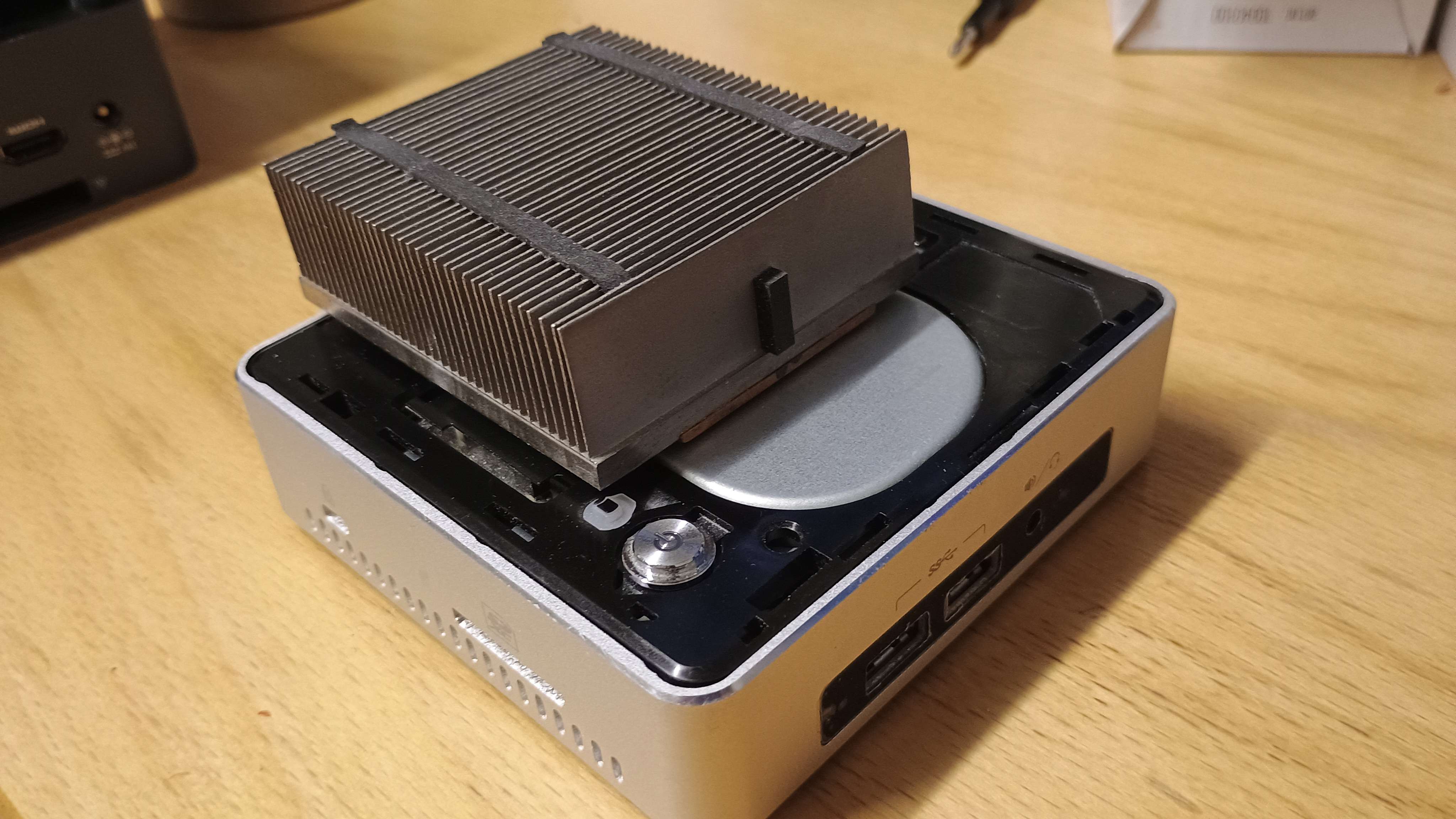
I have this 2TB NVME plus other external harddisk, quiet and cool to run.
>>
>>
>>
>>
>>1292826
to preface, check out >>>/g/hsg for tonnes of useful info
make your own NAS, it can be quite cheap if you know how. even a simple SFF office pc and some USB drives is fine, just don't use any kind of RAID on USB drives as USB controllers can be finicky with RAID.
off-the-shelf NAS boxes, eg synology, qnap, have issues as they use a proprietary OS that *will* only have 3-5 years of support, and once that window runs out the device loses any ability to update, and in some cases can't install programs or worst case scenario (WD MyBooks) get factory reset by an unpatched virus
>and from what company should i get my 6TB drives?
https://www.truenas.com/community/resources/list-of-known-smr-drives.1 41/
check this list and get anything cheap that is CMR. CMR, aka Conventional Magnetic Recording are generally faster, last longer and all around more reliable for most workloads. SMR, or Shingled drives, are basically just worse for most scenarios - but they are cheaper to put in nana's PC with a few hundred family photos, hence their existence.
personally i get used HGST or Dell SAS (enterprise) drives, they are usually well cared for and super cheap, but need a seperate SAS controller to use. segate would be my pick for conventional HDDs.
>>1292827
>whats he 123 rule?
3-2-1 is for backups
>3 Copies
>2 different storage mediums
>1 off-site
it's more for critical data than just whatever porn you torrent. regular backups like having a USB HDD with a copy of your data is also just fine, but 3-2-1 is what you use if you absolutely must not lose this data. it's also fine to not back up easily replacable data, eg most torrents, if you don't have the space to do so.
and lastly, no matter what anyome tells you, you do NOT need RAID at all. if you have money for extra drives, get a BACKUP first. RAID is only a nice-to-have, backups (of important data) are essential.
>>
>>1292830
/g/ usually is to advanced for me right now.
i currently have 6 of these
https://tweakers.net/pricewatch/1121773/wd-elements-desktop-storage-6t b-zwart.html
because they where on sale for 80 a piece.
i figured i could just buy more of these to keep them all the same.
where do you get second hand usually?
>>
>>
>>1292867
>/g/ usually is to advanced for me right now.
just ask in /hsg/ for some advice ob setting up your first home server with no experience. you can't learn if you never try
>where do you get second hand usually?
ebay
>>
File: 1553148004745.png (330.4 KB)

330.4 KB PNG
>>1292903
ab back up
>>
File: 1690448265598278.jpg (123.7 KB)

123.7 KB JPG
>>1286514
So check mine, OrangePi PC! Got it before the chinks though it was a good idea to double the price, I'm happy with it but it's amateur torrenting with its 32GB SD memory card. For 15 euros was a steal, now I'm not sure it's worth its money.
>>
>>
>>
File: IMG_20240316_141817386.jpg (665.8 KB)
665.8 KB JPG
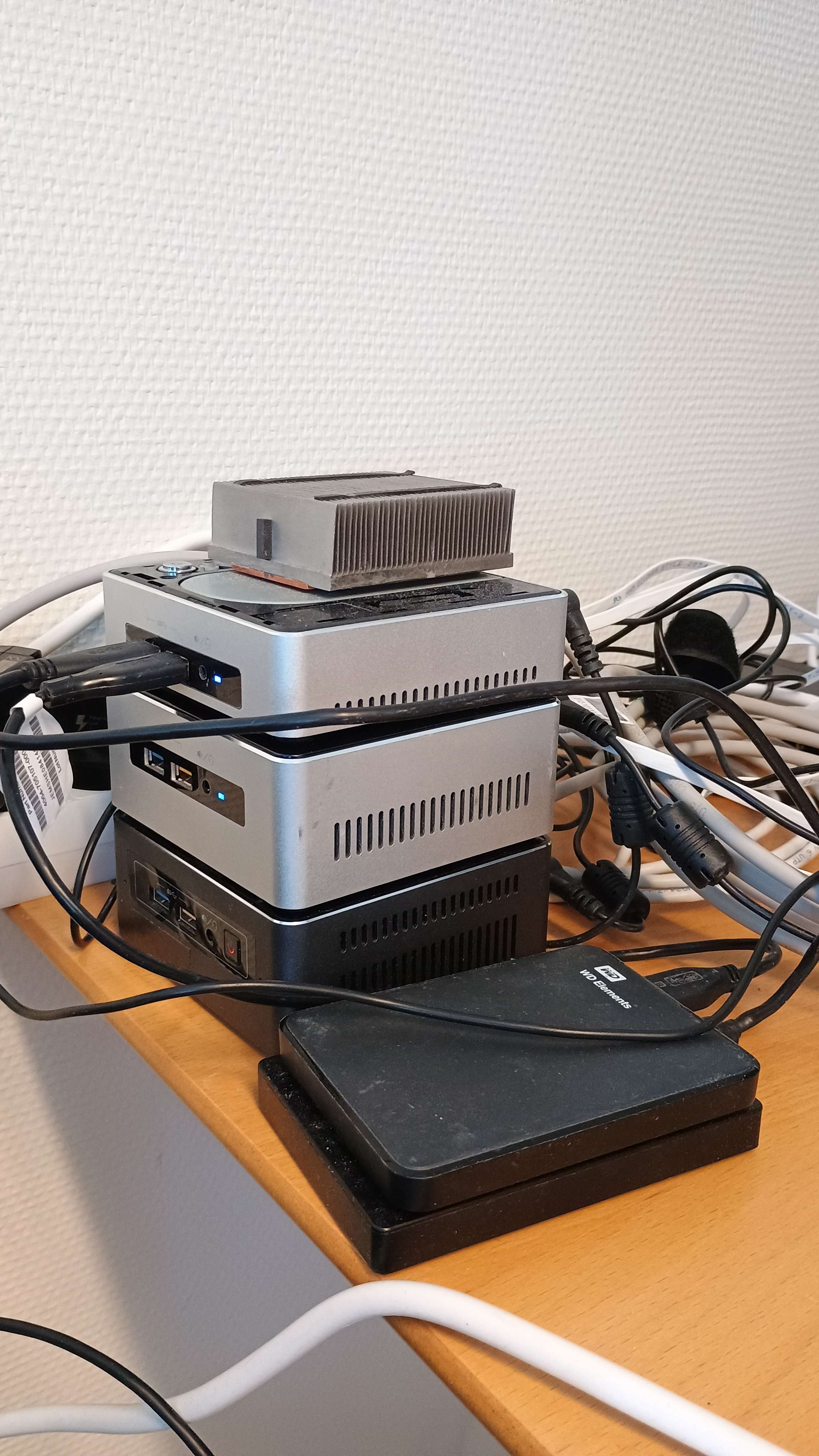
I upgraded my mini server intel nuc cluster, I have downloaded so MANY fitgirl repacks, and a bit of porn.
>>
>>
>>
>>
>>
>>
File: IMG_20240324_231344418.jpg (620.9 KB)

620.9 KB JPG
The intel nuc tower... grows...
>>
>>
>>
File: images.jpg (5.2 KB)

5.2 KB JPG
Am I far behind in the P2P sphere if I just found out there are special hardware for Torrenting?
> been using torrent since uTorrent was a thing
>>
>>1300398
>if I just found out there are special hardware for Torrenting?
there isn't. these are all just different computers, they can all just run windows and do whatever, but people are just using them exclusively for torrenting, like having a dedicated gaming computer only fot gaming, except this is always on and always seeding
>>
>>
>>
>>
>>
>>
>>1302538
a lenovo thinkcenter can be had for like $80 and then 32gb of ram for another $20, that should handle all your torrents and only draws like 28w. just slap an external HDD on it and an SSD with decent DRAM as a cache drive and you're sorted
NUCs only make sense if you want to vesa mount them behind a monitor for office workers, otherwise theres so many more powerful and cheaper xomputers out there that just take up a little bit more space. and a thinkcenter isn't even that much bigger
>>
>>
>>
File: pc_compressed.jpg (940.9 KB)
940.9 KB JPG
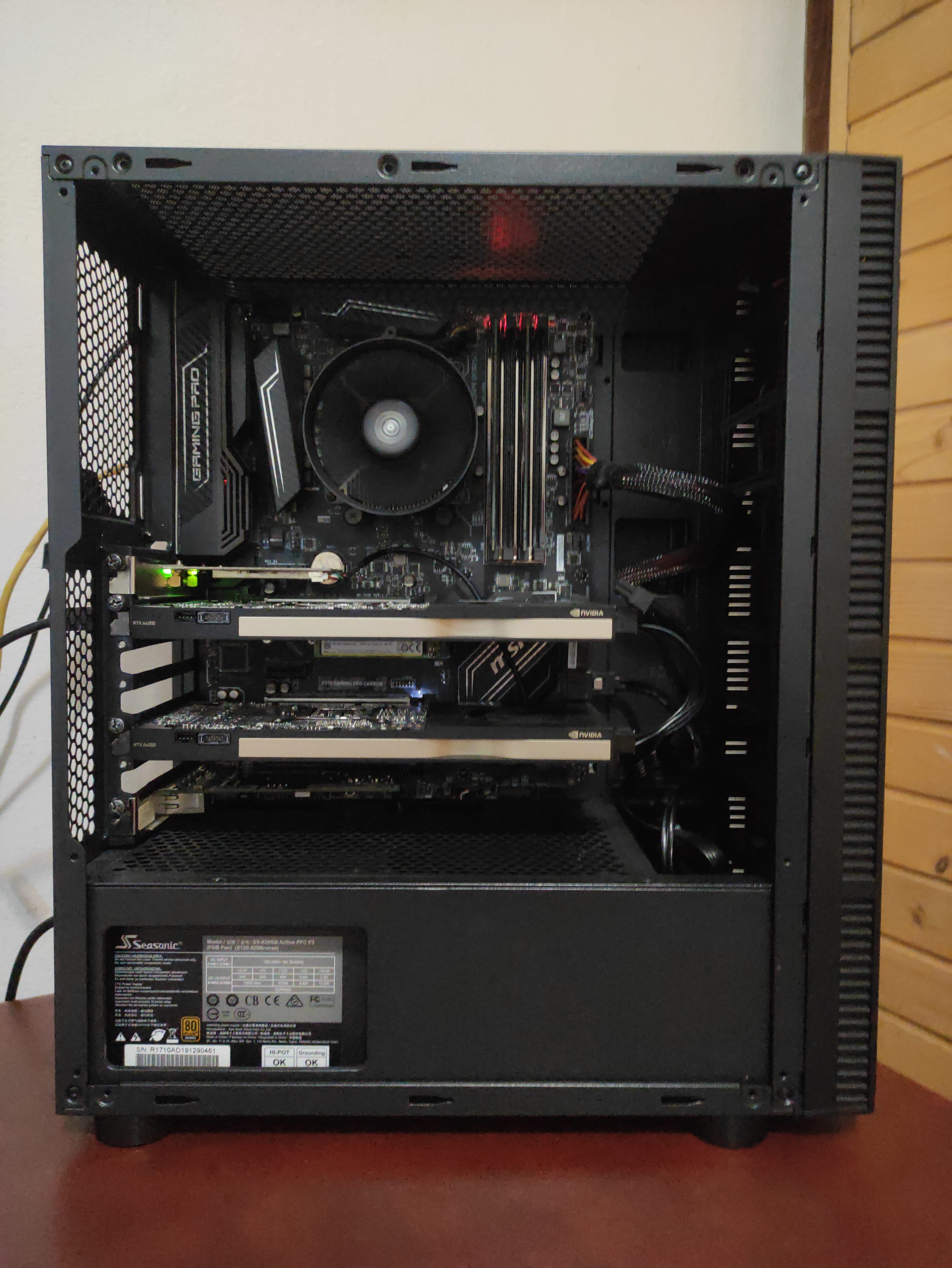
>>1277480
I use it for everything, 10TB of storage is mainly for seeding
>>
>>
>>
>>
>>
>>
>>
>>
>>1303605
I wish I could say such quote is mine, but:
https://web.archive.org/web/20080208114333/http://diveintomark.org/arc hives/2006/06/26/essentials-2006
>>
File: ahibordelent.png (57.2 KB)

57.2 KB PNG
>>1303763
>>
>>
>>
>>
>>
>>
>>
>>
>>
>>
>>
>>
>>
>>
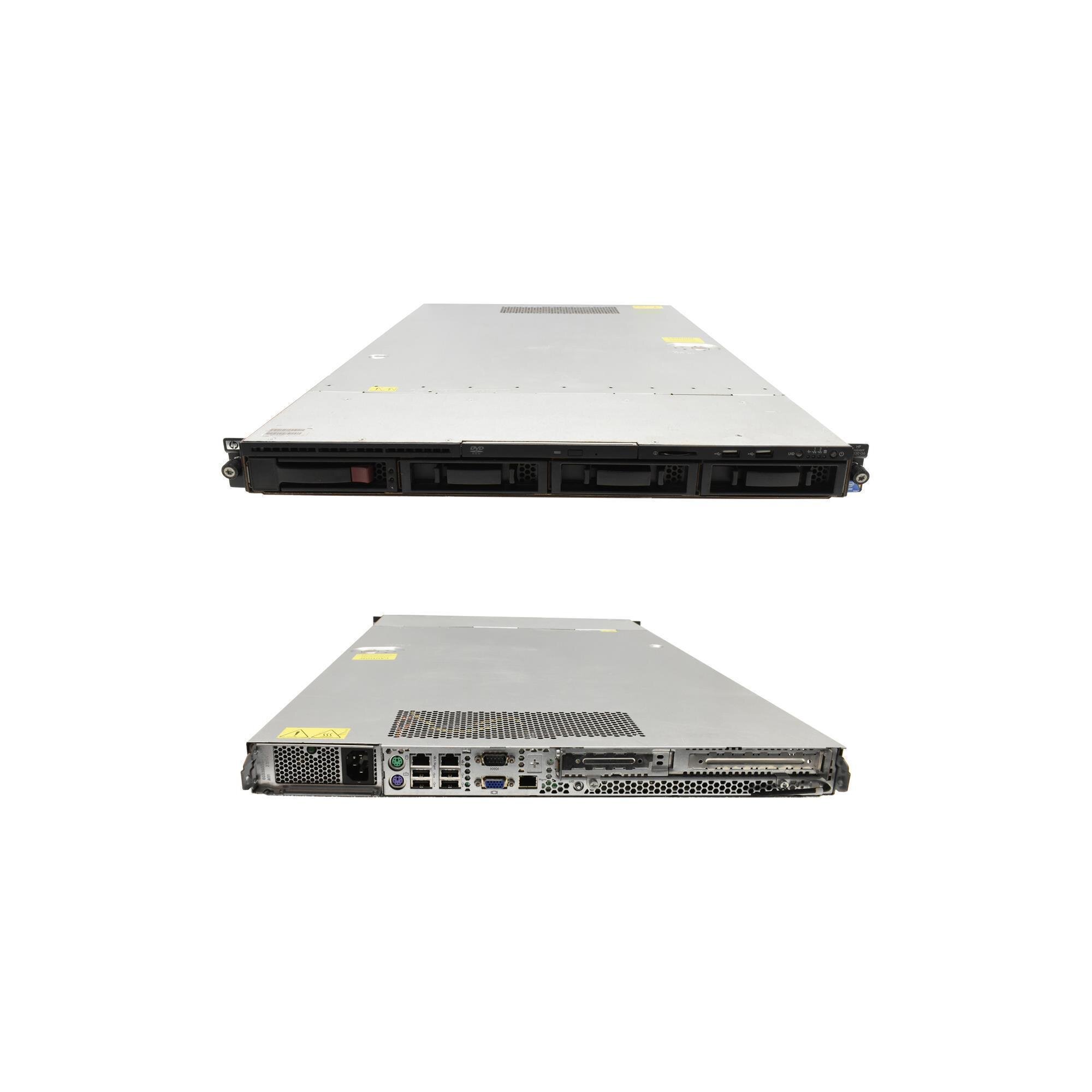
This is all I have. $30 a month through seedhost, 1Gbps dedicated line. 8TB storage, 100TB transfer.
>>
File: F5KNqu0bAAA-MR3.jpg (50.3 KB)

50.3 KB JPG
Forgive me for my ignorance but, I just realized I have tons of media in an 4TB external HDD, and most torrents for them don't have seeders, so I wanna help
I want to buy a cheap ThinkCentre, but I am not sure which of these 2 deals would be better:
- M700: i3-6100T, 8gb ram, 500gb HDD - For $150~
- M710q/715q: i3-6th gen or AMD A10 pro, 4gb ram, 1TB HDD - For $90~ (SSD 240 for an extra $10)
is the extra 4gb ram worth it? Is the cheaper one a better deal? Help a newbie...
>>
File: Mine.jpg (2.5 MB)
2.5 MB JPG
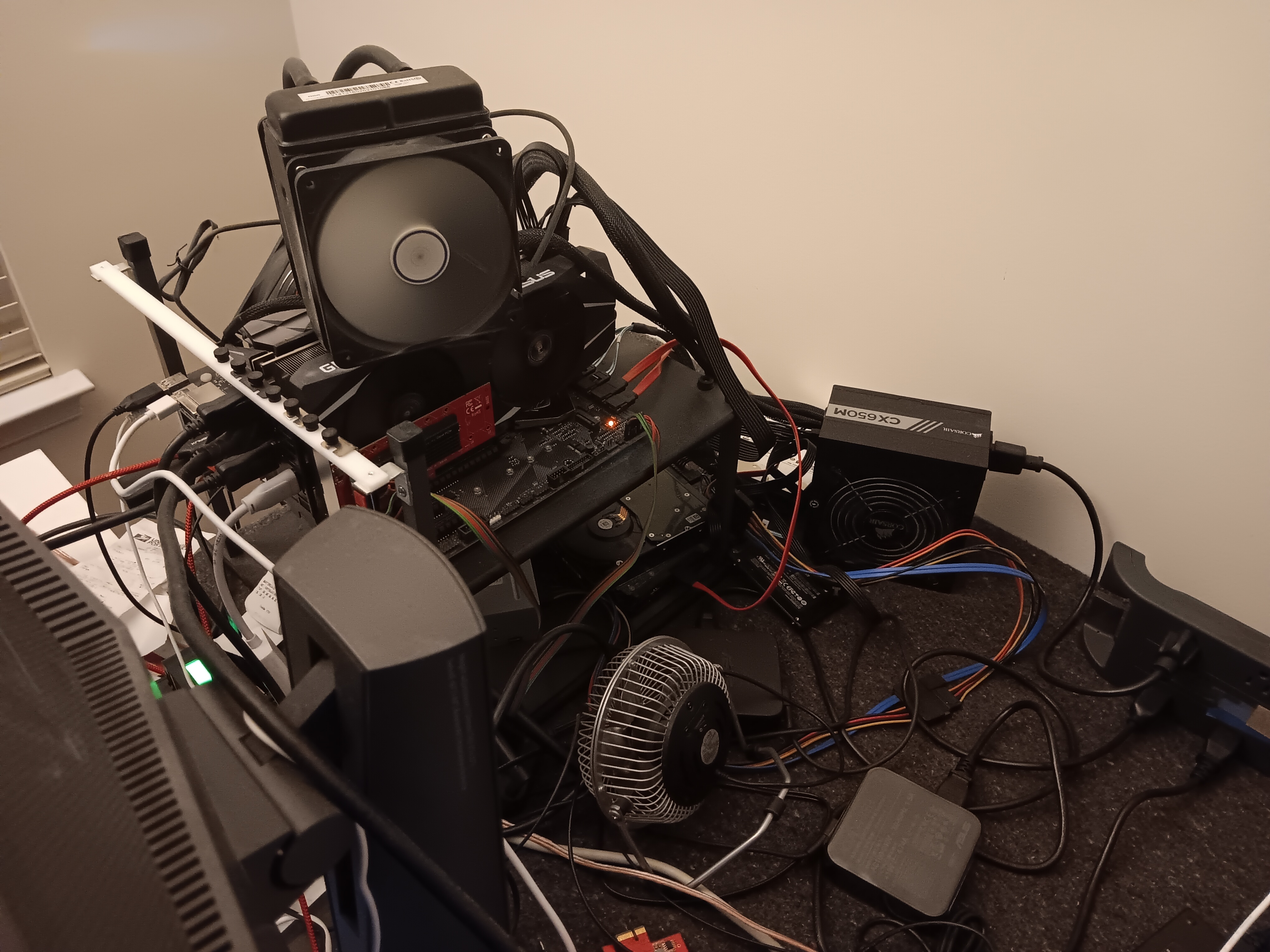
An open case computer with about 30tb total of drives.
She's a clusterfuck. But she's my clusterfuck. That HDMI cable is 50 feet long and goes to a home theater across the living room.
Also a clusterfuck.
>>

>>
File: Capture d’écran_2024-06-30_14-10-31.png (13.5 KB)

13.5 KB PNG
>>1315230
OP here, 4gb is enough, a screenshot of the NUC with some dockers containers and transmission-daemon htop
you can buy the cheaper and buy an hdd if you want
>>
>>1299808
>it consumes 7W on average,
a little more using jellyfin, but at least it can transcode,
my orange pi never consumes over 4.5w, even at when using jellyfin.
And yes, it can also transcode shit, idk about other SBCs,
Raspbery piss are shit though.
>a pi 4 7W too too, so no point using a pi 4 for that
Again, RPI is overpriced shit.
>>
>>
>>
File: raspberry-pi-zero-2997166471.jpg (718.7 KB)

718.7 KB JPG
Pi Zero 2 W with a decent size SD card will handle torrents easily and runs great as a headless setup/NAS
>>
File: 1000086703.jpg (3.8 MB)

3.8 MB JPG
>>1315487
I use a rp5 with a sata hat. I can daisy chain this up to 20 drives on one PCIe lane (maybe even more). right now I have about 28tb of different disk sizes. works like a charm and it's much faster than any Synology Nas I've ever had.
>>
>>
>>
>>
File: 363b1fd1-16e4-450d-a7e1-f7b73b4c9ac1-3715769355.jpg (49.4 KB)

49.4 KB JPG
>>1277480
I am using my old Intel i5 2500k / P8P67 system running Synology DSM running on it through some witchcraft.
Fucker refuses to die, it's the longest lasting most reliable computer I've ever had so I felt it fitting to give it another life.
I have two 16TB hard drives, three 12TB hard drives, and two 4TB hard drives in an SHR configuration totalling 54TB of usable space.
The Synology torrent software has some quirks but it's certainly easy to use and the NAS is always on
Ideally I'll buy real Synology hardware some day but yeah it's hard to justify at the moment, this has been going well for 4 years now.
>>
File: 1698764221361107.jpg (56.7 KB)

56.7 KB JPG
>>1277514
>An UPS on top of any computer equipment
bruh take better care of your equipment
>>1287830
I dunno what you are doing beside seeding, but if its only domestic seeding, and lets say 3 - 5 VMs, then its totally overkill.
sure this is good for reliability, but beyond that why not buy some consumer motherboard that is desugned for corporate environments (I forgot the brand that makes this, gigabyte or asus) get 2, get some ram, a RAID controller, some enterprise grade helium HDDs (for reduced wattage) and (or a NAS with good network interfaces) and you'll be set
>>
>>
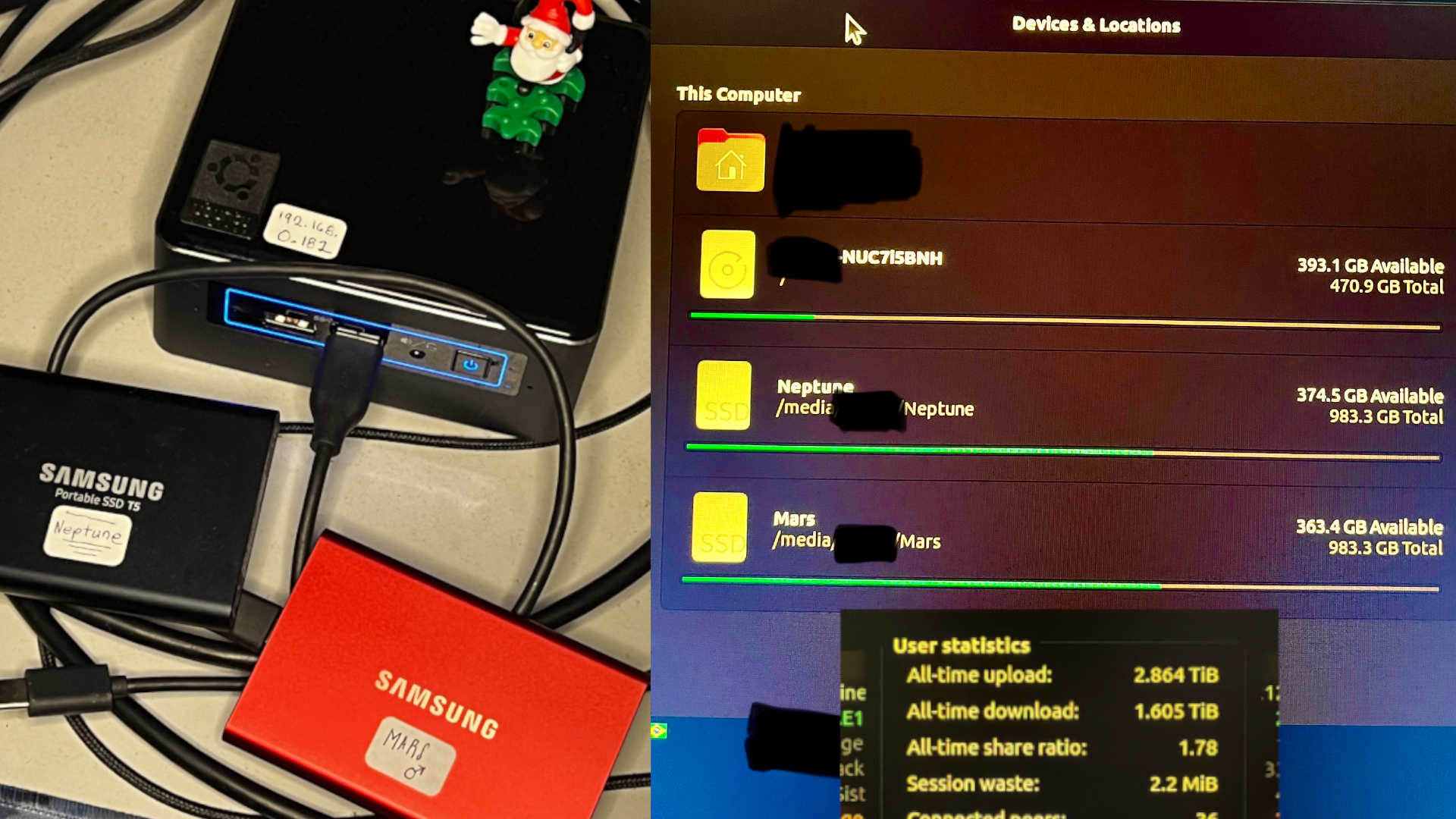
>>
File: IMG_20240726_171334541.jpg (2.2 MB)

2.2 MB JPG
>>1299627
I upgraded the Intel NUC tower, it has better cooling now (and yes it is the Ryzen cooler fan)
>>
File: Node_304_Black_15-Left-Front-Above-Removed[1].jpg (385.5 KB)

385.5 KB JPG
>>1277480
>>1277514
>>1315525
You people have some sweet tiny setups. So are these powerful enough to basically run a rutorrent seedbox and a plex server with 2 to 3 users at a time? I assume they have very slow CPUs.
I have not opened a computer case for years. I have this Fractal Design node 304 case and I guess I could buy a low wattage cpu and motherboard to go with it, then run any flavour of linux and run whatever apps I want.
Also seeing tiny Jonsbo cases out there and those are the right size to carry around (I move house a lot), but paying 150+ dollars for a case when I have my unused Fractal Design case seems more hassle than it is worth.
Not even sure what I am trying to ask: Guess I am trying to figure out what kind of setup is the best to go with now in 2024, when my knowledge about seedboxes, operating systems and builds is from around 2020.
>>
How do you people anonymize your seedboxes btw?Do you start a VPN manually? Or do you use firewalls to prevent all connections unless the VPN ip is active? Maybe a paid proxy in your torrent client or linux settings?
>>
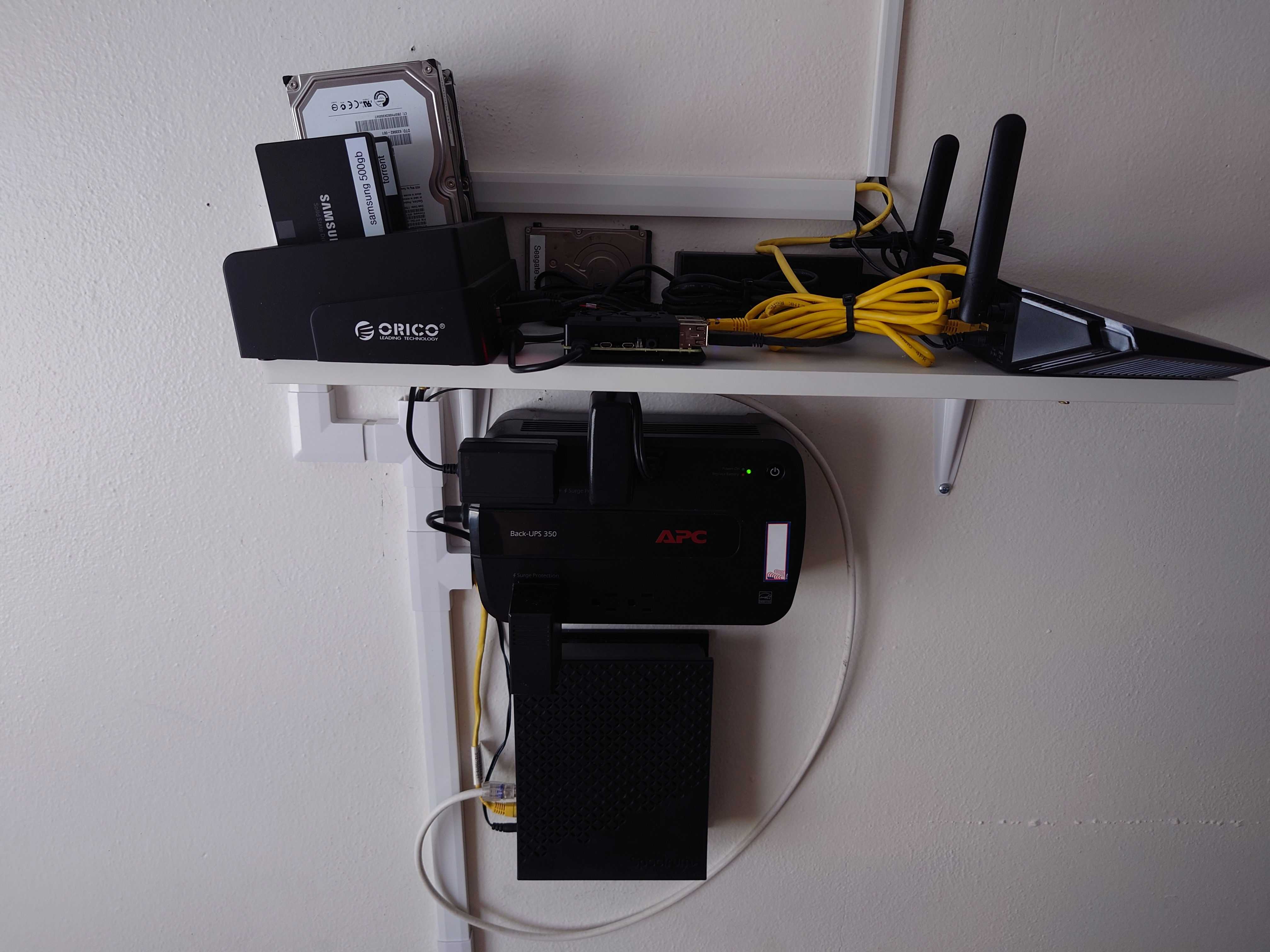
File: 20240726_170821.jpg (473.6 KB)
473.6 KB JPG
cable wall tracks are good and cool
>>
>>
>>
>>
>>
>>
>>
>>
>>
>>1321143
yes, there is a huge diffetence between 2*4 and 2*8. 4gb sticks. each RAM chip will use an insane 250mW, and 4GB sticks only have about 4-6 per stick for about 1500mW per stick. but if you think that's bad, an 8GB stick uses about 500mW for every two chips, nearly double the amount I showed for the single 8GB chip. two stivklcs of that will be insane on power. And don't even get me started on how much more power 16GB sticks use. (hint, it's something like 250,000µW)
>>

>>
File: 1000041470.jpg (1.3 MB)

1.3 MB JPG
>>1287830
it is so over bros...
>>
>>
>>
>>
File: cwyZqSPN.jpg (812.5 KB)

812.5 KB JPG
OP here, i will build a computer as a nas and sell the NUC, first parts
>>
>>

>>
File: TQzPoigL.jpg (903.9 KB)

903.9 KB JPG
>>1321937
>>
>>1320233
I use the raspberry pi 5. I seed around 300 torrents at a time and have 15 users on my plex. I haven't run into any performance issues as of yet. if I ever do run into that I can add an ai chip for encoding or an extra raspberry in the cluster.
>>
>>
>>
>>
File: 1708008311573133.gif (1 MB)

1 MB GIF
>>1323093
hmmm. make sure that your network card, cable and the gigabit router have the desired specs. That is if you have a gigabit card and ports on an appliance, it will be moot if you have a crappy or decaying cable. So, why dont you tests with another, trusty cable?
>>
>>

>>
>>1321910
more like everything is too expensive
decided australia sucks dick so I'm leaving, which involces selling basically everything I own. currently couch surfing to help save money before I leave.
will be setting up a new rack overseas when I can, though, piracy is a lifestyle not a hobby
>>
File: Vantec_NexstarMX.jpg (73 KB)

73 KB JPG
Anyone has experience or reviews on this dual case?
https://vantecusa.com/products_detail.php?p_id=45&p_name=+NexStar+MX&p c_id=2&pc_name=3.5%22+Enclosures&pt _id=1&pt_name=Hard+Drive+Enclosures
IOt looks good, but kinda barebones, I mean, having 2 drives in there would not affect each other with their vibrations? I have one Toshiba N300 NAS disk laying around, and a old but extremely reliable IBM deskstar, but I would really hate seeing one destroyed because of vibrations
>>1323169
>decided australia sucks dick so I'm leaving
Not this >>1321910 anon. Hmmm I'm kinda interested on why you are leaving, but I dont want the thread to derail. I wish you good luck on finding a new country and home, I had never seen a wooden rack, it looked cozy. >Obviously, post pics of your new setup.
>>
>>1323093
https://wiki.samba.org/index.php/Performance_Tuning
It says not to use socket options but
socket options = TCP_NODELAY
Is a common fix when windows is involved. I know there's other guides and advice about smb.conf but first thing I'd do is make sure everything uses the latest samba versions.
>>
I built a NAS a while ago. Debian with ZFS on the data drives, samba, kvm+qemu VMs, and some other stuff. It was very educational and useful. But I don't use it for torrenting, only storage and hosting VMs. I've heard torrenting on ZFS is a pain because of the asymmetrical writes. I think you can set the block size or whatever to 16k, and then move the file once it's completed while deleting the old one, and that should fix the asymmetric write issues. But meh, too much work. I don't even torrent these days anyway.
>>
>>1323093
SMB is a nightmare to troubleshoot. You could try forcing a different version of the samba protocol, ie version 2 or whatever. Not as stable or secure, but I've heard this can fix problems. You could at least try it and switch back. But yeah, I'm kind of dealing with the same problem on an old Windows 8.1 machine, and I've pretty much just said fuck it and am dealing with the slow transfer speeds rather than trying to troubleshoot.
>>
>>1320233
>Guess I am trying to figure out what kind of setup
Unless you're doing something special, just buy a synology box. They're so much less hassle than rolling your own truenas (or paying for enshittified unraid).
You can run docker via container manager.
Get an old DS920+ if you can find one, or a newer DS423+
It's possible to hack the OS to use one of the NVME slots as a volume (I install the torrent program on it to reduce noise when downloading), and get 2.5gbe or 5gbe via a USB dongle if your network supports it.
>>

>>
>>
>>1277480
Cord cutters unite!
i9
128GB memory
4TB SSD system drive
2-2TB NVME SSD processing drives
4-12TB Barracuda storage and seeding drives
QuadX 4-bay Thunderbolt drive enclosure
Windows 7 Ultimate no bloatware
2.5GB Ethernet card
MSI 4060 RTX GPU
2GB fiber connection $105 per month
$20 6 month Real Debrid account because it's cheap and very useful
uTorrent because it works
Topaz Video AI to fix shitty VHS & TV rips
MKV Toolnix to remove Russian translations which are pervasive on otherwise high quality rips
ePubor to strip DRM from Adobe Editions
Nord VPN
Yandex
FMHY to identify foreign films and series
trackerslist for the best trackers
rlsbb for DDL
I use this desktop for everything except work, my enterprise clients provide me with a shitty laptop or desktop that I remote into on their shitty 2Mbps VPN.
The seeming overkill and high cost of this machine is offset by not having to pay for television plans of any sort because everything is available online for free, bare minimum mobile plan because wifi is everywhere, paid off 10+ year old autos that run great, and a paid off cheap 100 year old fixer upper house in central Florida that I've poured sweat and some $ into for the last 5 years and it's now a showpiece.
Thank you for reading what somehow turned into a financial self-help blog.
>>
>>1325931
all of that and you still
>run windows
>manually download torrents
>download files that need "fixing"
>manually "fix" said files
my brother in christ just install truenas or similar and use radarr/sonarr/jackett to automate it. this has been a solved problrm for like a decade or longer. i can even give you my compose.yml so all you gotta do is start the container
i literally don't even think about it anymore, my server just finds shit (jackett) sorts shit (radarr/sonarr) downloads shit (transmission) and converts shit (tdarr) all without any intervention from me and all without error. I haven't even manually added a movie to the queue in like a year now that lists work as intended again; I just have it automatically grab new releases from both stephen wu's list of good shit and from my letterboxd friend reccomendtions, and that's not even including my friends requesting shit with overseer
theres no reason not to do this. it's literally three linux commands, to have this entire setup working OOB.
>sudo apt install docker-compose
>nano compose.yml
*paste in the linuxserver.io stacks, save the file*
>docker-compose up -d
done
>>
>>
>>1325945
>all of that and you still
>>run windows
>>manually download torrents
>>download files that need "fixing"
>>manually "fix" said files
My obviously younger brother, I've run Linux, Unix, Xenix, OS/2, CP/M and a few I've forgotten, old Windows works fine for my purposes. I enjoy the hunt of finding and selectively choosing files and "fixing" them myself, the same as restoring an old car or house yourself is much more rewarding than hiring someone to do it for you. I worked in the IT world for a very long time, and I avoid the cloud like the plague. The day will come when you will be cut off from the cloud or the cloud (and your data) is intentionally taken from you and you'll wish you had spent more time using your own skills and keeping all data local and private. It's not even a question of if, it's when.
>>
>>1325952
>The day will come when you will be cut off from the cloud
my obviously retarded brother, where did I ever say anything cloud-based? 100% of the services I listed are run locally on machine. They scrape usenet and torrent trackers the same way you do it, just automatically so instead of spending a few hours finding a movie I just type the name into my locally-hosted webUI and it's on my jellyfin server ready to watch mere minutes later.
>you'll wish you had spent more time using your own skills
I only suggest using my docker file and truenas because you seemed very tech illiterate, but the thing is, I set that up myself, in a sense I did the work so you don't have to - no skills will be lost as I tinker with my server the way one would tinker with an old train. you, my friend, do the equivilant of scavanging for wood to fuel a steam-powered train when I simply own a coal mine and a small forrestry. how can you gain skills if you spend the majority of your time wasted searching for torrents and fixing the same mistakes over and over?
>>
>>1325957
>very tech illiterate
I literally helped built the web you use today and still own the rights to some things you'd be very familiar with, I just don't enjoy the fragmented cobbled together nonsense that masquerades as enterprise level software these days, you can have it.
>>
>>1325970
shut up faggot
I'm just telling you that your ass-backwards manual tedium can be automated with zero downsides. no cloud, no "enterprise" whatever bullshit. 100% local, 100% self-hosted, 100% yours and 100% independant of the internet. you are just making up shit to be angry about and then boasting about irrelevant BS. I don't give a rats ass what you think you helped build, it has literally zero relevance to this conversation. My dad is the CEO of xbox and he can get you banned from GTA. kapeesh?
but whatever, I'll let you be stuck in your tedium, thinking that manually scraping torrents is some kind of useful skill. fuckwit.
>>
File: 81uzfaQQYJL.jpg (394.1 KB)

394.1 KB JPG
>>1325981
>>
File: shopping.jpg (27.7 KB)

27.7 KB JPG
Note 20 Ultra.
>>
File: 1000043967.jpg (8.7 KB)

8.7 KB JPG
>>1325985
>>
>>
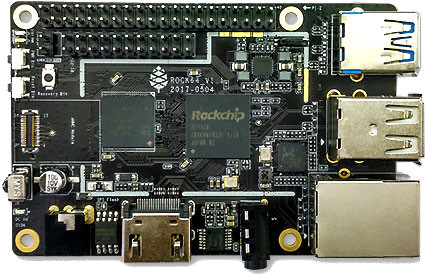
File: rock64.jpg (59.5 KB)
59.5 KB JPG
>>1286514
>>1294956
I dunno much about single small board PC's but I do know that Pine64 makes a few of their own too as an alternative.
>>1326003
Does it work well enough or is it a meme? I've thought about a few times to get an old used FairPhone or Jewoogle Pixel phone or tablet that I could install Graphine OS unto and just carry it around as a sorta portable seeding and shitposting device and either just use whatever free wifi is available at the time or find a cheap 3G provider.
>>
>>
>>
>>
>>
>>1327140
that's the exact opposite of how RAID typically works, if one drive fails the rest still operate fine. In some RAID levels, you can even have two or more drives fail and still have it keep going.
only RAID0 has this problem, and you wanna know why it's called RAID ZERO? Because that's how much data you'll have left if you use RAID0.
as for backup, you back it up the same way you back up any other data. By having at least one additional copy, preferrably two.
Ideally you follow 3-2-1
>3 sets of your data
>2 different types of storage
>1 being off-site
for different sets you can have a second RAID array, an external HDD, or even CoW snapshots which take up no extra space
for different types of storagr it could be HDD, SSD, LTO Tape, cloud, etc
for off-site you could simply take your backup drives to a relatoves house, or use cloud backups.
it's worth noting that not all data needs this treatment. My media (40+TB) isn't backed up at all because frankly, it all came from torrents I can just download again.
My music collection (1.5TB) (mostly ripped or otherwise sorted by me by hand) is backed up with snapshots and a second copy at my dads house
my important documents and family stuff (>1TB) also has an offline copy on a NAS that boots up once a week to backup, and encrypted (by me before upload) copies are stored in S3 buckets
Bear in mind, RAID is not a backup nor is it really related to backups at all - it just stops you from needing to buy a new HDD and copy your data back onto it right away (you will still need to do this at some point). The benefit mostly is for businesses who have clients that need constant access to that data and can't afford to wait for recovery
Think of RAID like airbags in a car, and backups like insurance.
The airbags stop you from being instatly killed, but the insurance pays for your medical treatment so you don't die from internal bleeding.
remember this:
RAID protects you from DOWNTIME
BACKUPS protect you from LOSING DATA
>>
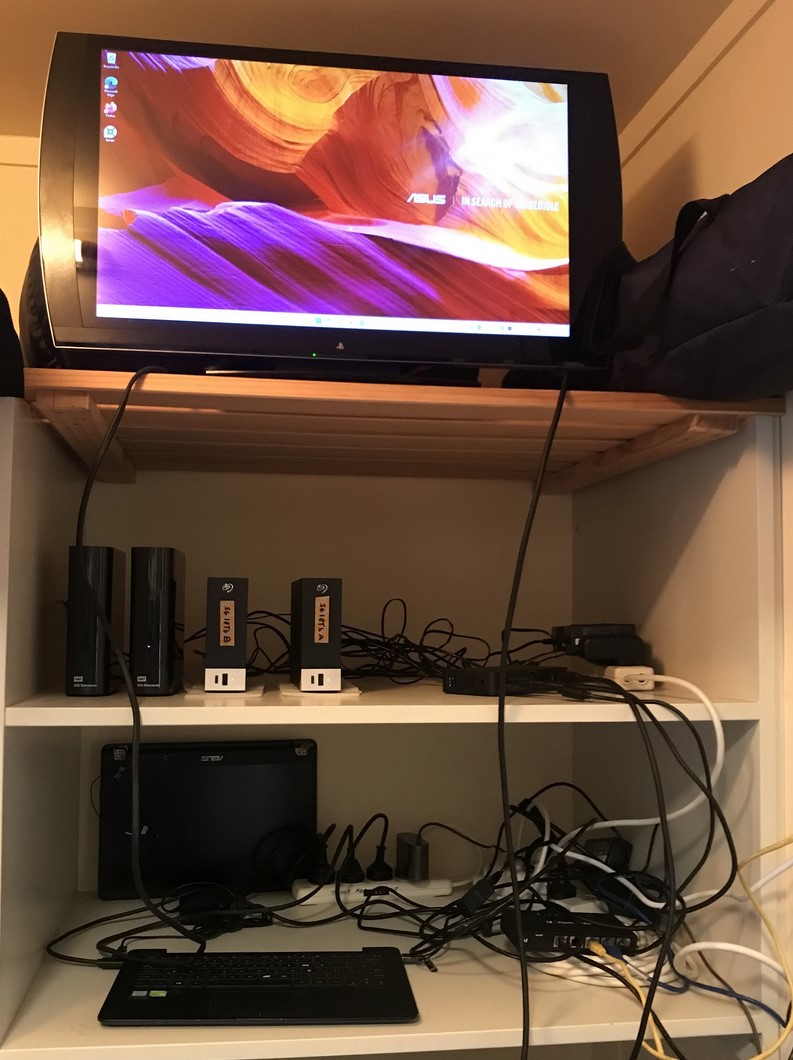
File: jank.jpg (157 KB)
157 KB JPG
This setup is jank as fuck but meets my needs. Hardware Plex transcoding support from a modern intel chip in the laptop. Laptop screen is broken (there's some kind of hardware power fault common to this model) so it's removed and an external screen is being used. 4 x USB3 hard drives (2x18Tb and 2x4Tb) store content. System runs Plex, qBittorrent, Jackett and Sonarr. Network is one of those USB3 to ethernet adapters.
Not sure what the power draw is but it's not a lot.
>>
>>
>>
>>
>>
>>
>>
>>1333132
i'm gonna do this on the others, all my old servers used PVE I just wanted to try truenas and I hate it, but this is for my dad and he's fine with it
truenas is to a home server what microsoft access is to sql. make of that what you will.
>>
>>
>>1326320
Honestly when I have data it can hit the mark rarely see 10gbs but the upload is consistent 1-4mbs.
>the write speed is great, but even with a reasonable SD card it's not a server. Plus you can't optimize, unless you can.
>>
>>1332894
At this point use something like this
https://aliexpress.com/item/1005006174557231.html
with this
https://aliexpress.com/item/1005001567674466.html
>>
>>
>>
>>1320797
The joke is that Linus Torvalds (the titular "Linus", creator of "Linus's Unix", shortened to "Linux") has at multiple points in time stated that he has not used Debian because it is "difficult to install"
He has often been seen since then using Ubuntu, which functionally is just Debian with a better install wizard
Source: https://www.youtube.com/watch?v=qHGTs1NSB1s
FWIW Ubuntu is an ancient African word that means "humanity" because, according to Canonical (creators and maintainers of Ubuntu), "Ubuntu is for humans"
TL;DR this is a classic Linux joke that you just didn't get
>>
>>
>>1333480
arch cements itself as the premier way to Linux
easiest installer, easiest package manager, everyone develops on or for it, highest compatability, rock solid yet still up-to-date. even valve uses it for bing bing wahoo devices.
>>
>>
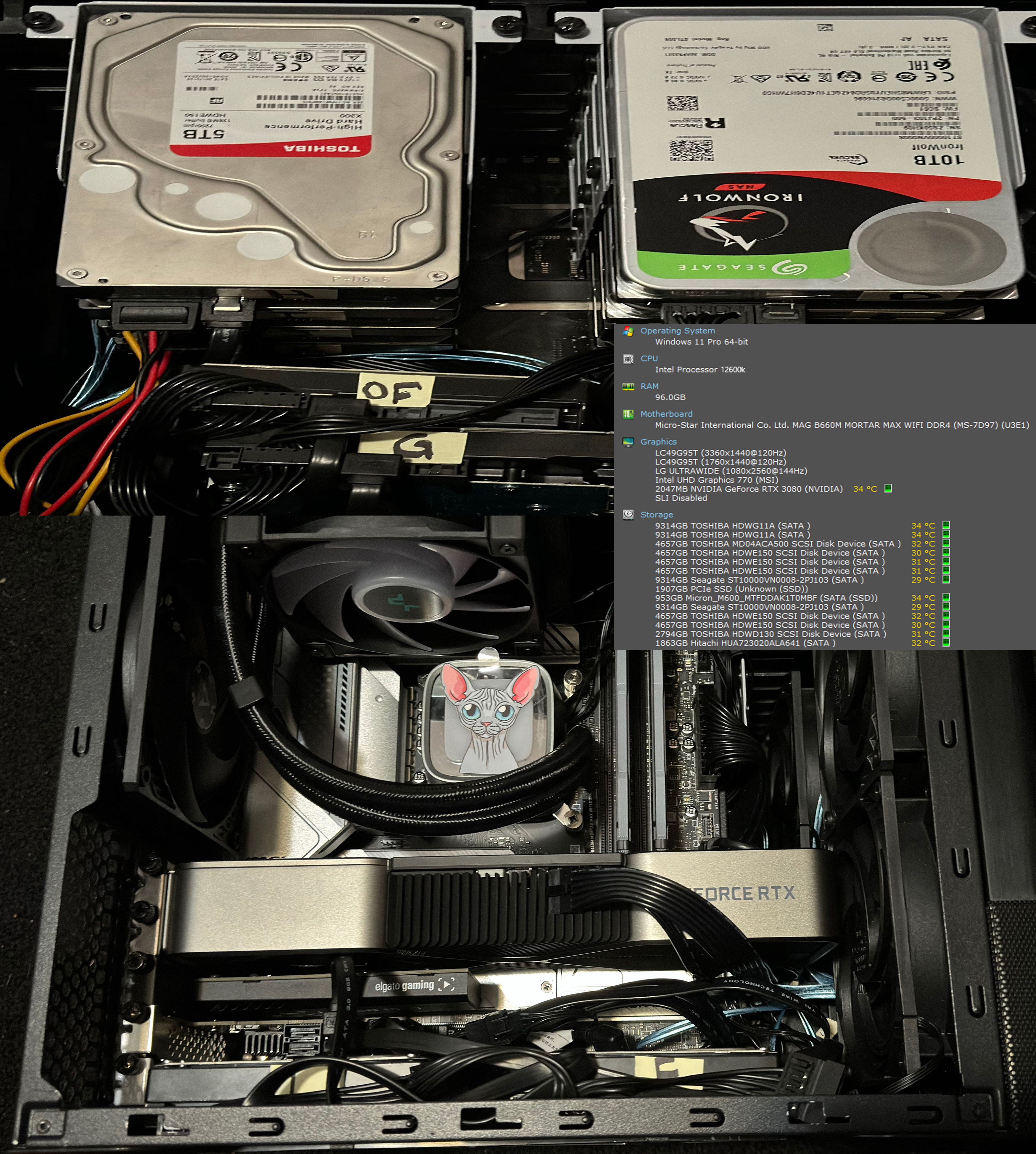
>>
>>
File: IMG_1604.jpg (1.8 MB)

1.8 MB JPG
>>1335700
They're much easier to work with, no speed difference and haven't failed me in the 7-8 years I've used them. Got them from amazon so ymmv.
>>
>>
File: Screenshot 2024-10-18 031943.png (32.8 KB)

32.8 KB PNG
>>1335887
Arctic. I use these for my system and it works great for me. I used to have the dark base pro 900 and the silent wings were nice but it feels like arctic does just as well, if not a lil better somehow
>>
>>
Can someone confirm me that a Synology DS223j would do the job as a simple file/media server ? I just need it to host a SMB share that I will access through Windows computers, I don't need any sort of transcoding or Plex/OMV stuff.
I just want it to host my animu and movies (up to 4k remuxes) so I can play them on my different computers.
The whole internet seems fixated on these not being able to run docker and other bullshit that I don't need.
>>
>>1336747
it's probably fine if you just need SMB
I'm wary about pre-built NAS because once they stop getting updates, at best you're left with a potentially insecure device and no remedy, and at worst they literally brick themselves (see WD MyClouds). Synology are generally much better, often going 10 years of support by which time you'll probably want to replace it anyway. but they run their own OS so it's hard to do much more with them than NAS, and can't repurpose them after EoL. but if that's all you need, yeah it's probably fine.
if it's cheap, go for it.
>>
>>
File: 1317869750239.jpg (19.6 KB)

19.6 KB JPG
This seems like a good thread to ask this:
I have recently lost my 1TB music collection (both backups failed).
So now I am, slowly, rebuilding it.
The question is two fold:
>should I bother with .opus 224 files?
I mean, they drastically reduce the collection size, with little to no loss of quality, therefore the backups should be easier.
>where to store the backups
This isn't strictly related to music, but backups in general.
I am looking at a 8TB external drive for 170, and an internal 4TB Kingston NV2 Nvme for 220.
Point being, which would be the better backup storage, for a person who travels a lot?
I already have a external 4TB HDD for my ...other stuff, that would be moved onto the 8TB HDD,thus freeing up the 4tb one.
But then, the 4TB Nvme is much less prone to physical failure (no moving parts).
>>
>>1337609
>should I bother with .opus 224 files?
For storage/archiving it's FLAC, if you want something more compressed you can use AAC which is read everywhere, or MP3 V0 (preferable to 320, no difference between the two for a smaller size)
>where to store the backups
I use HDDs turned off for storage in the closet, in addition to those in production, others prefer RAID, it's up to you, but don't use SSDs for storage, it's already more expensive and less reliable, you can lose data if you don't turn them on
If you travel a lot, however, take an SSD, for example 2.5" with an aluminum case
>>
File: Screenshot_20241029-114331.png (593 KB)
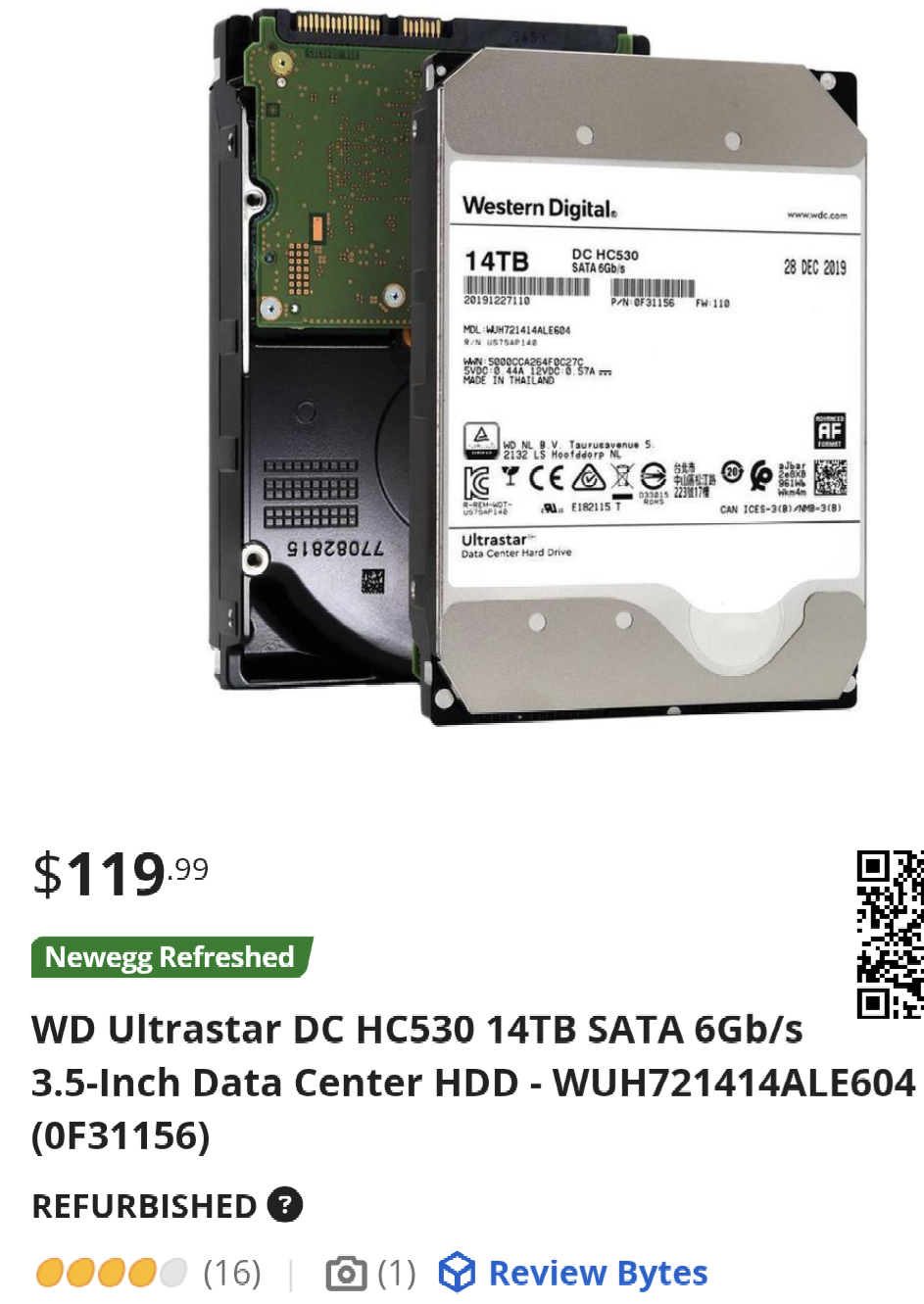
593 KB PNG
how badly did i fuck up?
>>
>>
>>1338302
no such thing as a refurbished HDD, it's just used and they wiped the dust off. always check the power-on hours - max HDD lifespan is in the neighbourhood of 50,000 hours. if it's been spinning, it's been ticking down to death.
>>1338313
>but they are noisy
all high-RPM or high platter count drives are
>put tape over the power connector to get it to start with regular power.
not true, only for some shucked HDDs; datacenter drives go in a computer just like any other.
>>
>>
File: Screenshot-2024-11-06_13-53-15.png (605.8 KB)

605.8 KB PNG
>>1338842
When used on a backup server
>>1338841
I wanted to buy pic related but there are a lot of posts about it
https://www.reddit.com/r/buildapcsales/comments/1bqcdqw/comment/kx1r9f h/
>>
>>1338302
after a extensive 1 day test of copying files to it, its spins quietly but the read head is quite loud. i havent checked the SMART on it but im sure its like the other reviewers where it has a shit load of on time but few power on times. they say it has a 5 year warranty so we'll see what happens
>>
File: z820.png (81.4 KB)
81.4 KB PNG
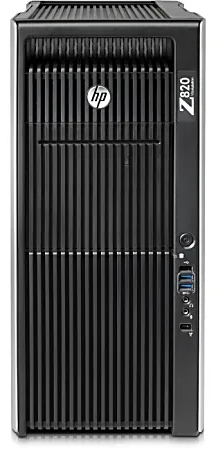
I got a HP Z820 workstation with 8x 8TB drives in RAID z2.
I'm mostly working on RARGB torrents, for which I've already seeded over 30TB
also QBT (nox) shits the bed when doing more than about 1000 torrents simultaneously, even with 256GB RAM
any suggestions?
>>
>>
>>1340948
I run bare metal ubuntu server
250GB SATA boot SSD
8x 8TB drives in RAIDz2 (48TB usable)
Qbittorrent-nox (headless web interface)
jellyfin apt package
and a quadro P4000 for transcoding
all I really use it for is jellyfin and torrenting
so dual 10core CPUs and 256GB RAM is overkill... but this system is pretty old and wouldnt have much use for me otherwise.
my jellyfin library is almost 16000 movies, plus a few TV shows.
>>
>>
>>
>>
>>
>>

>>

>>

>>
>>
>>
File: JEJKQWWBVZKDK93872JJDNDUEMBVC7396JDJD727.jpg (331.3 KB)

331.3 KB JPG
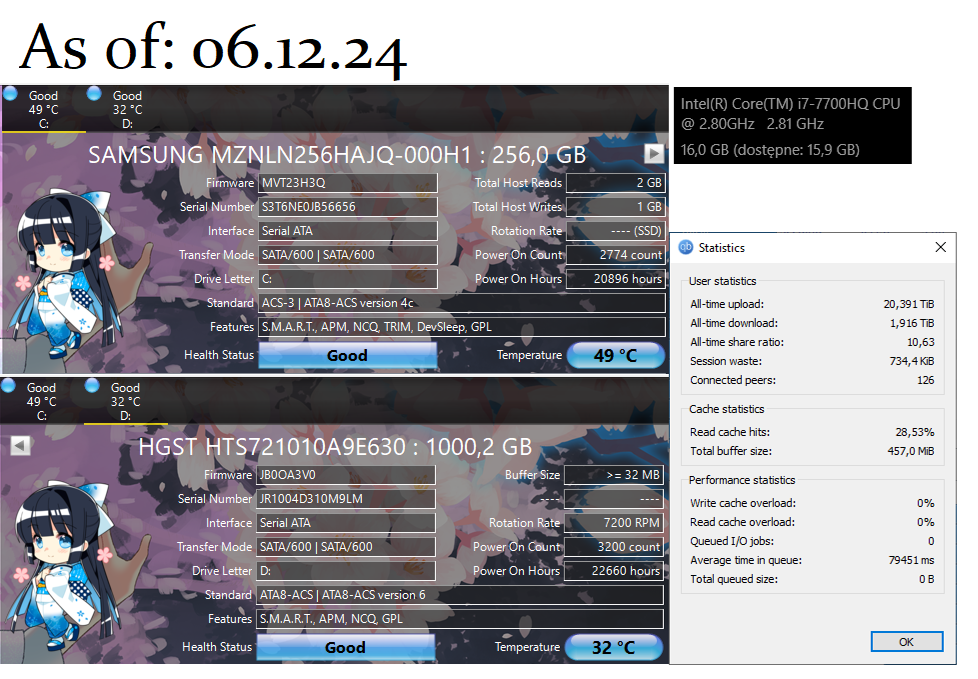
this is gonna be a bit of a vomit.
hardware:
11th gen intel lenovo laptop with internal 2TB+2TB (m.2+SSD).
11th gen intel dell laptop with one 2TB m.2.
external 3.5 HDD, 2.5 SSD/HDD and m.2 enclosures.
several SSDs, several m.2s (about 7TB).
15 3.5 HDDs (8TB*15 about 103 TB).
30TB seedbox/server in another country.
it's 45% normal shit/55% porn.
anyway, i fucked up as all of the above is not backed up, and the last two times i was transferring files the 3.5 HDDs failed.
one time forgot the laptop was on battery and died the transfer was cancelled and HDD won't show up, i did a fix from youtube, it got the HDD to show up but there were no files at all (panik),
set it aside and marked it corrupted, continued another transfer days after (was transferring more than 1TB) so i left it to do its own thing, came back with error saying disk is corrupted, and it's
not showing on my laptop (extreme panik), marked it corrupted and didn't touch it at all this. that was all like two months ago.
what's causing the extreme panik is i don't know whats the point of failure for each, could be the laptop, enclosure, USB cable, my fucking electricity as it's not stable and could cause the enclosure
to shut off, i fucking hate the uncertainty.
i have a paid license to disk drill (kalm) i purchased like a year ago, which i plan to use with the failed HDDs but i need a to build a PC (to do it properly), so far i only got the case.
what kills me is i know enough about computers and seen this shit coming, i should had have:
1.backup 2.a fucking UPS 3.a pc
so, now what should i do other than the obvious>
do i get a DAS with so many dives in raid 10 to act as backup?
or just manually clone drives?
do i get several 2.5 SSDs to backup only rare/stuff i like?
im thinking of financing the hardware as it's gonna be costly and lots of stuff, at least 2 years worry-free. any suggestion is welcome.
very expensive hobby, and i literally need to touch grass.
>shit quality photo on purpose
>>
>>1336747
>Can someone confirm me that a Synology DS223j would do the job as a simple file/media server ?
Synology owner here (DS423+ and previously DS409+/DS411), yeah, it'll probably do the job just fine, it might struggle on some larger 4K video depending on what disks come installed in it or the network adapter that's only rated for 1Gbps.
>>
File: PSX_20241214_090444.jpg (343.9 KB)

343.9 KB JPG
Pixel 9 Pro Fold.
Don't judge me.
>>
>>
>>

>>

>>
>>
>>
going back for another semester of college.
should I just buy a used optiplex or minipc off eBay and add storage?
I got a laptop for gaming and schoolwork and its held up well, I upgraded the nvme ssd for more storage.
I just need something small I can throw an ssd into for seeding....don't want to do that on my laptop as I'd rather seed 24/7
>>
>>
>>1349262
OP here
It depends on your needs, I started with a pi, then a NUC (J4005) which worked very well even with jellyfin and a lot of torrents, but I replaced it because I have other needs today
A second-hand optiplex with an i5 can do excellent things, and it's much more interesting than a pi, the consumption will be around 7W
>>
File: Screenshot-2025-02-18_11-52-55.png (15.5 KB)

15.5 KB PNG
CheckDAstatestek
>>
File: asdf.png (770 KB)

770 KB PNG
>>1277514
You need 3D print, vertical stand, for that WD Elements External HDD.
>https://www.printables.com/model/121538-wd-western-digital-elements-h ard-drive-vertical-st
>>

>>
>>
>>
so back in the day I worked at a cable company installing residential triple play and commercial VOIP. The company policy was that if you recovered a DVR box you got a $25 bonus on your paycheck. Now I had the local pawns shop as friends, and offered them $10 each on the ones they "bought". On Saturdays the GF and I would get in the SUV, have plenty of $10s, and hit the pawn shops up. Best week was 94 DVRs.
>Fast Forward to when Obama gets elected
New upper management says they reviewed payroll and found it racist that wypipo got so much more money every paycheck than dindus
>it was because of recovering DVRs, going out off the clock to collect past dues and doing Disconnects as independent contractors
Fuck it. Next weekend went out with GF, paid the pawn shops, had like 50ish DVRs, took them apart and took the HDDs out and sold them to the flea market computer guy for $20 each. They were 120gb WDs thats all I remember. Told pawnshops to stop collecting DVRs, and flea market guy after the first sale only wanted like 10-20 per month. Fuck it
But I did have shitload of HDDs for my torrenting.
>funny side story
Corporate came down to talk to me about why the DVR collections dropped off massively in our area. Told them without the incentive to go off the clock and collect them it wasnt worth it.
>>
File: nas.jpg (1.8 MB)

1.8 MB JPG
>>1277480
I run a qbittorrent docker container on my NAS/home lab computer. It's mostly a hodge podge of old leftovers after upgrading my gaming pc. ryzen 5 3600 with 32gb of ram and a quadro p400 for plex transcoding inside a bequitet case. Boot drive is a 256 samsung SSD and storage 3x8tb HDDs running in raid-z1, got space for 2 more if I ever need it. Running OpenMediaVault.
>>

>>
>>
>>
>>1362226
The drive bay is ORICO-9558U3, It's quite slow for write since I've done sw-raid-5, but I got it cheaply used.
The NUC7PJYH has Pentium J5005 which still capable due to It's 4 cores.
Everything eats 40-50W so quite eco.
>>
>>
>>
>>1362410
Yes, the advantage is that it is turnkey
The disadvantage is that on the end of a certain time the device no longer receives updates, so it's better to set up one if you can, with a Debian base for example and Docker containers, you will also have better power if you need other applications
If it is only for torrenting you can take a Synology
>>
>>
>>
>>
>>
>>
>>
>>
>>
>>
>>
>>
>>
>>
>>

>>
File: Screenshot_20250728_135738.png (65.9 KB)
65.9 KB PNG
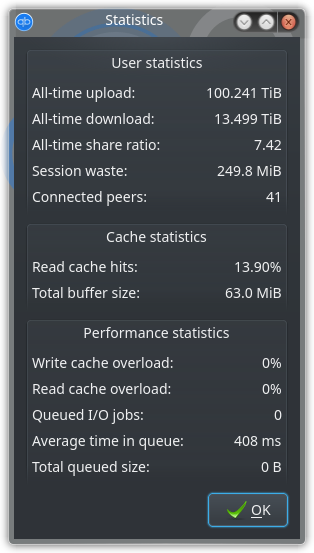
Since I hit 100TB recently thought Id join, tho I don't torrent as much as I wish I could since most shit doesn't hit my standards.
I use a Dell R720 with 2x16,3x20,1x22TB in mergerfs, not just for torrent but its main use case is as a NAS, i store everything there, easily my best purchase ever, everyone should have a reliable server/NAS.
>>
How can I make a torrent file to seed some special folders I have? I have never make a torrent before. I need some tutorial or a youtube video. Most importantly, what do I do with the file after I have created a new torrent?
How can I upload my .torrent file to a special famous site? Which sites do you recommend?
>>
File: s-l1200.jpg (62.5 KB)

62.5 KB JPG
>>1277480
can't post after installed cuz giant dox BUT I use a NetAPP DE6600 connected over SAS (unit in pic related)
2 shitty LSI sas cards and some random X11SSH-F supermicro mainboard in an ATX server case (but with coreboot) inside there are 4x4x3 10 TB enterprise drives. A little mixed think there is some segate in there but should be mostly hgst .
I also have an LTO 9 tape drive but no tapes and don't feel like paying 100$ for 18TB tapes and honestly I don't even know what to pull anymore as I never have the time to look trough it and I don't even watch movies anymore I just collect stuff but I sort of realized that I don't actually want the "[Cumraws] stargate E01-12.x265/*.mkv" collection
also uplink is a mellanox connect-x6 but only running on a single port at full qsfp+ speed so 40Gb/s or sum but I realistically get like half a gbit on good days up/down speed .... a complete waste but I don't have to pay for the link.
I plan to do a home setup soon but the diskshelf loud af can even hear it from the 3rd floor if its in the basement with doors closed plus lets not even talk about the power draw. I currently see my money better spend on prescription opioids than archiving some random football games because the nfo looked nice to me
>>
File: images.jpg (12 KB)

12 KB JPG
>>1281266
different DC anon here (not op)
benefit is that diskshelfs or rackmounts are usually LOUD AF and draw a shitload of power. The power prices in DC are often lower and also they guarantee some level of redundancy with backup power generators and bat buffer bla bla surge protection and fancy PDU metrics. Aside from me not wanting a F14 fighterjet in my living room DC also has the benefit of allowing me to announce my own ip space over BGP. This isn't possible to do from your average consume home connection and even with some business uplinks it wasn't possible in the past. Here I can just do it. This allows me to take abuse into my own hands since there is no "real" ISP to complain to anymore as I am "the ISP" then. Sure they could go to whomever is peering with me but this is a very far step and I've never seen this play out they only ever do send an email at max to which you reply with some generic "im an isp -> it wasn't me -> id like to help but unfortunately no logs"-message . And complaining to IXP you can do ofc but they'd never do shit they aren't supposed to do shit.
>>
>>1375139
I use a tool called mktorrent , if you have a seedbox with rutorrent its buildin (star symbol). I'm sure many clients allow you to make a torrent just PLEASE DO NOT MAKE IT A .ZIP ... EVERYBODY HATES THIS cause it prevents people from being in any way selective about files or peek inside first
>>
>>
>>1378470
Stashapp on github would help you with organizing the batch of stuff you have or will have across the array/drives.
Also Kodi/UMS can do the same as stashapp even though stash is use usually for pr0n.
Once you know what's on your system the less time you'll be using on that kind of maintenance.
>>
>>
>>
>>1321564
You still homeless? I was successfully and comfortably homeless for a number of years (first by circumstance, later by choice) and can try to give you some pointers if you're struggling with any aspects of it.
>>
File: hq720.jpg (15.1 KB)

15.1 KB JPG
I had a 1TB WD external hdd with 150 torrents that I dropped the other day and my computer won't recognize it anymore. I'm thinking of buying a new drive (2TB, perhaps more) and starting over. Any recomendations?
>>
>>1385292
If it's asking to format, check with DMDE first, might be able to spin it up and be able to image/recover the raw data
I'd go with ironwolf for current, had a bad run of WDC 4 & 8TB drives recently, which is why I went with the ironwolf ones, recovered the data, span 'em up, deep6'ed the WDC's and warranty RMAed 'em for refund/replacement.
>>
File: 1680386222451190.jpg (67.2 KB)

67.2 KB JPG
>>1385292
Hunt on eBay,
for used WD Element External HDD.
Add the ok deals, to your watchlist.
Then wait to see if the price drops.
Hunt in the 6-10 TB range.
Also get a 3D printed stand for the drive.
So at least it does not tip over.
>>
File: 1752664747919362.jpg (45.6 KB)

45.6 KB JPG
>>1277995
You guys are in the PB, shit, might as well ask here. I have an old laptop im using as an NAS now. Should I buy a cheap1TB hard drive for it
>>
File: 1694712893425616.png (363.4 KB)

363.4 KB PNG
>>1386079
>Should you buy more storage?
Do you need more storage?
This should go in a SQT.
If i magically could read minds,
and know what your storage needs are,
I sure as hell would not be hanging out here for fun.
>>
>>
>>
>>
>>1281266
I have my servers at a co-location. They broadcast my /24 ipv4 on a BGP backbone. There is redundant power and link and ac. The servers are kept at 17c non condensing. They are loud like a motherfucker but everything is kept nice and quiet here. No one gets access to the co-location who isn't supposed to be there. There is zero chance of being ripped off by some chose breaking into the place. No one looks at my traffic unless I ask them to. I have 24/7 access to the servers if I choose. If my house burns down, my servers are safe.
>>
>>
File: 1741657875227182.jpg (5 KB)

5 KB JPG
>>1386255
Sorry for the late reply, im not looking for anything crazy. I have 500GB on the NAS, and the client has around 250GB, give or take, using about 550 GB.. Now that I've been thinking about it, maybe with black Friday coming up, I might just buy a fairly cheap USB SSD, and I rip a lot of anime BD, so 2TB would be ideal if you have suggestions or ideas wouldn't mind
>>
File: 1713236785255419.jpg (35.9 KB)

35.9 KB JPG
>>1387053
SSDs are not good for long term storage.
Need to be powered frequently,
otherwise prone to bitrot.
HDDs are better for long term storage.
TAPE is best for archiving.
There is a difference.
Additionally, HDDs are better for torrenting,
due to the wear & tear from high read/writes.
>>1386079
>>1386255 (ME)
>>1387196
Best bet is to get an external HDD.
(Not a portable version)
WD Elements Desktop External HDD.
This one frequently has sales at Best Buy & Amazon.
Sometimes you can also find a good deal on a used one on eBay.
Also, I suggest a 3D print desktop stand for it.
Helps prevent accidental tip overs.
(Google it and you will find it.)
>>
File: 1747978523651541.png (68.6 KB)

68.6 KB PNG
>>1387203
Hey, anon, it's the same guy asking about NAS space. What would you recommend to rename a mass number of files for Jillyfin or Plex
its me
>>1386079
>>1387196
And all my anime are not titled right, they are titled with the group name, season 1080p, etc, if you have time,e friend, let me know, and I hope you had a great Thanksgiving
>>
File: 1703208150345628.png (1.3 MB)

1.3 MB PNG
>>1387732
>>1387203 (Me)
>>1386255 (Me)
Thanksgiving was well, hope yours was filled with cheer & joy also!
If you are setting up a flow of things,
many people like using the "arr" stack.
It has tools for renaming files as they are pulled & saved to the set directories.
Sounds like you already have a collection though.
Two trains of thought.
---ONE---
If you only need them for Jellyfin or Plex.
1. Determine which software you will use.
2. Look at the requirements for metadata recognition.
3. Determine if there are plugins, for specific DB's, for it to pull names from.
4. Make the minimal changes needed, to your file names for it to read correctly.
>https://jellyfin.org/docs/general/server/media/shows
Example of jellyfin file name requirements, for metadata recognition.
On a deeper note, some people actual use different plugin for anime.
So on jellyfin, anime would be its on category, not included in shows.
---TWO---
If you wan to just go though and clean up your file names first,
regardless of solution for media server.
You can use BRU - Bulk Rename Utility.
Its a free software.
Its used for making mass file name changes.
It is NOT an automated solution,
It will NOT scan, compare by API to DB's, to rename files
---Summary---
Does this make sense?
You can often leave all the media tags in the filename,
as long as the first part is clear.
>My.Cool.Anime.S01E03.x265.Subs.ENG.1080p.mkv
(I'm also assuming this is all english.)
>>
File: res_9478f336d275ce22b22248c436cead63.jpg (407.3 KB)

407.3 KB JPG
Bros can someone advise me on a silent, reasonable storage solution?
I returned a DAS + 2x8TB WD REDs a few months back because they just made some annoying clicking noise every so often, like once or twice a minute.
My normal blue 2TB ones don't make noise, but I need more. Much more.
Internet is going to get censored REALLY SOON. We are getting digital ID at the end of the month and know someone working at a major local ISP who sees the systems built in real time...
I was considering picking up a 4TB Samsung SSD m2 for my main in-pc drive and some HDDs, but idk how to best go about this.
My PC can fit at most 2 hard drives and the slots are already filled with 2TB drives.
I'm open to some form of cold storage usage for the HDD, but I feel like 2x4TB or 2x8TB in the main PC is the way to go. Worried about the noise though...
I'll be using it mostly to host a larger anime collection, HYDRUS and LANraragi. It doesn't need to be on 24/7.
Should I even bother with that large of an SSD?
Things are getting more and more expensive real fast, there was a 20% price bump on the SSDs in just the last two weeks and its rising.
I was looking at those toaster looking external drive bays too. Are they any good? Do recommend some stuff I can buy please... I really need to get started as I've been putting this off for a long time.
I don't wanna bother with a NAS. m2 are alluring because of the form factor, could slot into a laptop later on if the PC dies or I need a backup computer for my hoard, but I have to acknowledge they are insanely expensive.
Guess I could just have the HDDs spin down, but the WD REDs did that noise because they are programmed to move the read head in some way to spread lube on the disc or something like that.
I have a bunch of bluray discs, dvds and a burner... It's reserved for my favorites.
>>
File: 1728597693417050.jpg (68.7 KB)

68.7 KB JPG
>>1388719
>silent, reasonable storage solution
Just buy as much SSDs as you can afford.
Why did you fucking write a book?
Ain't reading all that shit.
>>
Thinkpad T480
Specs: 512 GB SATA SSD + Ethernet connection
Software: Ubuntu Server running qBittorrent-nox
I like this Thinkpad because the fans are basically silent, and it has an 8th gen intel chip that is super reliable.
Overall it runs beautifully, but I need to buy more storage soon. I am thinking of building out a proper NAS at some point, but I think in the meantime I'll just upgrade to a 2.5" 8TB HDD. Cheap and tons of storage.
>>
File: 1692263162865291.jpg (2.1 MB)

2.1 MB JPG
>>1299627
>>1319022
Which marks do you recommend?
>>
File: file.png (1.8 MB)
1.8 MB PNG
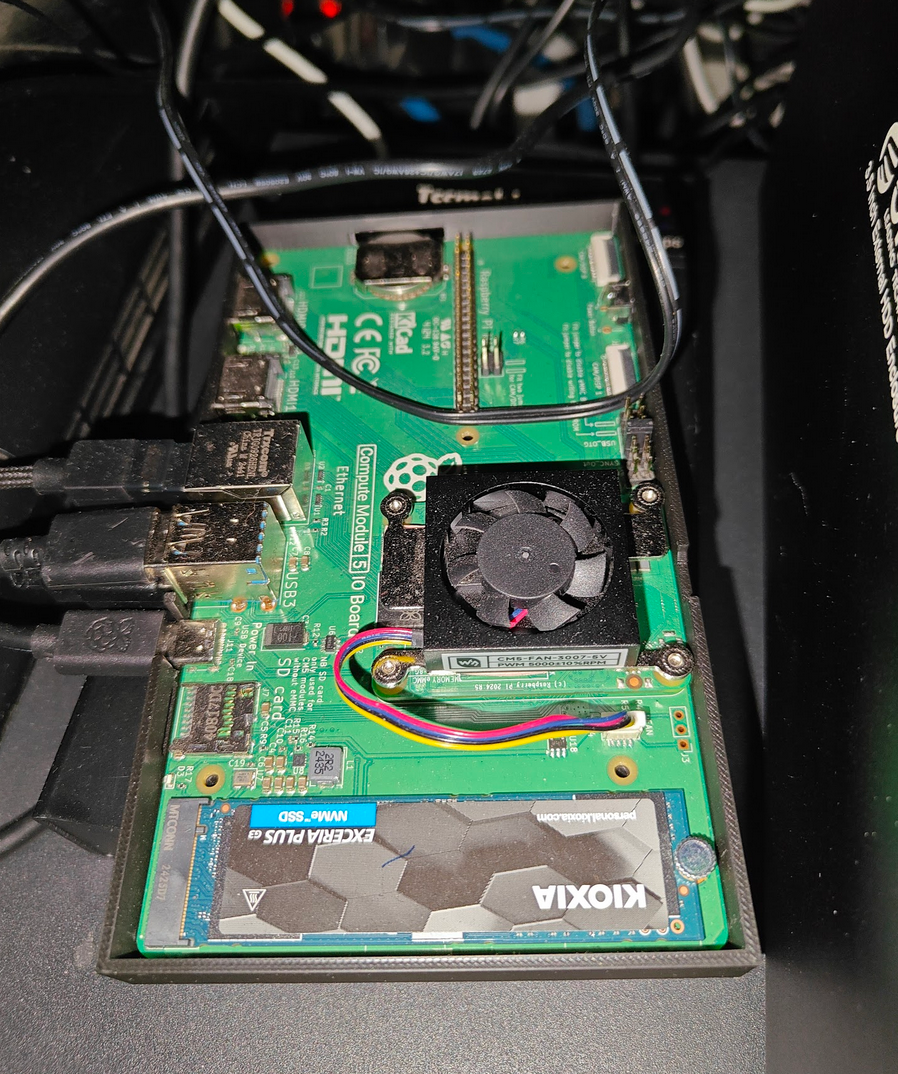
8GB raspberry pi CM5 and the IO board
USB 5 drive enclosure. Running ubuntu and docker, with qBittorrent as one of the containers. Then Samba for sharing it on the LAN. I can VPN to it and watch my shit anywhere which is great. It uses like 6W of power you can run this shit off a usb powerbank for days
>>
>>1391627
why not take a nas or build a small PC? you would consume 20w on average, it comes to the same with all your hard drive boxes and it would be cleaner and more powerful, I didn't have transcoding with the pi
>>
>>1391657
right underneath that pi, is a Ryzen 7 6 drive NAS running proxmox. I don't need to transcode, or i guess i've never seen the need to. I have 2gbit upload so bandwidth isn't an issue. Wasteful? yeah probably. The pi has hardware h264/265 too but i don't use it
>>
File: RIP my ratio.jpg (102.9 KB)
102.9 KB JPG
>>1277508
This.
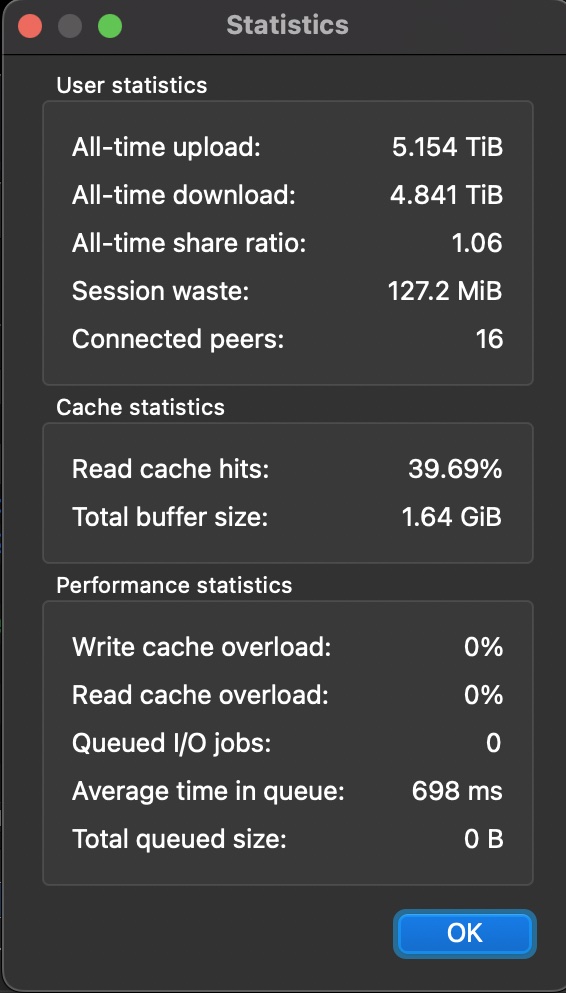
Also just got a 22TB External HDD since it was on sale.
The one weird thing is if it's inactive for long enough, it takes a minute for it to reload otherwise it won't show up when I do a search. Either way, having a new main back up is welcome regardless since my old HHD was only 8TBs
>>1277620
Just downloaded 2TBs of stuff with more on the way so my ratio is going to be fucked.
>>
>>
>>
File: realornot.png (316.6 KB)
316.6 KB PNG
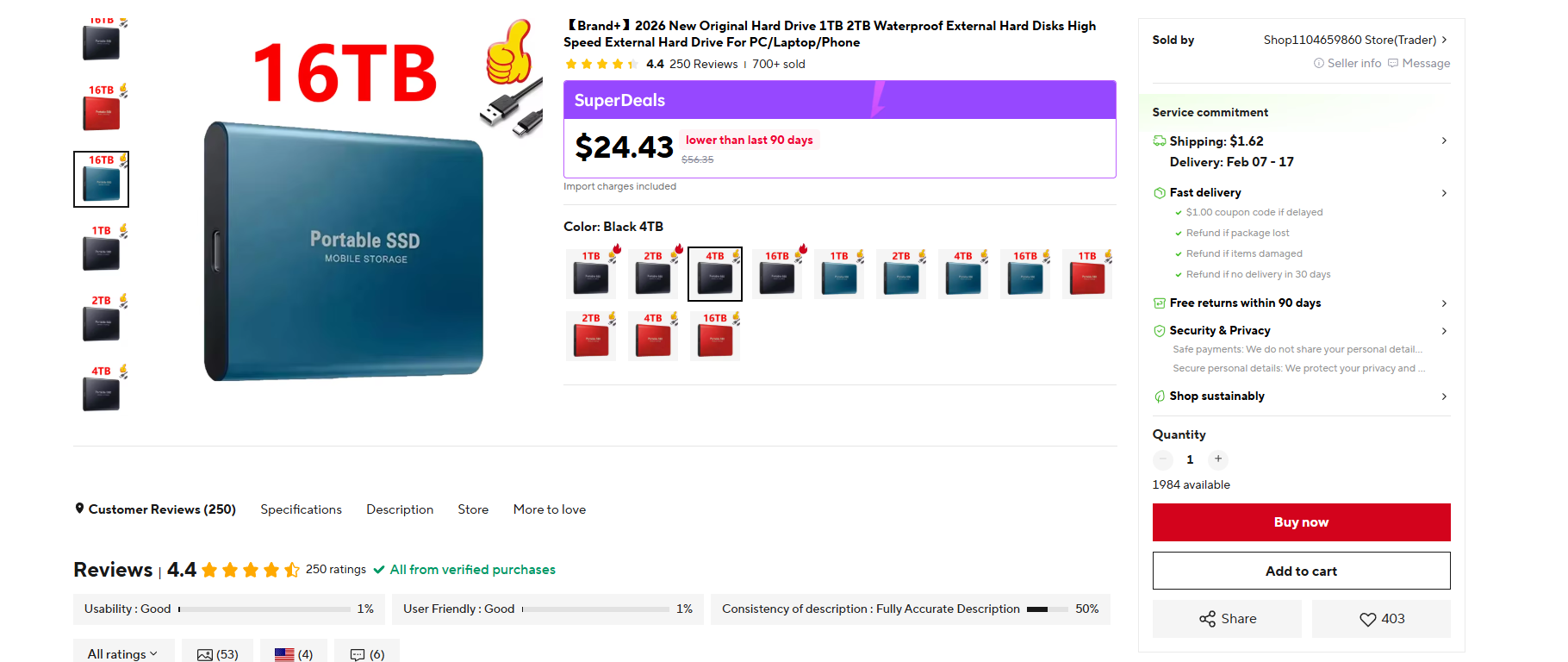
New to the game, is this even possible? All the ones I see are like 200 bucks for 5TB HDD let alone 16 SSD
>>