Thread #1019271 | Image & Video Expansion | Click to Play

File: Deamhome0404-1971969027460514275-01.jpg (1.9 MB)

1.9 MB JPG
Previous thread : >>1011544
Discuss and post anime styles in 3d. From figures to celshaded models, etc.
Recommend Youtube Channel :
https://www.youtube.com/@user-sy9do4tr4h
https://www.youtube.com/@yuucg5187
https://www.youtube.com/@mmcganimetic
https://www.youtube.com/@fusako3d
https://www.youtube.com/@user-pp2os6zr2d
https://www.youtube.com/@ShionMgr
https://www.youtube.com/@kurukuma
https://www.youtube.com/@menglow2122
https://www.youtube.com/@2amgoodnight
https://www.youtube.com/watch?v=4LhvcINgNxU
Sculpting:
https://www.youtube.com/@aurelien4280
https://www.youtube.com/playlist?list=PLMjnnUF3eJFe3jMRfUKMt0qK5zKIpxy 1t
https://www.youtube.com/@FlyCat1/videos
Image ref for sculpting :
https://mega.nz/file/A1gAyQDB#9dw9Bj3Dk3ofdyxhHfna4jnjsj2bZ63C3Cl75kop 98U
402 RepliesView Thread
 Showing all 402 replies.
>>
File: Deamhome0404-1969354350905417921-01.jpg (663.5 KB)

663.5 KB JPG
might download more image ref for sculpting that i won't use
>>
File: MrZing07-1968298952027205976-01.jpg (504.3 KB)

504.3 KB JPG
https://x.com/MrZing07/status/1968298952027205976
not going to post all of his tips, you can check his twitter directly
>>
>>

>>
File: 1908892996944433192_1.jpg (121 KB)

121 KB JPG
>>1019275
eh, i only follow nips/korean/chinese artist, so there is no political shit, only porn and stuff, that's how i download all those sculpt ref pic
>>
File: minusT - Test 10.png (1.3 MB)

1.3 MB PNG
>>1019177
Getting into the texture painting section of the course now. I have no complaints about the actual lessons here; it's thankfully straightforward. But I now totally get why people shit-talk Blender's texture tools. I'm gonna look at other options and add-ons for future projects, because there has to be an easier way, but like with rigging I want to see one project all the way through "the hard way." (Pic unrelated. It's from after rigging but before I started texturing.)
I did dip into other resources for eye painting stuff, since I'm not strictly following the course there (I don't like the "floaters" minusT uses for eye highlights). This video was a pretty good introduction for basic eyes, annoying TikTok humor aside:
https://www.youtube.com/watch?v=_ez9_N5j5tI
>>
>>
Reposting in new thread.
Anyone has these 2 courses?
https://coloso.jp/products/3dartist-nanigashi-jp
https://coloso.co.kr/products/3dcharacterartist-kimmina
I am specially interested in the first one.
If any anon has links for it that would be great.
>>
File: kek.png (2.2 MB)

2.2 MB PNG
>>1019273
What you should be doing is getting 3d references. Grab a female skeleton, ecorche, a couple zbrush models from leslyzerosix in kemono. Learn where the major muscles insert. Ask chatgpt to give you notes on the proportions and muscles. I recommend speedchar's female anatomy course. He is funny enough to grab your attention unlike the numerous coloso scam courses I've seen. Get this book too, ZBrushフィギュア制作の教科書 from z-lib written by the OG waifu maker Sakaki Kaoru.
>>
File: 1737802900720726345_1.jpg (154.5 KB)
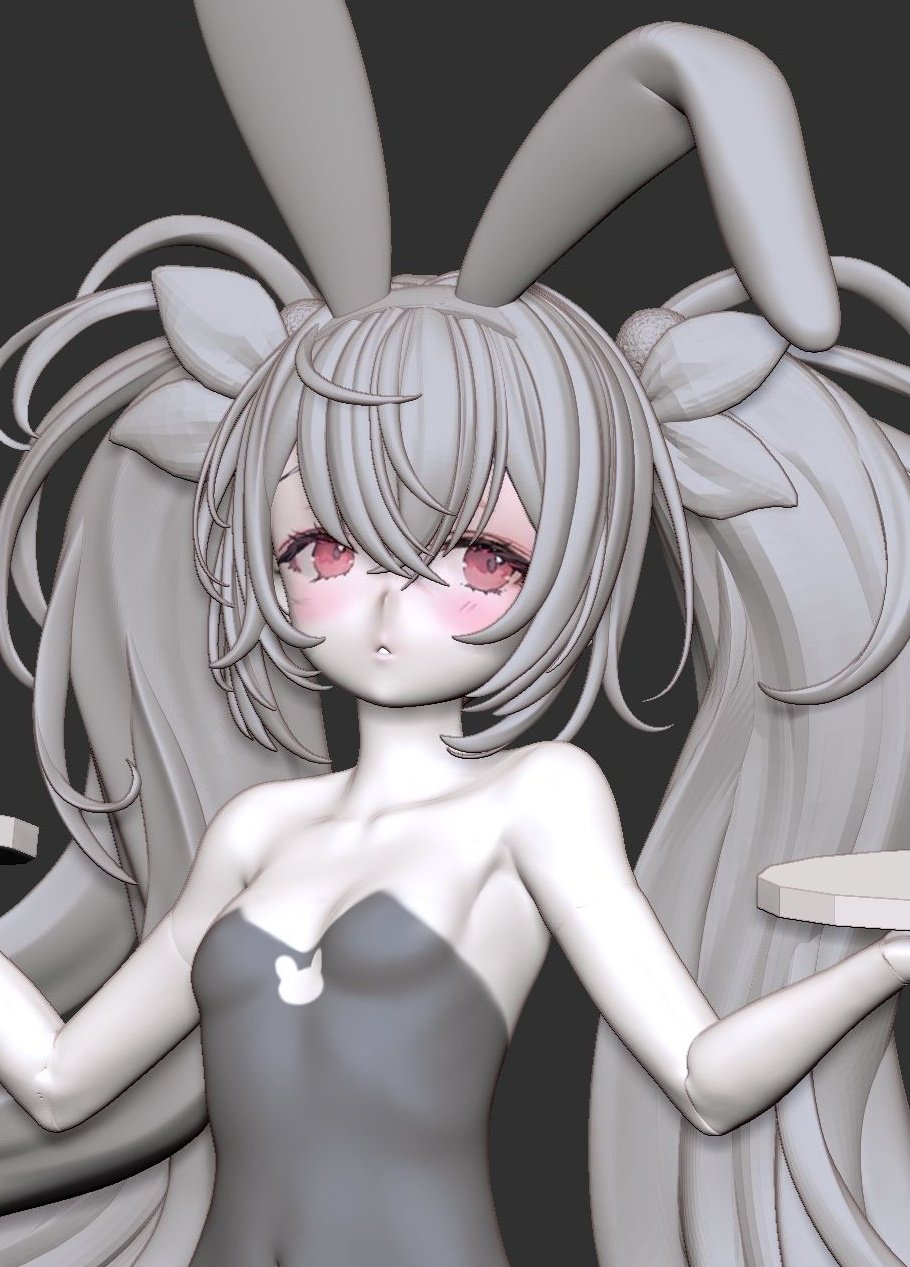
154.5 KB JPG
>>1019273
pixeldrain /u/SDH1eq2u
>>1019323
somehow i can't find it, only WIP post
>>
>>
>>
>>
>>
>>
>>
>>
>>
>>
>>
>>
>>
>>
File: kek3.png (3.1 MB)
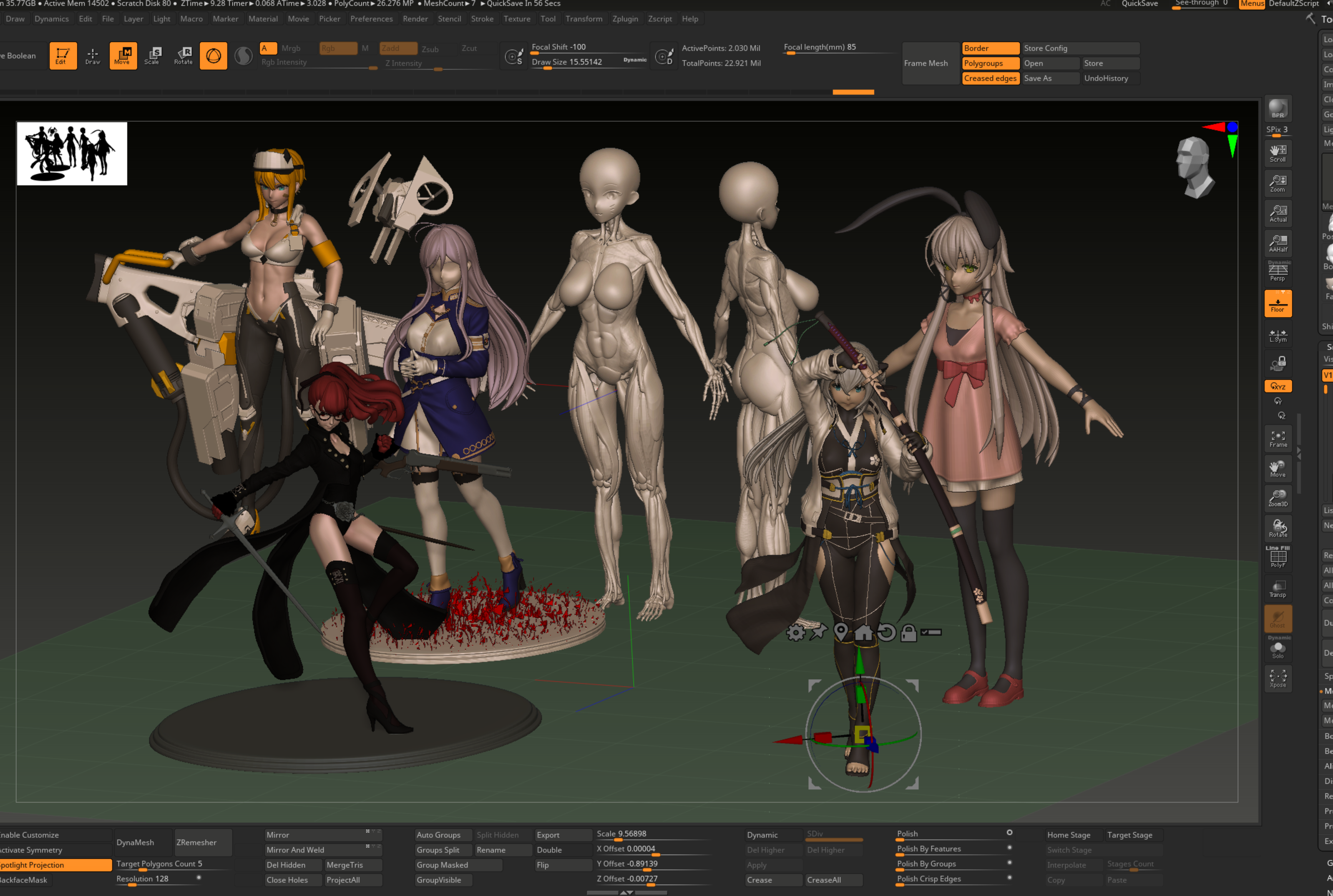
3.1 MB PNG
>>1019336
Idk. Never tried it but you can watch this https://www.youtube.com/watch?v=E0KPx-9XlT8&list=PLaZf7EtPohEyj7UoiyV2 1pXQhQYnKeLE2
>>
>>
>>
>>1019436
Agreed. The anime style is just an abstraction of reality, and knowing what to simplify for an abstraction requires an understanding of the baseline reality. Getting a better understanding of the facial muscles helped me unfuck the eyes of a character model I was working on a little while back.
>>1019374
After poking around, this guide to kemonomimi was pretty nice:
https://e-hentai.org/g/3427525/18a716ee56/
So was this series:
https://e-hentai.org/g/3487571/72b64d13a1/
Fuck, just looking at this all -- there's always another mountain to climb. Nice to have projects to do, though.
>>
>>
>>
>>
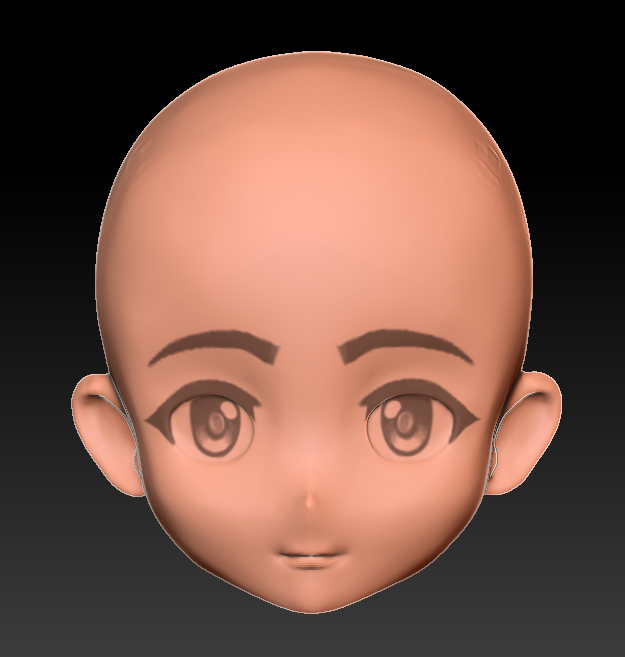
>>
File: Clipboard_10-02-2025_04.jpg (62.3 KB)

62.3 KB JPG
Just merged the head in
>>
>>
>>
>>1019519
You could post the UVs. If the texture really is fully generated, it's possible that the UVs are being used for that as well and aren't fit for texture sampling. You might need to unwrap the model again into a different UV map and bake into it instead.
Even if this isn't the case, you'll probably want to separate the face and give it its own high resolution texture.
>>
>>
>>
So if I want to make cute anime girls I should just go for sculpting ---> retopology?
I've been trying to follow along with 3D modelers like Shonzo but I can't wrap my head around why they do certain things with their topology. I feel maybe sculpting would be easier for a dummy like me but I want to learn the best way.
>>
>>1019576
I'll always encourage anons to learn sculpting because I enjoy it, but it's not going to be easier than following a tutorial of a guy showing you how to make a face vertex by vertex
If you show examples of what confuses you maybe someone can help
>>
>>
File: To-Be-Hero-X-1-scaled.jpg (140.1 KB)

140.1 KB JPG
would you say pic related style easier or harder than the generic artstyle like genshin? and which is easier and faster polymodelling or sculpting? i'm not planning to work as 3d modeller, i simply want to make models for my game in the easiest way possible using every possible shortcut like basemesh, brushes, at first i was gonna use metahuman but it's a pain in the ass
i know basics of sculpting and modeling
>>
>>
>>1019609
What do you think? If you're lookin for the easiest way possible, does it feel like the chinese top production trying to reproduce the visuals of Netflix's superhit series Arcane is gonna be it? Do you really think it's an easy shortcut way? Even more when you think metahuman of all things is already too hard?
>>
>>1019613
ugh, i just hate the generic anime artstyle, i want to do something else, it also doesn't help that i'm not planning to have waifus, so the main appeal of this artstyle will be gone
>>1019614
it's not like i'm gonna make an anime it's just the models and there will be no cutscenes just combat
My problem with metahuman is the rig, it's too heavy, and i would rather use the epic rig, if i can export it with the textures and remove the rig i will use it but it's a mess head and body are separated body textures turned out weird where the chest and arms are a different color from the face and back and the legs texture are low res, it's a mess.
>>
>>
>>
>>
>>
>>1019618
If you want a "style" that is "easier" then look to the low budget grocery store CGI movie scene. Those are styled with cost and time in mind.
The anime face is deceptively complex. If the surface dips or peaks or twists in the wrong place it sticks out like a sore thumb. Your life is going to be rolling the model back and forth looking for tiny defects and tediously correcting them. Then repeating as your fix caused another defect. Something like a realistic face, with all it's flaws and biological inconsistencies, isn't as finicky about. Rather a realistic face will demand a lot of labor creating a lot of details.
None of the styles that actually look good are easy. You simply trade one labor set for another. What do you like to do for many many hours? What's the CGI task you wish was your job and you could wake and do it until it was time to go to sleep? Pick a style that makes you do that the most.
>>
>>
>>1019626
>low budget grocery store CGI movie scene.
What's that? i want something that looks decent that alsos fits an action game
>What do you like to do for many many hours
i have 0 interest in 3d modeling it's just a means to an end
>>
>>1019666
>i have 0 interest in 3d modeling it's just a means to an end
And somehow in your head that meant choosing between Genshin style, top of the line in animu gaming, or Arcane style, top of the line in animation.
>>
>>
>>
File: 75b5b38249a55b2573235f59a544006a.jpg (334.7 KB)
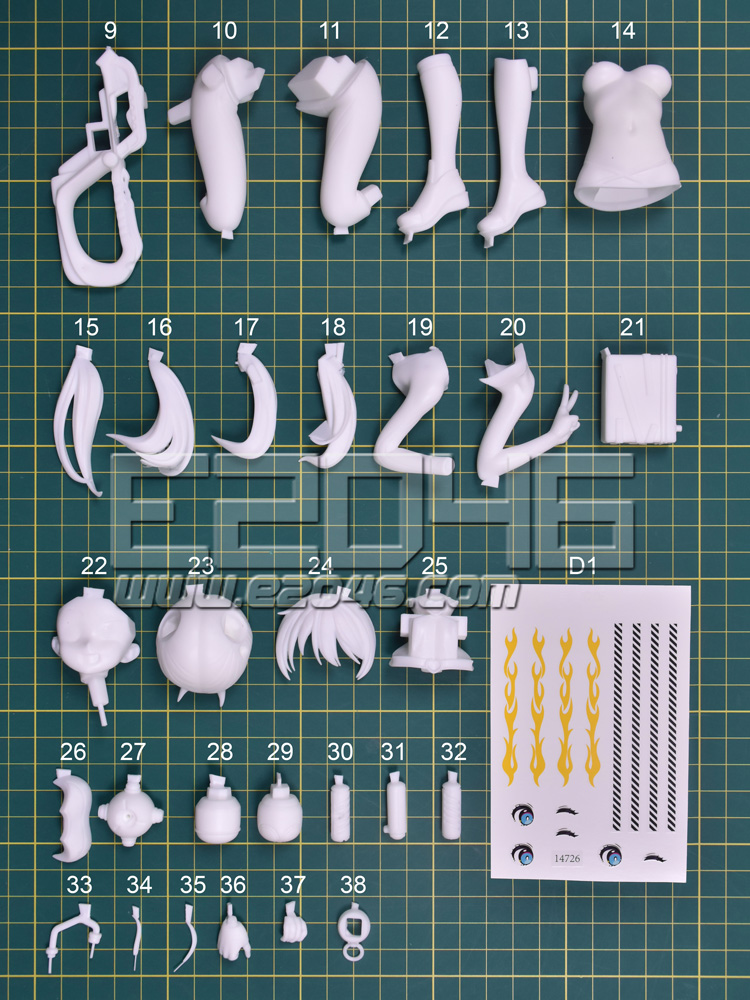
334.7 KB JPG
Are there guides on how to create assemblies/prepare figs for 3dprints. Like how to divide them properly, what not to do etc.
>>
>>
>>
>>
File: Untitled-1.jpg.jpg (1.3 MB)
1.3 MB JPG
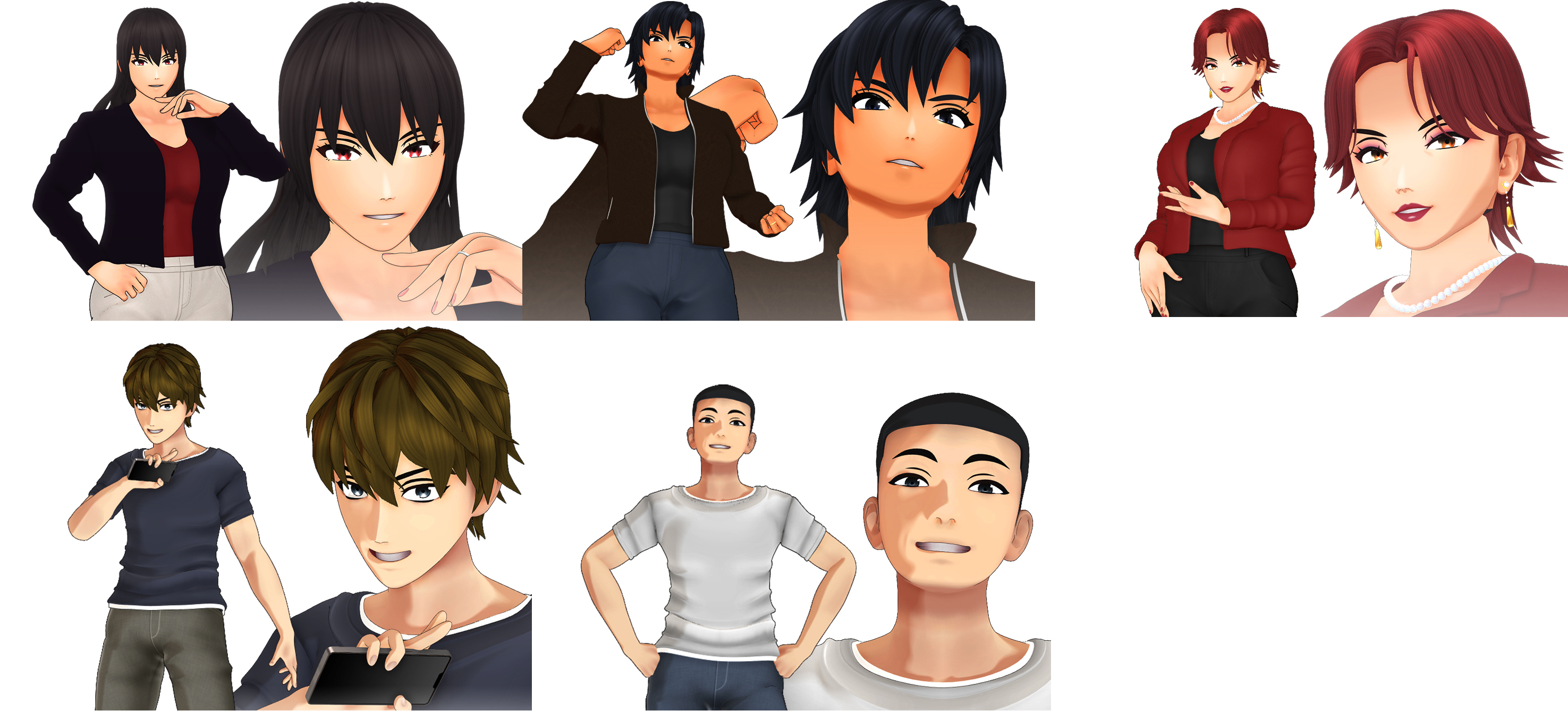
I'll like to create characters like in the image and animate them. He uses blender for the characters and I think that he animate them in mmd
any courses/tutorials recommendations?
I don't know anything about blender and mmd.
>>
>>
>>1019683
I learned that by trial and error, and a copious amount of looking at garage kits being painted or prepared
If you follow a couple sculptors and painters then your twitter feed will be filled with GK WIPs, watch a couple painting videos and you can see where and why things are split
But maybe there are a ton of resources in Japanese and I've been doing it all wrong, share if you find something
And always remember, objects in the physical world cannot pass through each others and need a clearance space to fit parts together (0.1mm works for my setup)
>>
File: Flat Shadow Occlusion.mp4 (286.9 KB)

286.9 KB MP4
Just discovered MuRo
Works exclusively in Unity and sometimes Substance Painter while making some of the best models I'd ever seen
I'm losing my mind
>>
File: Amazing Eye Control.mp4 (1.3 MB)

1.3 MB MP4
>>1019734
>>
>>1019576
Sculpting from scratch is a spook, you'll mostly just want to use its basic functions for mesh editing
Unless your end goal is figurines, everyone else uses retopo'd base meshes and adjusts them there or Vroid>Blender for anything other than games (though using Vroid meshes as a base mesh to then retopologize is a valid option as well).
https://www.youtube.com/watch?v=DjqY4shuozs Even Shonzo uses a base mesh and it takes her like 12 days regardless. You need to know how to use sculpt tools but you don't need to learn how to sculpt.
Also, learning topology from these types of videos is really bad, you're better off learning good topology from topology videos like https://www.youtube.com/watch?v=kKngmeLhI54 to get the fundamentals down
>>1019609
It's mostly easier, don't listen to the other guy. Genshin is only deveptively generic, the shader is retardedly optimized and utilizes things like subsurface scattering and weido matcap normalmap replacements. Your example mostly just looks like hand painted textures which mostly requires artistry rather than a 3d skillset. They're perpendicular paths; do you want to hand paint a face or autiscially adjust its normals?
Also, sculpting is easier than polymodeling in my experience at least, but it might be different for different people.
>>
>>
>>1019736
>do you want to hand paint a face or autiscially adjust its normals
i have 0 artistic skills, i know the basics of sculpting and modeling, when i tried sculpting i did good with the big shapes but the small things like muscles lips ears fucked me,
i just want a 3d artstyle that's looks decent for an isometric action game with camera a lot closer than the average isometric
>>
>>
>>1019736
The person asking the question is a troll but
>It's mostly easier, don't listen to the other guy.
The compositing with Nuke is their secret sauce at Fortiche. It is not easy to get that look at all
https://youtu.be/Qd1rOtu4SMI?t=1502
Also agreeing about Genshin, other than the shader their rigging and jiggle physics is next level
>>
File: normals.mp4 (476.1 KB)

476.1 KB MP4
I'm very happy that blender added the "autistically edit normals" geometry node
>>
>>
>>
File: Screenshot From 2025-10-07 01-00-27.png (1.9 MB)

1.9 MB PNG
>>1019775
I select faces with vertex groups and then use these geonodes to point their normals towards an associated empty. It is really simple but the Set Mesh Normal node was added last month, so it wouldn't have been so simple before. It's basically the flat face technique with extra zones, but I guess the normals can also be animated and don't need extensive preparations and/or baking or transfers.
Sorry for the shit quality screenshot, I use linux.
>>
>>
>>
I lost the link for it when my feed refreshed, but I saw this neat rigging trick for the eye. To better represent a character being on the verge of tears, you can add rigging to the catchlight in their eye so that it quivers a tiny bit instead of being a static spot.
The artist didn't explain how they did it, but I imagine it's probably not that different from breast jiggle rigging.
>>
File: normals2.mp4 (484.5 KB)

484.5 KB MP4
>>1019783
Hell yeah nigga
I had to modify the nodes a little but this smooths between my normal areas pretty well. It is less deliberate though.
>>
>>
>>
>>
>>
https://youtu.be/9Bp5U5vzZg0?si=-OEqk9HJerIpJFr7
God bless Japanese pervs: a dedicated jiggle physics add-on for thighs, butts, and breasts.
https://3dnchu.com/archives/jigglemaker-2-0/
>>
>>
>>
>>
>>
>>
>>1020049
Figured I asked here. Hey Yall. I really like animating but for awhile I really would like to learn how to model my own characters fo animation...Preferable anime. Yall gots like any good sites/courses that actually help with this? Ive been burned way to much with shitty courses. I gots a Old Zbrush and Blender
>>
>>
File: file.png (135.1 KB)
135.1 KB PNG
I'm gonna fucking kms
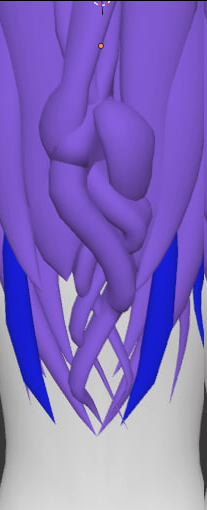
Why can I not get a braid even slightly right
Why
fuck
trying to make a loose delayed braid using fucking curves or some shit
Plus it needs to be turned into geometry and then exported into a different format into a game engine (hence any solutions that cannot be cleanly baked into acceptably optimized geometry is invalid)
>>
>>
File: WIP.jpg (287.3 KB)

287.3 KB JPG
WIP practice. I know untextured models are supposed to look like freaktown aliens but I can't figure out why mine looks so off despite following the reference sheet as close as I could. This is more of a moe-type character which are normally pretty blobby. Is this model not blobby enough?
>>
File: FOXWIFE.png (1.4 MB)

1.4 MB PNG
Recently finished this model that turned out so great i need to share it. works in vrchat and made a bunch of cute expressions and some toggles for her there. Im pretty happy with the quality of my models but ive got absolutely no clue about the communities or kinda market there is if i were to pursue commissions so i wanted to ask here. What kinda money would people actually pay for models like this? And what socials should i go on to share my work? Any advice or thoughts are appreciated.
>>1020099
I'm a curve abuser so i don't have any optimized advice but try adding some complimentary hairs, just flat geometry on a curve to break the shape a lil. Also making a braid irl from shoelaces to see the shape better.
>>1020104
don't mimic the image too closely, your reference has a slight upwards tilt so you cant see the jawline and your model has quite an underbite. Try finding some other angles of a face shape you like and just look at the curves of its silhouette. maybe lower the eyes and puff the cheeks for a little squishier face but shes actually pretty cute already! Could be best to see her with some colour.
>>
>>
>>1020099
Yeah no, I wouldn't be able to do this
I remember seeing a way to polymodel a low poly braid from a cube once, you could try something like that
If you really have to twist 3 curves into a braid do it straight and then use a 4th curve to deform the braid
>>
File: c75937a4-25e6-4c6c-ba9a-85670b3b4a15.png (964.5 KB)

964.5 KB PNG
>>1020104
Even the moe faces need this little shelf under the eyes.
>>
File: 16-23-6-3-15-22-23m.jpg (61.8 KB)

61.8 KB JPG
>>1020156
Remember anime girls are cats. The cuter and blobbier they are the MORE loke cats they are.
>>
>>
>>1020157
They're not, whoever came up with that was a crab.
In no drawing instruction book are you ever taught to draw them that way, and 2D artists never think of it that way. That's just a single quora post meant to mislead all the third worlders and non-anime drawers.
>>
File: til-all-anime-girls-are-actually-catgirls-v0-8AEQkvzj4jF2qAb7IgjcBmPqKfT7qMPmUvJ7G1DFOXo.jpg (157.4 KB)

157.4 KB JPG
>>1020175
Youre gonna site some fucking borders bookstore how to draw manga paper back?
>>
>>1020171
Youre sitting there staring at your model
You copied the reference image exactly
It still doesnt look right
Whats the problem?
Where's the disconnect?
Its the shelf. It isnt drawn because if you add any lines or shading to the face of a young beautiful women it ages her a century. But its still there. I informs where the bottom of the goes. It informs your normals. Its the missing detail in all these anime faces that go all the way but flounder in the end.
>>
File: S3a942853ee334b54818cc1eae6ffdf30g.jpg (89.2 KB)

89.2 KB JPG
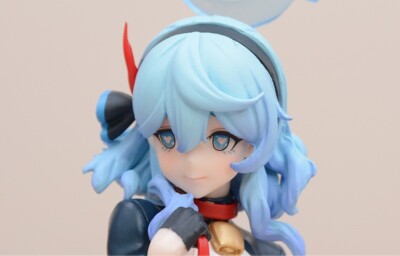
I will now be spamming physical anime models that feature the face shelf

>>
File: images (8).jpg (22.6 KB)

22.6 KB JPG
>>1020179
Sometimes subtle
Some times pronounced
Its still there.
>>
File: s-l400.jpg (15.5 KB)
15.5 KB JPG
>>1020180
>>
>>
File: Screenshot_20251014_123950_Chrome.png (890.2 KB)

890.2 KB PNG
>>1020182
>>
File: Screenshot_20251014_124106_Chrome.png (917.7 KB)

917.7 KB PNG
>>1020183
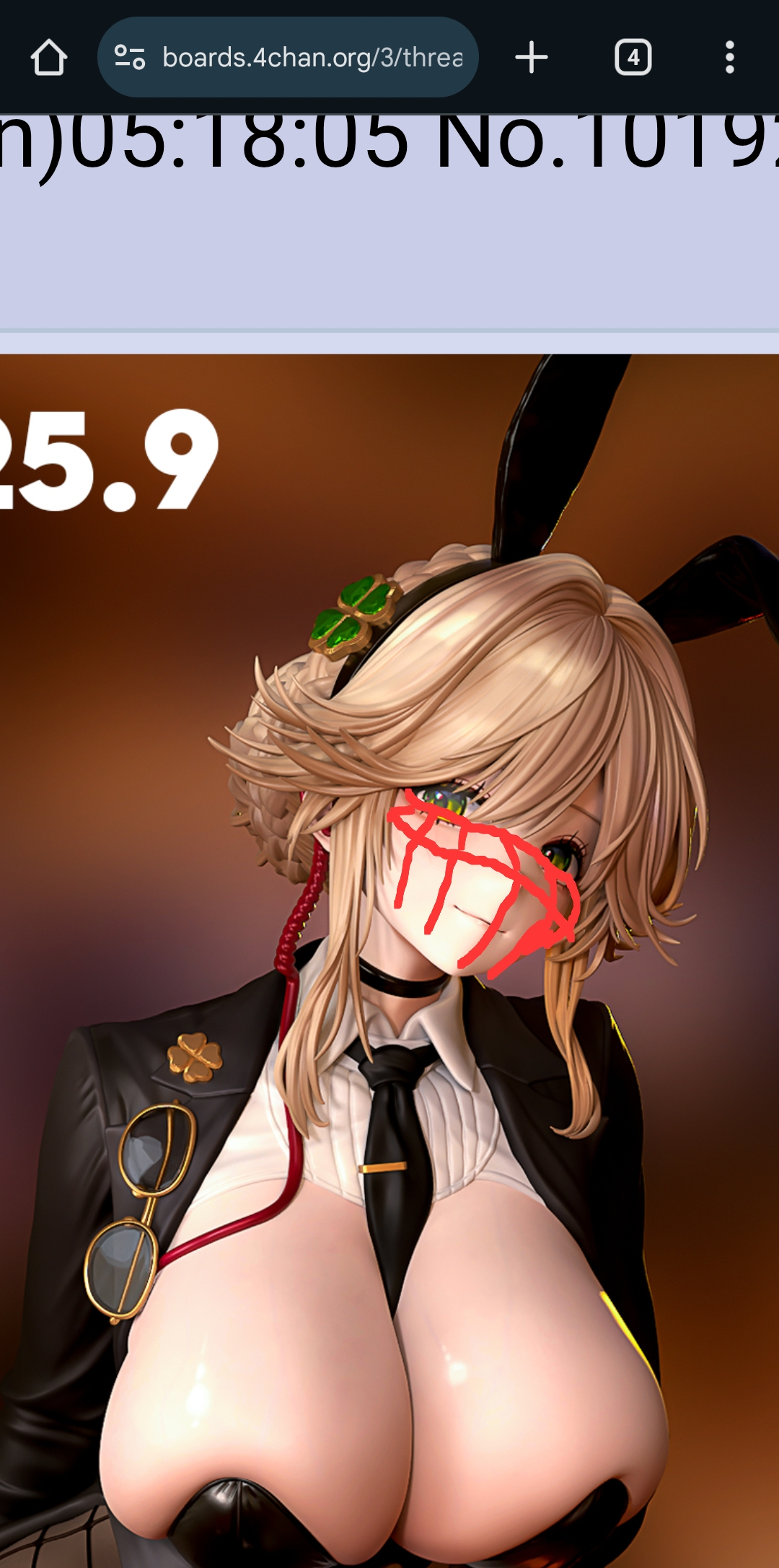
Heres just the wireframes. Its in your face. Anons who deny their own eyes to be contrary are infuriating
>>
File: Screenshot_20251014_124135_Chrome.png (1.4 MB)

1.4 MB PNG
>>1020184
>>
File: Screenshot_20251014_124155_Chrome.png (732.1 KB)
732.1 KB PNG
>>1020185
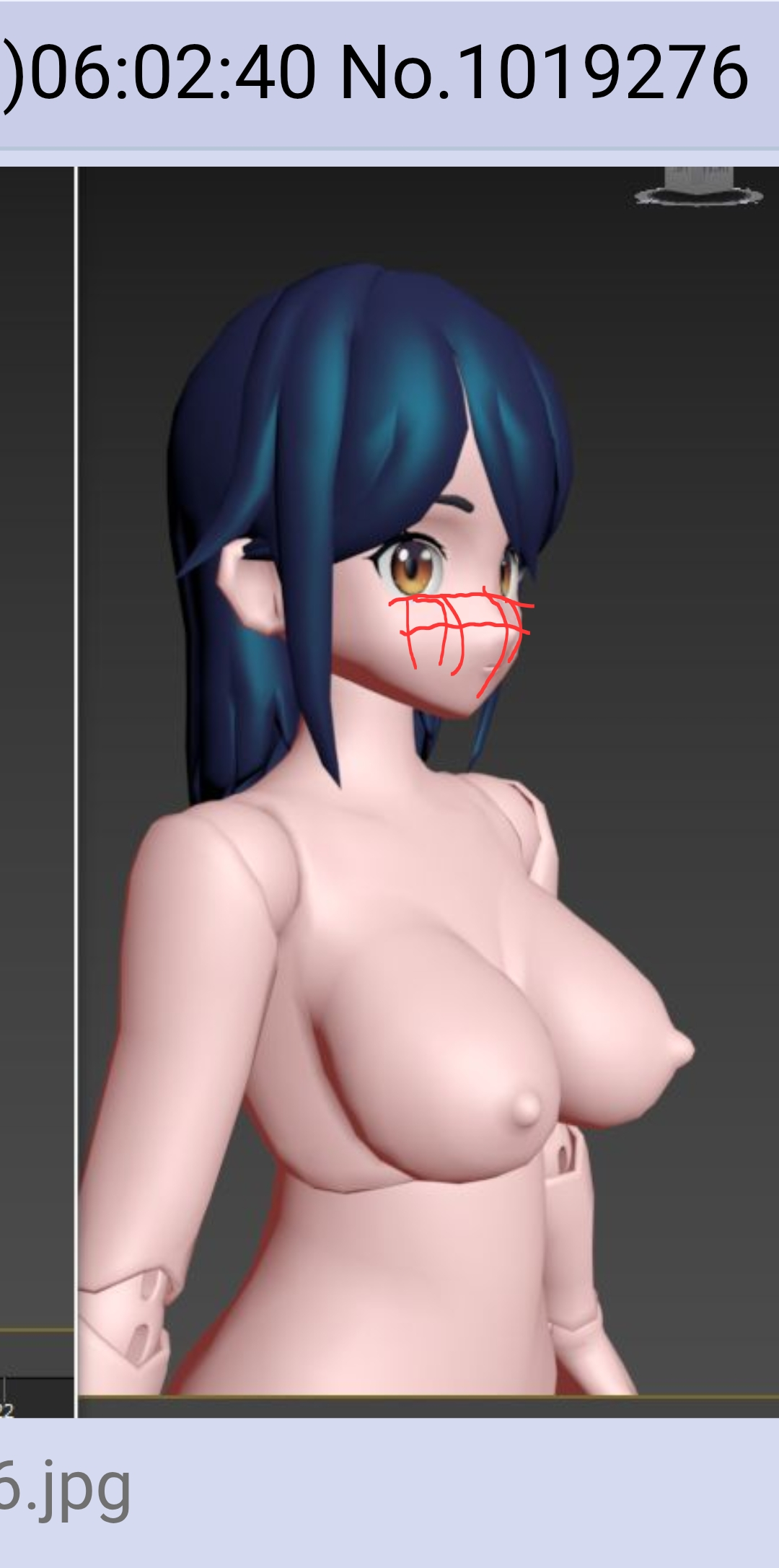
The good anime faces still have face planes. They can be rounded off so much so that they're continuous flowing surfaces but they're still there.
>>
File: file.png (131.9 KB)
131.9 KB PNG
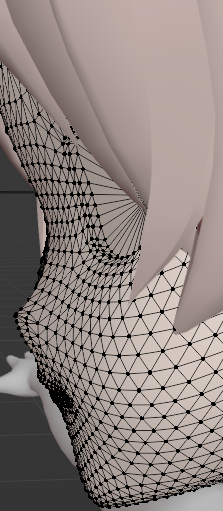
about all this noise about the shelf
honestly?
makes sense
The eyes are typically inset
this is just the base Koikatsu model I'm just using to set scale and shit properly for my own hair thing (yes I'm making a zipmod)
>>
File: image.jpg (124.9 KB)

124.9 KB JPG
>>1020176
>site
Exactly the kind of stupid no-draw I mentioned.
Anime faces are abstractions of human faces. If you don't understand the facial planes, you won't understand why anime faces are drawn that way or how the features are designed. Hence why so many of the box modeled faces here look terrible because they're made by autists who can't draw and can't accurate observe style. There are tons of game models to reference how the anime style is done and they still do everything their own, incorrect way
Pic related from Date Naoto - Deconstruction Illustrated
>>
>>
>>1020178
>>1020179
>>1020180
>>1020181
>>1020182
>>1020183
>>1020184
>>1020185
>>1020186
All of these have about as much "face shelf" as the model you started sperging at in the first place. Your experience with 3D anime girls clearly doesn't extend any further than looking at pictures from the internet. Being able to draw some red shitfuck over other people's screenshots means fuck all to anyone. You should rather paint the fucking ceiling.
>I informs where the bottom of the goes.
>>
>>
File: Screenshot_20251014_153146_Chrome.png (987.2 KB)

987.2 KB PNG
>>1020189
>>
File: Screenshot_20251014_153523_Sketchbook.png (339.1 KB)
339.1 KB PNG
>>1020189
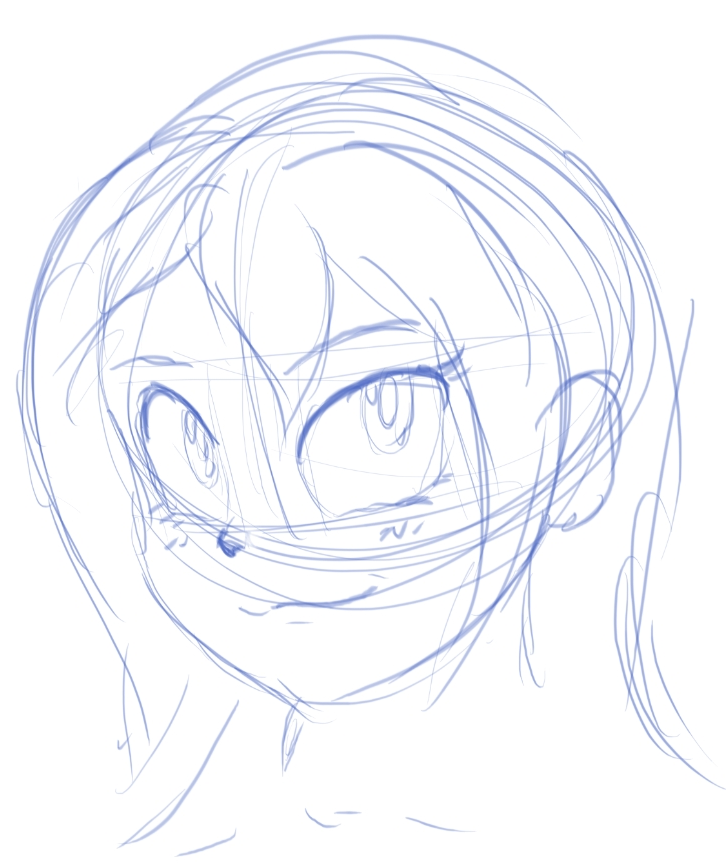
>stupid no-draw
Post your work faggot.
This took me 60 seconds.
>>
>>1020192
All of them have face shelf. You can see it and your hyper contrarian attitude is manually editing your moment to moment experience so you can justify disagreeing. Every one with lighting has a highlight below the eye. Because the angle of the form points up. Strait up? 45 degrees? Doesnt need to be. It needs to be more than nothing.
>>
>>
>>
>>
>>
File: Screenshot From 2025-10-15 02-54-11.png (109.7 KB)
109.7 KB PNG
>>1020196
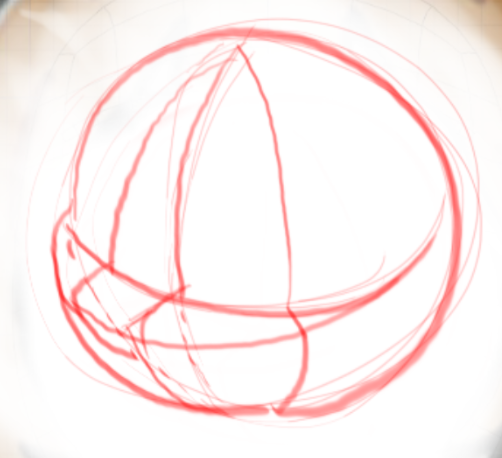
1. The picture you're sperging about has this too, and
2. Your redline means nothing, and
3. You have not shown any evidence that you've ever touched a 3D anime girl.
Look at your work. God damn. You are trying to start pyw slap fights with this. Holy fucking shit. Kill yourself back to /ic/ and stay there.
>>
>>1020203
Im starting a pyw fight? I was challenged and i delivered. Every post calling me shit ithout a drawing in it is worthless. Im having you people deny your very own eyes that diagram is an exageration to show the form.
>>
File: 1726249859977582.png (1.1 MB)
1.1 MB PNG
>>1020203
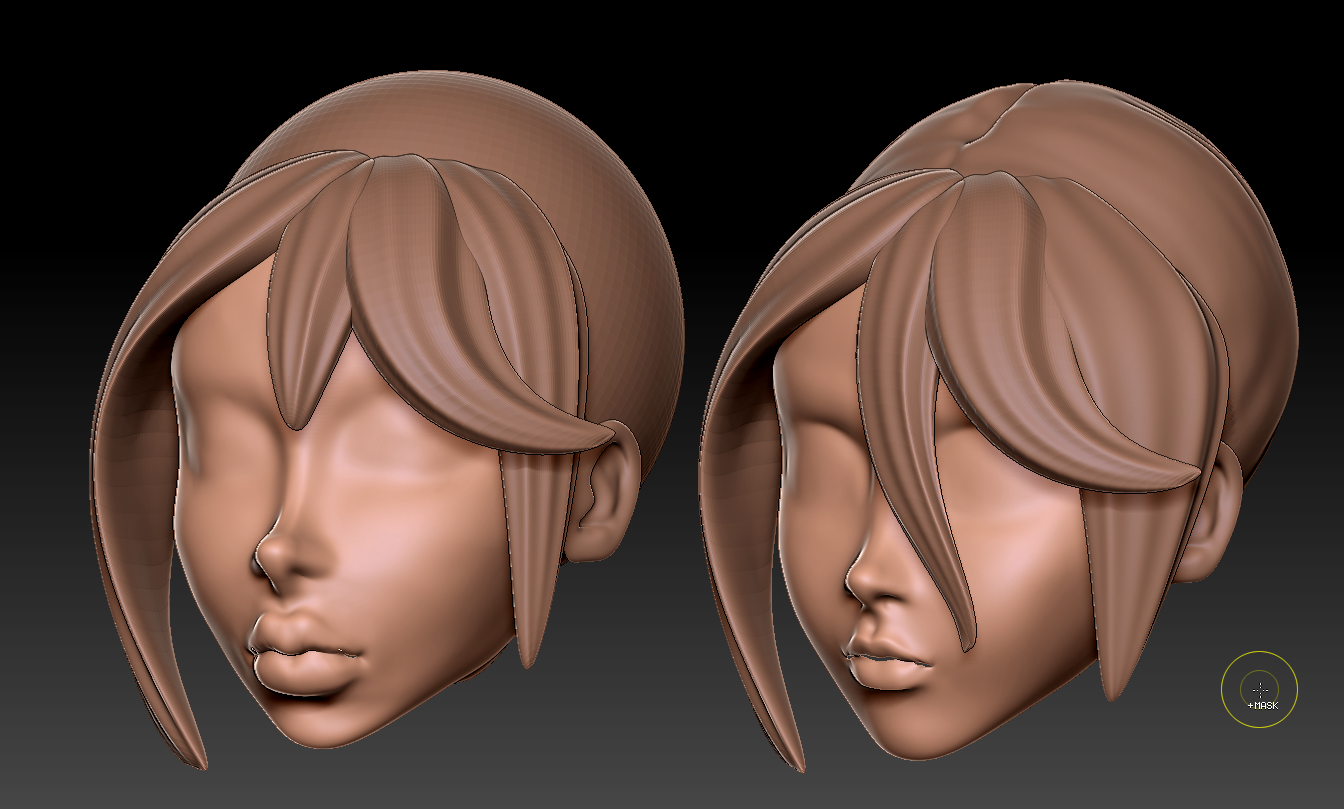
>You have not shown any evidence that you've ever touched a 3D anime girl.
Here's one i made.
>>
File: 1741812271797047.png (295.3 KB)
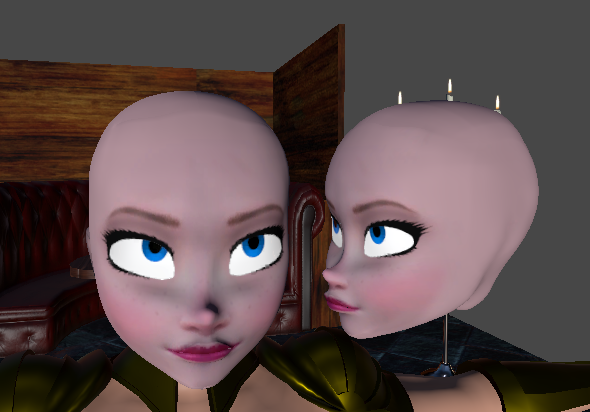
295.3 KB PNG
>>1020206
Heres another.
Are you going to keep pretending my initial comment is outrageous?
Are you going to type "h" and "a" or call my model shit while not posting anything at all?
>>
File: 1712626107622275.jpg (85.8 KB)

85.8 KB JPG
Not being on my phone i had to search the archives to find pics i posted in this general. Something cowards and non-artists cant do. And i found this little tidbit everyone was gishing over at the time.
To the sincere people actually trying to learn look how hard these losers are trying to refute what was a very luke warm critique. Cheek bones. Face planes. Theyre not made up bullshit
>>
>>
File: Screenshot From 2025-10-15 03-39-08.png (967.9 KB)
967.9 KB PNG
>>1020104
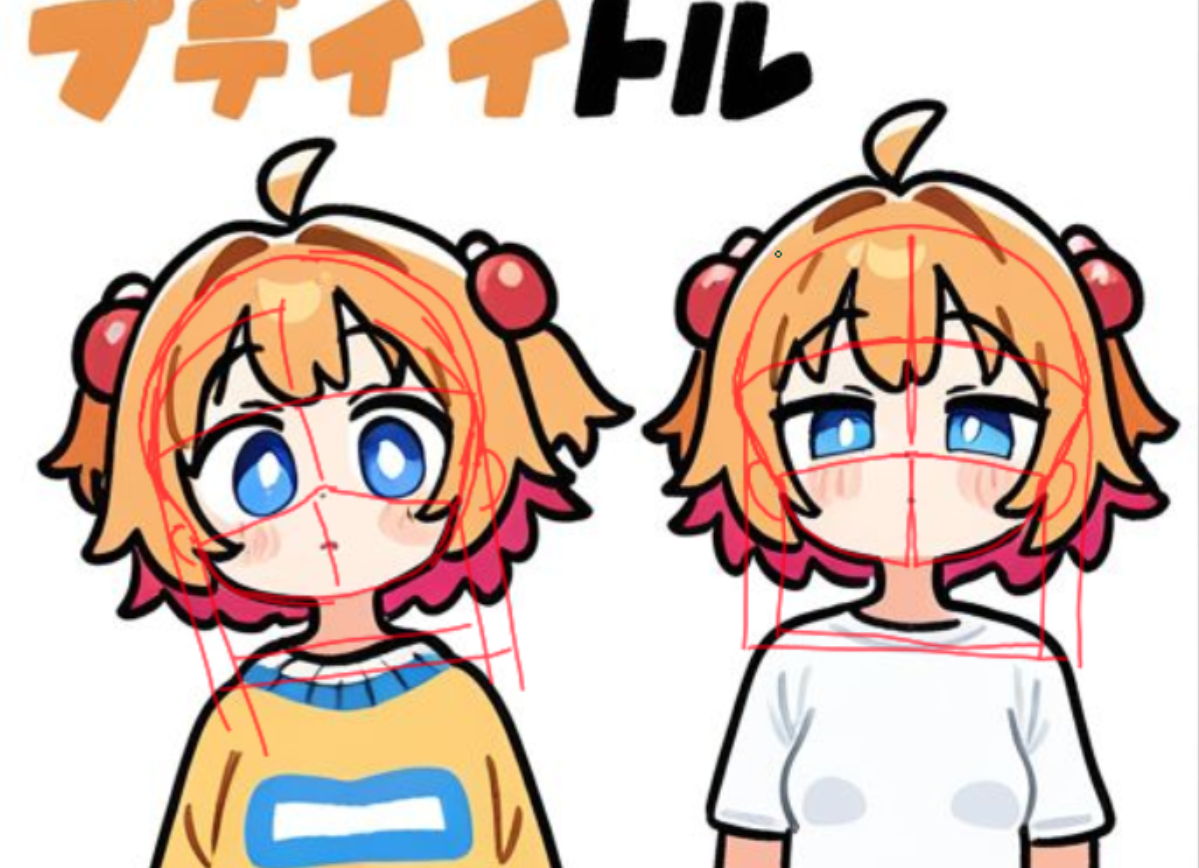
You might want to make the head wider towards the top, starting around the zygomatic process. The head's width at the top of the muzzle shape, at the cheeks, can be as little as two thirds of the width at the cranium. Your model has pretty much constant head width from where the head is obscured by the hair.
A wider cranium will provide for a sloped contour at a 3/4 view angle while requiring less protrusion by the cheeks themselves, allowing the chin to remain relatively small. >>1019484 has a pretty good cranium to chin ratio without hair covering it.
Also here's a redline of how I think the head is structured in the reference drawing. It could of course be completely fictional.
>>
>>
File: 61ce9b2f74b81fb8f524a44400c197b8.jpg (84.8 KB)

84.8 KB JPG
>>1020211
It's AI but I found it on pinterest (through yandex image search, I'm not OP)
>>
>>
>>1020197
In awe of the ear modeling and tasty cloth/headband folds.
He seems to know the perfect way to use knife/multi-cut to get folds in the clothing. I'm guessing Maya has sculpt tools that are enough to make those ruffles and the rose petals (and tons of practice by the artist of course), but I've never actually seen someone use them before.
>>
>>
>>
>>

>>
File: file.jpg (32.5 KB)

32.5 KB JPG
>>1020259
The eyes are too big for the head, they shouldn't go to the edge of the front plane otherwise they suggest a much bigger head. The proportions and nose placement don't look very anime at all even for a chibi/deforme
>>
File: WIP v2.png (1 MB)

1 MB PNG
>>1020106
>>1020156
>>1020177
>>1020192
Thanks for all the great feedback anon's I appreciate taking the time. But also calm the fuck down i'm just doing this as practice and didn't even realize my reference was AI until it was pointed out.
It still doesn't look perfect but I think it looks good enough to move on. I added the shelf which I think was definitely the answer I was looking for. Since the head i'm modelling is pretty much just a blob, I think it makes sense to stick with basic forms which the shelf really helped with. Before the nose was too scrunched in which made it look more like a bird beak than a cat's snout. I also expanded the forehead and pushed in the zygomatic bone which helped with the 3/4 view. I can definitely see improvement.
>>
>>
>>
>>
>>
>>
>>
>>
>>
File: blender_v1VFLjGoGV.png (74.7 KB)
74.7 KB PNG
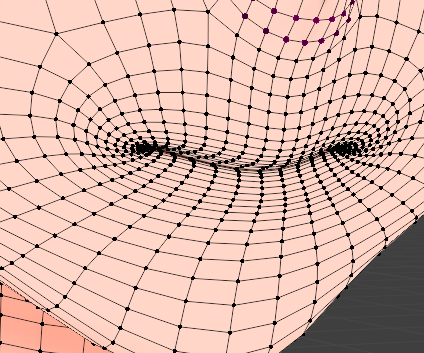
Any useful trick to do shapekeys on Blender?
I'm on my first attempt to make an anime face and i did everything nicely from modelling to weight painting, i kept the shape keys for last and realized i don't know how to make smooth open mouth without messing up with the shape of the mouth.
Proportional editing won't help much considering the lips are closed together and there's too many vertices to try selecting individually.
>>
>>1020477
do you really need that many edge loops? also try working with an overlapping image of the open mouth otherwise you will be moving vertices for hours
>Proportional editing won't help much considering the lips are closed together and there's too many vertices to try selecting individually.
you can hide them using the H key, that way you can use proportional editing just fine
also you might to want to add those vertices to a vertex group
>>
>>
>>1020477
Create a vertex group that includes only the lower half, that way you can easily use it and its inverse as a mask for proportional editing.
Have a look at https://www.youtube.com/watch?v=qlvrwK4htWk and see how he manipulates the face to create expressions.
Ultimately though I think you'd be better served by creating a mouth rig like in https://www.youtube.com/watch?v=5D16SNTivZQ unless you need shape keys due to an engine export, but even then you can create them from the rig
>>
File: Render.png (627.1 KB)

627.1 KB PNG
Took forever but first completed model without tutorial. Things got a bit messy with the shader and Data Transfer for some reason but I'm still happy with the result!
Now to think of a new project.
>>
>>
File: Rika_Front.png (791.9 KB)

791.9 KB PNG
>>1020504
Sure here you go
>>
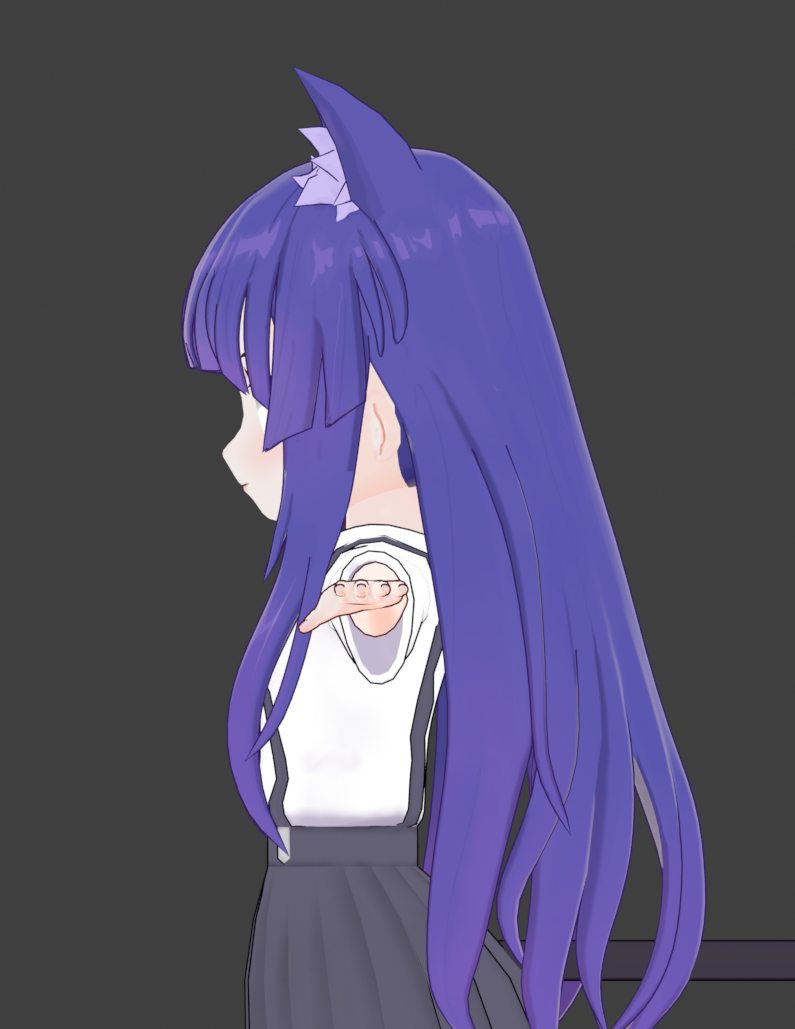
File: Rika_Side.png (585.1 KB)
585.1 KB PNG
>>1020505
>>
>>1020100
I'm trying but, like many other commenters complain, it's not exactly all that coherent.
I do understand the concepts behind it, but it's so lacking in its explanation that it pisses me off. And I usually like somewhat sparse tutorials video-wise (text and image tutorial supremacist normally)
AKA I'm having trouble reproducing the first few steps. Like, seriously, in step 3, move z by HOW MUCH!?
Perceptually it appears to be "make it so that the gap is a complete square" but we all know the eye plays many tricks. If I get the distance wrong, that means that the distance is all wrong for the rest of the steps, and my model looks incoherent, sort of a "le grille" moment.
>>1020115
Unfortunately search engines have become useless recently. Also that braid you're seeing is "straight", I actually based it off a curve method, but I'm also trying to merge it onto some pre-existing hair curves because delayed braid means the braid doesn't go to the roots
>>
>>
File: file.png (55.6 KB)
55.6 KB PNG
>>1020514
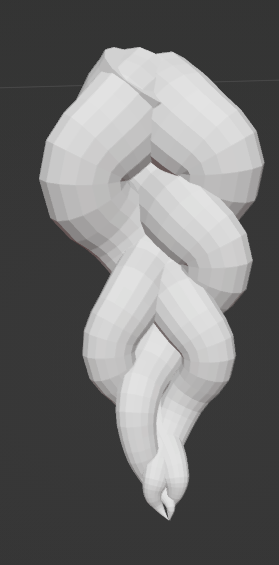
I already have curves done using this method (there's an english version of this tutorial)
Revisiting them now - thing is I want to have it start thick and taper off kinda like picrel (my attempt at retrofitting the curve setup) but as you can see by the stretching on the thinner part where I tried to patch it up... Well it gets too straight at the end.
And I repeat in that it's a loose, delayed, hanging braid, so the roots of the hair actually needs to start straight and now do yuo see the complexity :(
>>
File: Screenshot 2025-10-19 235312.png (55.9 KB)

55.9 KB PNG
>>1020515
Do you really need to patch things up..? I don't really think you do, it's just a matter of placement at the end. What you need to get right is the offset so they overlap correctly. The video I linked covers that. You can hide the end piece either after you convert to mesh or through placement/objects, or manually edit it afterwards. Could be ass depending on your resolution. About the tapering effect I think there was a setting for that in some modifier? Not sure if it was array right now, either way. You can just manually do that using alt s on the curve no? Also you could just make for example a ribbon, at the end of the braid to transition it into a hair end piece instead of getting as messy as you have done in your picture. Looks better as well. Like Hanekawa's Braids or something.
>>
File: blender_X1FaWvueLf.png (70.9 KB)
70.9 KB PNG
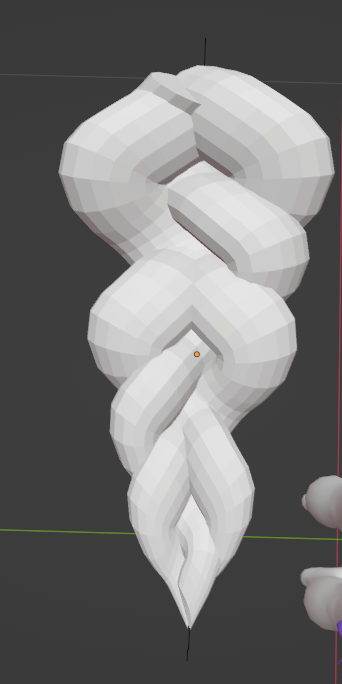
>>1020516
>at the end of the braid to transition it into a hair end piece instead of getting as messy as you have done in your picture.
Ehhhhhhhhhhhhhhhh... Feels like a cop out. I'm stuck on
>You can just manually do that using alt s on the curve no?
I should try that, but then I'd have to make sort of the entire hair piece of what's going to be curved, including the straight part of the delayed braid, *then* find out how to bind that to the control curve that tapers... Probably more cleanly than what I did just there.
When I said "tried to patch it up" I meant trying to make it be less stretched, as I still have to do the UV mapping.
Anyways attempt 2 trying to use curve deformation modifier on the entire set of curves, it's about yay more consistent, though it still stretches.
But I am getting closer I guess. If only by a bit.
>>
>>
>>
>>
>>
File: Screenshot From 2025-10-19 21-50-16.png (256.5 KB)

256.5 KB PNG
>>1020505
>>1020506
Thanks a lot.
I want mine to be extremely puffy, but there are a myriad of problems with it. Getting even half way to moe moe fuwa fuwa levels of hair volume while looking good from a variety of angles seems impossible without selectively visible hair components or other hacks.
>>
>>
File: WIP v3.jpg (275.1 KB)

275.1 KB JPG
>>1020263
added base colors and some light texturing. I still have more to go and fix the back of the hair because I kept fucking it up. Still think she looks cute so far
>>
>>
>>
File: Wireframe Version.png (1 MB)

1 MB PNG
>>1020525
Sure, here you go.
>>1020527
No problem, and hmm I wonder, you can probably do a lot with texture and individual shapes as well.
When drawing it's usually the small details that have the highest impact once you got the general shape down.
>>1020526
Thanks!
>>
>>
>>1020583
Thanks for posting.
Do you have any tips for the ear fluff modelling?
I've tried using a viewport matcap and adjusting the cavity range but it felt not great. I don't like modeling with inverted hull set up either. I understand it can just be practice and reusing the one good model you've made then proportionally editing that.
>>
>>
>>
>>
>>
>>
>>1020598
Thanks, hearing that and seeing the wireframe for general distribution is really helpful.
I'm getting much better results now with bigger cones, fewer of them, and closer together starting points. Much better at defining the silhouette from different viewing angles.
>>
For printed resin figures with long hair, how do you avoid shrinkage and warping? I have a buddy doing the prints for me so I dont know much about that end of things. But when I design the figure, is there anything I can do to avoid long pieces of hair bending?
>>
File: Image.png (671.3 KB)

671.3 KB PNG
I haven't interacted with shaders before and I looked at the resources in op. Is there a way to mix shaders and image textures or do I need to make a different material for each color?
>>
>>
>>
>>
File: fucked normals.png (129.2 KB)

129.2 KB PNG
>>1019271
I don't know what happened but my model has fucked up normals all over the place even though the geometry is fine. Face Orientation is correct as well. No modifiers except mirror. Smooth by angle doesnt work either.
>>
>>1020708
Sometimes when you add new faces, especially with knife tool, your normals get all fucked.
To fix, select your mesh
Mesh > Normals (alt+n) > Reset Vectors
Also your topology is kinda sloppy. You can smooth them out with this.
Vertex > Smooth Vertices
I like to make a shortcut for it, select my vertices, and press it a few times so my quads are more evenly spaced.
>>
>>
>>
>>1020708
Obvious first step is recalc normals and remove duplicates. But with applying and re-adding mirror mod, it's very easy to accidentally try to move verts to clip to center but you end up with an internal face so you get the weird fighting there. 9/10 times that I have issues it's because I accidentally have this internal face. You can try holding shift and slowing moving up the remove doubles threshold until you see things disappear then you can start debugging where you went wrong.
Auto-mirror add-on is nice for doing the auto-clipping and merging
https://extensions.blender.org/add-ons/auto-mirror/
The blender 3D print toolbox is really helpful for checking things like non-manifold and other issues
https://extensions.blender.org/add-ons/print3d-toolbox/
>>
>>1020709
>Also your topology is kinda sloppy. You can smooth them out with this.
>Vertex > Smooth Vertices
>I like to make a shortcut for it, select my vertices, and press it a few times so my quads are more evenly spaced.
After seeing it in a bunch of videos, I've moved to using the sculpting tools Smooth brush with the surface setting or Slide Relax while holding shift to smooth vertices. I don't have a tutorial off hand but I think I saw it in a Grant Abbitt vid where he talked about face sets in a modelling video.
might be auto-dubbed
https://youtu.be/Li1IPY6t55Y?t=141
>>
File: ItsOver.png (1.5 MB)
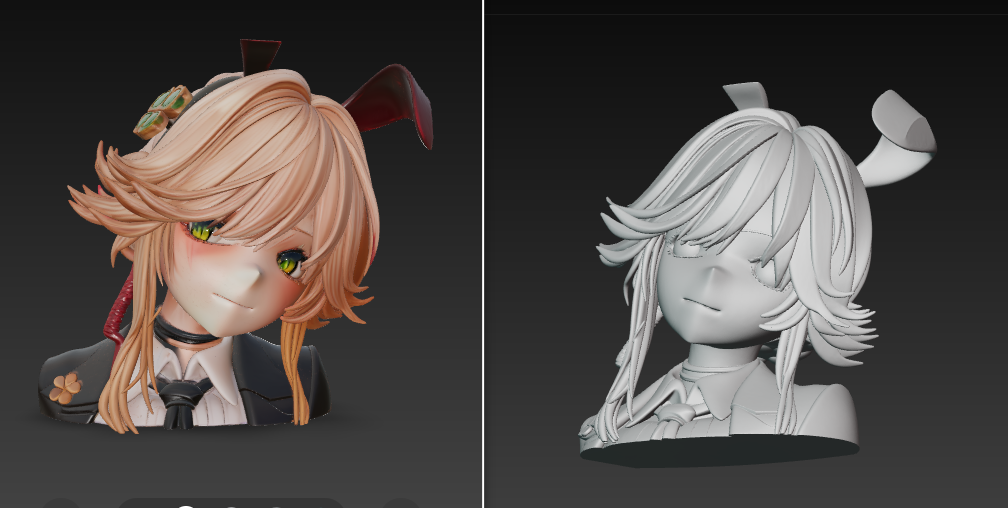
1.5 MB PNG
>>1019271
Next year we'll be all out of jobs
>>
>>
>>
>>
>>
>>
>>
>>
>>1020518
>>1020512
Braidanon, here's another approach to braid creation. It's not exactly the same type of braid you're trying to make, but you might be able to adapt the technique. The relevant info is from 29:50-37:00 in this video:
https://www.youtube.com/watch?v=IH3ThN_bUnM
>>
>>
>>
>>
>>
File: out.png (1.1 MB)
1.1 MB PNG
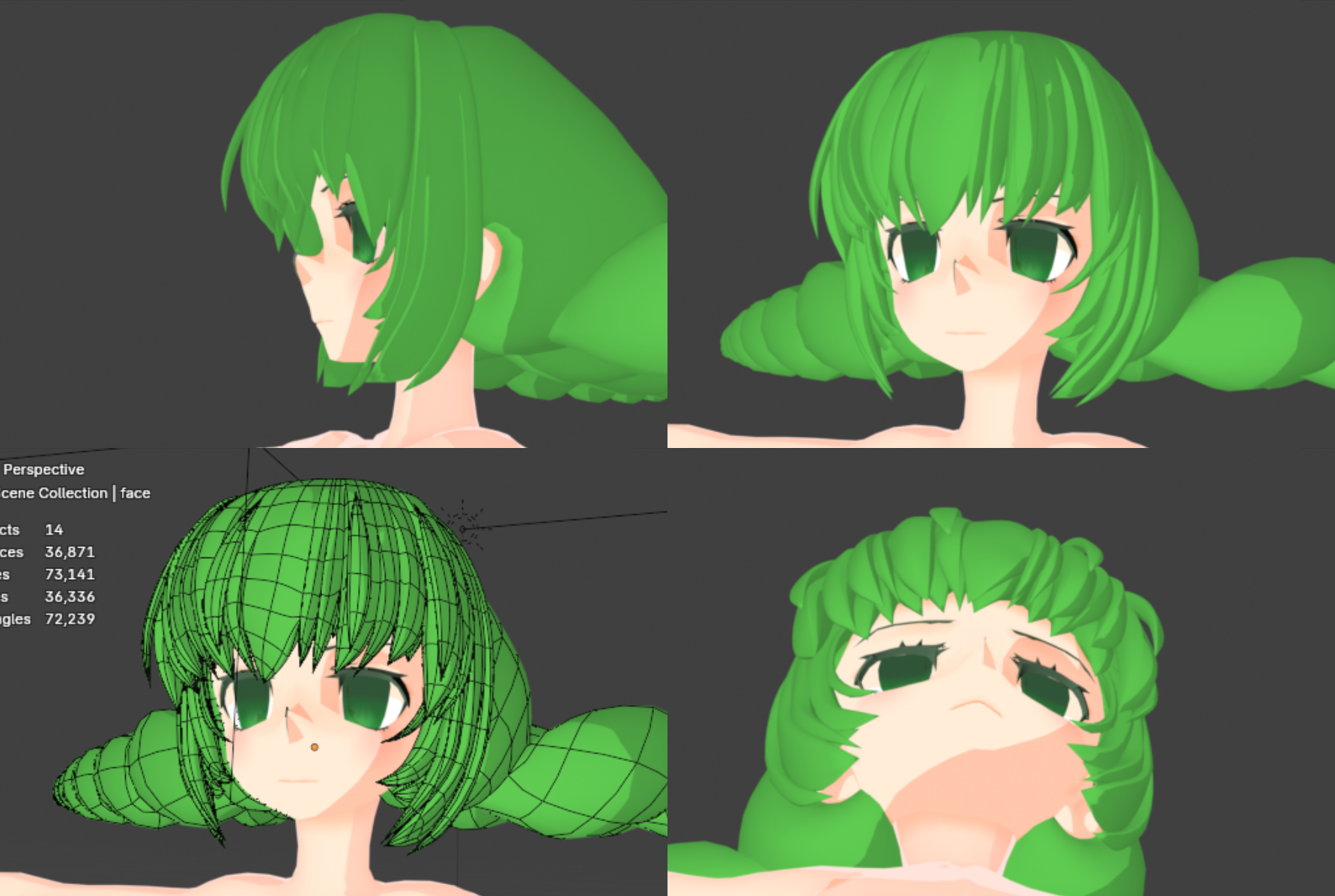
Now she is aggressively fluffy. Almost early millenial eroge character level.
Only pointy hair tufts helps with making any random viewing angle look more coherent. An extra layer of hair makes very low viewing angles look tolerable. The outermost strands that exist mostly to define a silhouette look atrocious from above and below, but if they're disconnected and floating I can figure out a way to move and hide them later.
I also studied some of the anime figurines at my house and noticed that most of them have hair tufts with a triangular cross section, such that the front of the tuft has a ridge. The ridge is always going down on the medial side, so that the more lateral tufts appear to layer over the more medial ones. For some reason I expected it to be the opposite. I'm not entirely sure of the reasons to do this, but it seems to help with lighting, and for me it solves the problem of having totally flat sides on extremely thick tufts.
These are my notes on the matter.
>>
File: IMG_0037.jpg (552.8 KB)

552.8 KB JPG
>>1020913
Here's a photo of my Suigintou nendo demonstrating the triangular tuft shape. I'm very lucky to have her cheering on me in person.
>>

>>
File: file.png (212.6 KB)
212.6 KB PNG
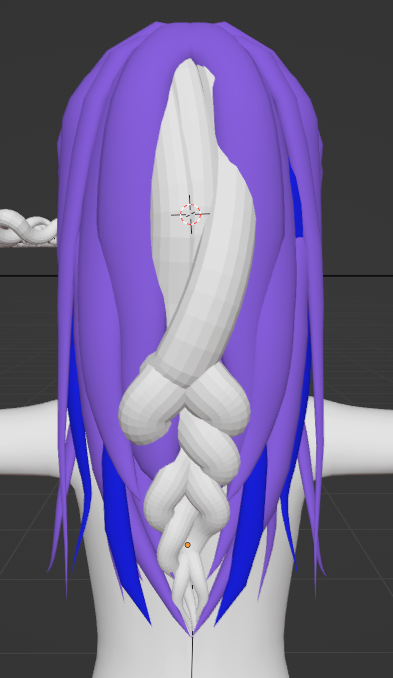
>>1020518
>>1020512
My procrastination makes it so that there's several days of delay before I can get myself to work on something after a roadblock
We're really close to the type of braid I desire, now. Hopefully the intent shows clearly now
>>
>>
>>
>>
>>
File: 1761334582598048.jpg (390.7 KB)

390.7 KB JPG
>>1020947
create a cube, subdivided 2 times and apply keep a copy. I used one for the hoody and other for the hands.
then I use elastic grab and normal grab until I have a basic shape then remesh but really small keep moving and adding details then remesh again but a lil more dense this time.
pic is ref.
>>
>>
>>1020954
I mean, to begin with, you're saying that there's some pinpoint mistake I've made by doing this but you haven't said what it would be, while acting like you have knowledge to help you do it, so if this knowledge you have is evidently not applicable to the situation presented, how does it benefit me to remember that you've claimed to have this knowledge?
I am honestly a little bit over and past taking critique from random anons. If I need help with something I'll first find someone who clearly has a solution to my problem and then I'll ask them directly. If you're not posting your work I won't be asking you.
>>
>>
>>
I want to become a corporate slave in Japan and work for a company like Mimeyoi or Good Smile Company; the language isn't a problem for me (N1). I want to keep practicing to create quality figures, but I guess I'm just a schizophrenic dreamer. Life is so hard...
>>
>>
File: 2Jt-SZOdxVxa7aBu(1).mp4 (548 KB)

548 KB MP4
I've noticed more people using this sort of "detached mouth mesh" to fake a mouth for animation, where the area under it is just blank
Any examples of it being done for eyes? I can imagine it being really versatile for anime eyes (especially shoujo/CLAMP style)
>>
File: file.png (444.6 KB)
444.6 KB PNG
>>1020935
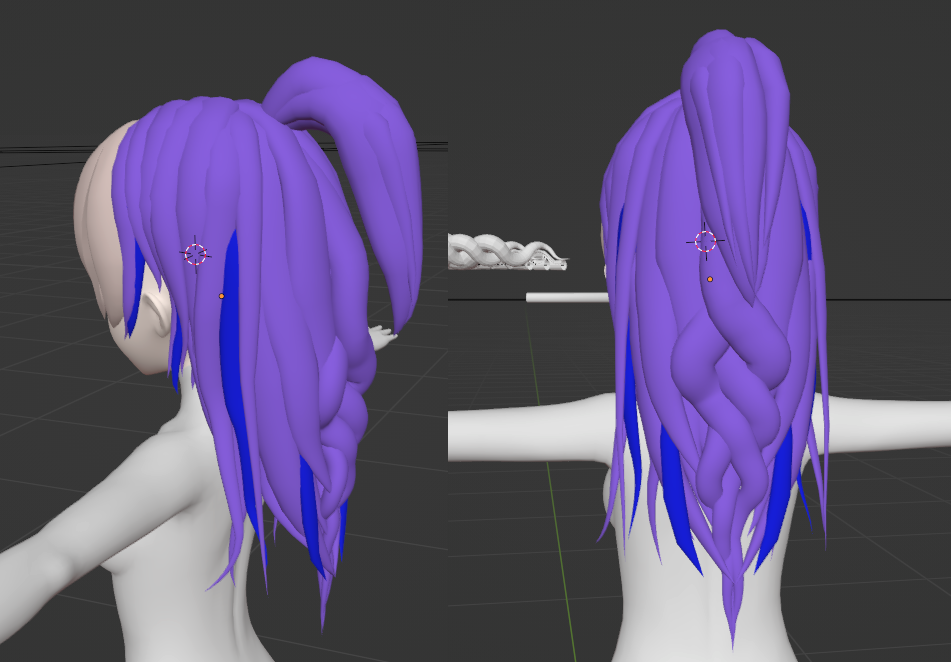
okay I think
I think I've reached where I want to be more or less
Other than texturing (I just use material colour to indicate what they are), it's just a couple curve optimization shavings and making the underside of the hair not look bad (aka inner layering)
Oh, yeah, the ponytail was made beforehand and I just disabled it so I could have a good look at the braid
>>
>>

>>
>>
>>
>>
>>
>>
File: weirdorig.png (458.1 KB)

458.1 KB PNG
>>1021107
-Create some blobby base head
-create a noodly limb that's a spearate free floating mesh, a basic cylinder with whatever chains you need for deforming it, But just the one noodle/subdiv cylinder uncapped and widened at the base
-shrinkwrap constraint from the limb's root bone to the body mesh, plus shrinkwrap on a vertex group that has the mesh's uncapped base
-this gives you a noodly blob that's a protrusion from the body, that you can reshape at will
-Build a hierarchy of such blobs. One from the head that is the body, five or so that can attach to either head or body and are, at will, the limbs or tail, three for each such limb that are fingers
-Eyes, eyebrows, brow, claws are all meshes that shrinkwrap their root bone to the corresponding finger or head.
In this simply example I use b-bones for the limb chains.
Mouth can be done with a "sonic mouth" (look it up) setup, basically you have one version of the head without the mouth that's used as a shrinkwrap bases for the actual mouth geometry and controllers, or you can do it was the same kind of free floating mouth linked in the original question (which is also a shrinkwrapped object)
>>
File: v1.jpg (167.1 KB)

167.1 KB JPG
came across a very good course, I find it very helpful so far
https://www.youtube.com/playlist?list=PL7AyBndD_6pWbIRIb0KoO8ZnvsVQhLN LD
>>
File: file.png (148.2 KB)

148.2 KB PNG
fuuuuuuuuuuck
I have no idea how the fuck this happened or when but I'm too far into having it be a mesh now
Any simple way to fix it beyond manually doing all the roots, or should I just give up and just do the UV seaming on the edges that are actually connected?
>>
>>
>>1021322
nvm I fixed it in a somewhat tedious fashion
The problem was that the edges near the root was doubled up, creating those TT patterns I highlighted where there was an extra set of vertices between each "proper" edge line going down the hair
My best theory after fixing them may be that I actually improperly subdivided this when I wanted to add an extra segment near the roots so I could have them poke up a bit more during the "vertex fixing" stage
I fixed it by manually selecting all the fucked up extra edges and dissolving them and just making sure it's all clean
>>
>>
>>
>>
>>
File: photo_2025-11-07_02-23-12.jpg (49.9 KB)

49.9 KB JPG
Is making anime sculpts profitable? I know nothing about the methods of sales or how much a peddler would make. Wondering if it would rake in more cash than doing character comms on VGen.
>>
>>
>>
>>
>>
>>
>>
>>1021643
I have the basic idea and functionalities but nothing high-level as I don't really incorporate it into my workflow.
Rather than the time frame, I'm more wondering how much a quality work would sell for once done, how much profit it would make. Say, something like the picture I attached earlier.
>>
>>1021646
>Rather than the time frame, I'm more wondering how much a quality work would sell for once done, how much profit it would make. Say, something like the picture I attached earlier.
Looking at what's on Vgen, $100 to $150 for a decent anime girl sculpt
https://vgen.co/teruststd/service/3d-sculpt-full-body-custom-3d-modeli ng-for-print/48718448-4467-4c0c-b4b 4-8ea0778aeb8d
https://vgen.co/Katalizahlumie/service/custom-3d-spicy-character-figur e-or-toys-for-3d-printing/8774f9e1- 0431-4f23-a9cc-6b184b9ed738
https://vgen.co/aluphineee/service/3d-figurine/6d781032-e4a2-45b1-bb58 -6118ed9156fb
>>
>>1021646
I'm on some Patreon Discord servers that make anime figures, and some of them also do commissions. Prices generally start at $700 and increase according to complexity, and they can also sell the model on their Patreon or sites like cults3D. If the client wants exclusivity of the model, they usually don't do it for less than $1k
>>
File: file.png (135.3 KB)
135.3 KB PNG
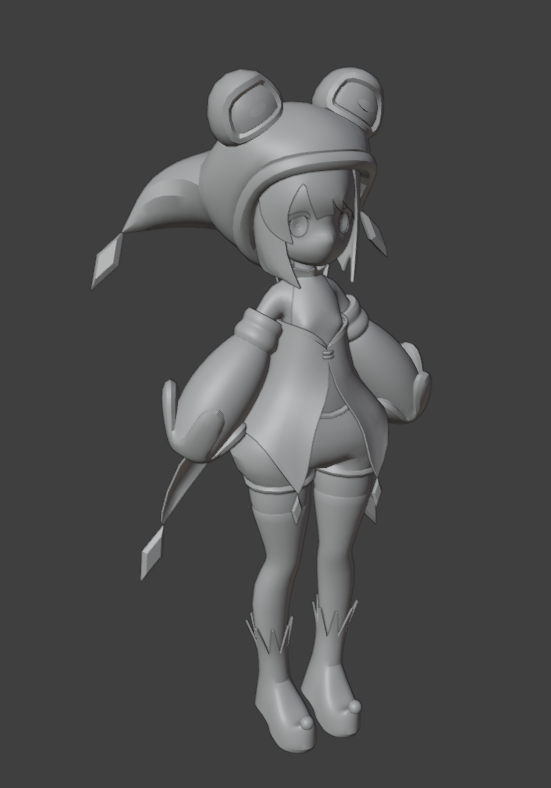
>>1021096
WIP of a new character. I wanted to try a new hair modeling method that I turned out to love.
Creating a flat mesh for the bangs and such and using a lattice for shape it around the head. Makes working with hair so much easier.
>>

>>
>>

>>
>>
>>

>>
File: file.png (227.4 KB)

227.4 KB PNG
>>1021699
I never noticed that. I'm not even really sure how I did that, pretty sure all I did was extrude down from the top. Thanks for letting me now.
Also today's practice model. Gonna do hands and finish it up tomorrow though.
>>
>>
File: v2.jpg (498.7 KB)

498.7 KB JPG
>>1021287
this course is about 9hrs long but this took me nearly 30hrs to finish and I still have all of the texturing and rigging to do. A third of the time at least was spent on the hair which is what I think I struggle with the most. I severely underestimated how long this shit takes. Definitely learned a lot so far though and this result is leagues better than my last attempt at a character
>>1021524
Thanks anon i've never used it and can't draw but we'll see how it goes
>>

>>
>>

>>

>>
>>
>>
>>
>>

>>
Wonder how gacha companies get those super clean hairstyles with it all being one contiguous mesh.
Thinking about just sculpting a hairstyle with my copy of Zbrush, but polymodeling seems like it could be a lot less hassle (and far fewer polygons) if there was just a way of doing it that looked up to the par you could get from a sculpt.
(Folds are their own problem. Probably a way to polymodel them with creative use of the knife and some creases, but I did cave and just sculpt them instead.)
>>
Neat trick here with hair curves at the 22:00 minute mark. Decent tutorial overall.
https://www.youtube.com/watch?v=_uW46sC5qjQ
>>1021908
>Wonder how gacha companies get those super clean hairstyles with it all being one contiguous mesh.
You and me both, anon.
>>
>>
>>1021908
>Wonder how gacha companies get those super clean hairstyles with it all being one contiguous mesh
1. Meticulous retopology after modeling the hair.
2. Careful vertex planning while box modeling.
3. Just use a lattice bro.
>>
>>
>>
>>
>>
File: lowpolylmao.png (894.9 KB)

894.9 KB PNG
Just wanna share my bullshit somewhere. check out this lowpoly model i made. 1234 triangles exactly. pretty good deforms considering the poly count.
Any good methods for how i should try to texture her?
>>
>>
>>
>>
>>

>>
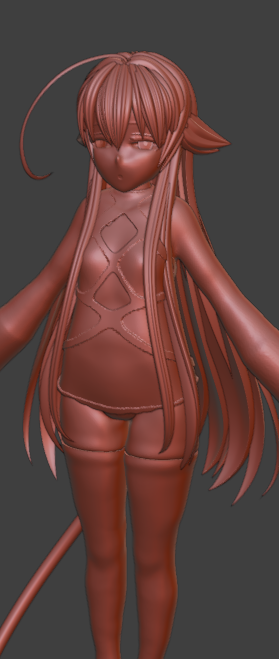
>>
File: fubuki.jpg (7.1 KB)

7.1 KB JPG
>>1021096
>>1022022
What kind drugs are you on?
>>
>>
>>
>>
>>
>>
>>
>>
File: 1.jpg (147.8 KB)

147.8 KB JPG
anons, i'm having a hard time finding a good artist to do a couple of commissions. I'm willing to spend 1.5k up to 2.5k on something with this quality (pic)
This was the 1st draft that i did ages ago but the artist never finished it. Any ideas?
>>
>>
File: output.gif (1.7 MB)
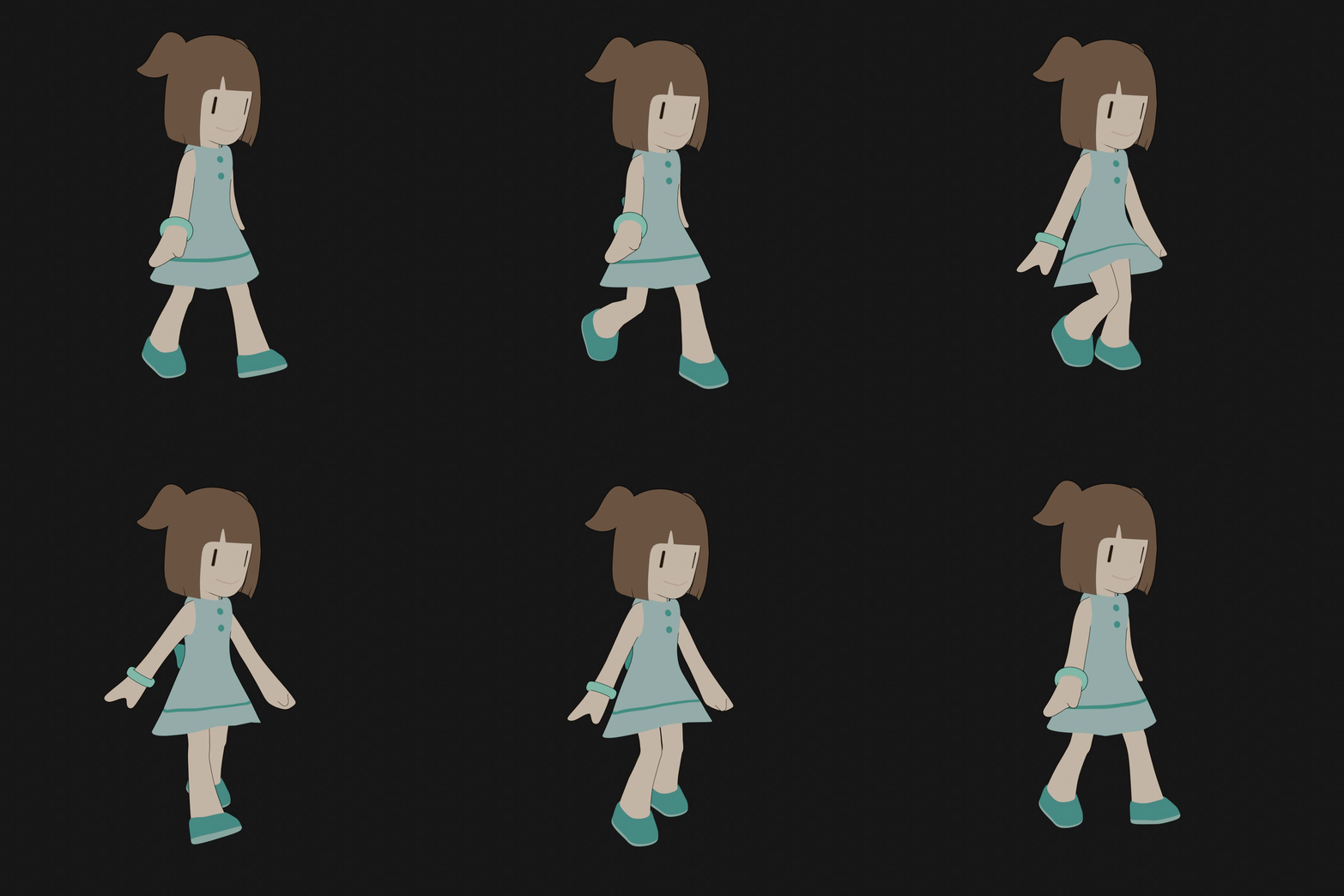
1.7 MB GIF
walk cycle animation. This is the first animation i've ever done
>>
>>
File: 1764045261240244.jpg (85.3 KB)

85.3 KB JPG
Anyone got a link for this course?
>>
>>
>>
>>
>>
File: Untitled.jpg (154.9 KB)

154.9 KB JPG
Those proportions look right, I'll tidy it a bit, throw on a rigify rig and that's going to be my base for sculpting from now on
I am very tired of sculpting from scratch every time, it got old
>>
>>
I don't know if this is the right place to ask but I figure I'll give it a shot anyways. Does anyone have any suggestion on where to get good anime styled models that I can freely pose? I'm a 2D artist that uses Clip Studio Paint and for the longest time I've just been using the basic mannequin models to setup poses and then use as references for drawing. These mannequins are obviously really stiff, I just want like an actual well-modeled anime girl that I can freely pose like how I've been posing the mannequins. I can download Blender but I don't really know where to get these sorts of models. Somebody suggested DesignDoll before so I might give that a try but I don't know if there's anything better. I've actually found some modeled anime girls in the Clip assets store but they have clothing on that I can't remove or I don't know how to remove.
>>
>>
what is the split between sculpting and polymodeling in the industry when it comes to anime models for games? i know sculpting is overwhelmingly more popular for western style models, but at the same time most courses and tutorials from asian artists seem to prefer box modeling
>>
>>
>>
>>1022285
ArcSys for their anime fighting games only allows box modeling, no sculpting for character. I assume other JP devs are similar since most of their characters don't aim for realism and don't need crazy normal bakes
>>
>>1022285
It's an error to look at them as mutually exclusive. for animated models where you'd have to retopo the sculpt for articulations anyway, it's pretty common to alternate between the two as you go. Refine polys, sculpt shapes, refine polys and so on
>>
File: UnrealEditor_T6vAD5oOaX.jpg (179 KB)

179 KB JPG
light leaks...
>>
>>
>>
File: gaytass.png (656.6 KB)

656.6 KB PNG
it's over...go on without me
>>
>>
File: 1764144942321.jpg (122.5 KB)

122.5 KB JPG
>>1022449
not the tie
>>
File: 1764227980920.jpg (142.4 KB)

142.4 KB JPG
>>1022448
>4 hours
>not even close
owari da
>>
File: strawberrygirl.png (2.2 MB)

2.2 MB PNG
strawberry girl!
>>
>>1022180
Seems to be this:
https://coloso.global/en/products/figuremodeler-miro-us
However I couldn't find it online on the websites I know of. I tried the one you linked and it kind of fell apart at the hard surface modeling, but that could be an issue of skill as well.. It just wouldn't work the way he was doing it in the course. The soft surface modeling wasn't really an issue.
>>
>>
File: 1764336968005.jpg (172.9 KB)

172.9 KB JPG
box modelingGOD, are you use tris like pic related to make clothes fold?
>>
>>
>>
>>
>>
>>
>>
>>
File: 1765009862767.jpg (682.1 KB)

682.1 KB JPG
front bang always filter me hard
>>
>>
>>
>>
>>
>>
>>
The boolean manifold in Blender is great, before I used to make myself cups of team while cutting and keying my figure
Now it can subtract a 1m tris mesh from a 20m tris mesh no problem, I don't even have to decimate first
>>
>>
>>
>>
>>
>>
>>
>>
File: Untitled.png (3.6 MB)

3.6 MB PNG
>>1023272
eh, probably 85%-90%
>>1023273
alright, everything look so wrong to me, those empty space between blue line and the hair and outfit, head somehow look bigger even though i know anime head suppose to be big
for number 2, i have a feeling it's not good since i have to split the collar otherwise it will mess with the normal i think
>>1023235 is the other angle for the head
>>
File: 1765424435593.jpg (316.7 KB)

316.7 KB JPG
>>1023275
also whether i should solidify the outfit or not, also like pic related, i have to solidify it because the can't make the collar without solidify, maybe it's do able without solidify if i separate the collar like pic no 2, but i don't know if it's the right thing to do
>>
>>1023275
Nah she looks great, always hard to judge your own work in the grey alien stage especially when you've been staring at it too long.
I think id make the overcoat/upper body area a bit smaller, flatten the band of the skirt and really fluff out its folds a little more to define her waist. dont have anything to say for the collar cause such close folding mesh is gonna be a pain no matter what.
Very pretty tho, she def ready for color.
>>
>>
>>
>>
File: Untitle2d.png (3.3 MB)

3.3 MB PNG
>>1023302
like this, all of those back hair meshes, i have a problem uv mapping it, also i never uv mapping hair before, so yeah, i'm completely clueless
>>
File: 1765514532180.jpg (671.6 KB)

671.6 KB JPG
>>1023323
i sort of figure it out, but i don't know if it's right or not
>>
>>
>>1022547
>>1022548
On this note, Wandah Kurniawan has a new Coloso figurine sculpting course coming out. No real info beyond that until the 23rd. Previously did this one:
https://coloso.global/en/products/3dcharacterartist-wandah-us
>>
>>
>>
>>
>>
>>
File: 1766495948734.jpg (346.9 KB)

346.9 KB JPG
this is so frustrating, i don't know whether i'm doing it right nor not since there is barely any ucupaint tutorial
>>
File: v3.jpg (255.3 KB)

255.3 KB JPG
>>1020534
i kept working on this, converted it into VRM and then played around with animations in warudo. This was just a learning exercise but i'm super happy because I think it turned out very cute. I appreciate all of the feedback anons there was some super helpful advice
>>
>>
>>1023698
if you're not happy with the tool then switch to substance. There's a lot more tutorials out there for it. But if you're not happy with your painting then you won't get a good result no matter what tool you're using
>>
>>
>>
>>
>>1019275
Plenty of artists still use it, retarded ape. Go delude yourself elsewhere. The whole website isnt a boogeyman just because you got banned or hate the owner. I use it and never see any fucking midwit political grift. You just have a skill issue.
>>
>>
File: Untitled.jpg (237.2 KB)

237.2 KB JPG
>>1019271
i'm calling my previous models done
>>1023718
>>1023137
working on a new model and am now working on weight painting but it's an absolute nightmare
>>
File: __1764903151712085.jpg (116 KB)

116 KB JPG
1019087
i know im unlikely to get a response since this is from months ago but what reference are you using for that model, looks kino
>>
>>
File: 1755659192065668.png (1.2 MB)

1.2 MB PNG
>>1024039
well i couldnt have because im retarded and thought i was linking it normally
>>
>>
File: chrome_screenshot_01.01.2026 02_21_30 MEZ.png (2.8 MB)

2.8 MB PNG
>>1024090
By the way, I plan to make prints of Shinju no Nectar characters
(Pic related)
>>
File: Shizuka.jpg (61.3 KB)

61.3 KB JPG
>>1023924
i can't draw but good enough
>>
>>
>>
>>
File: downloadspeeds.png (28.6 KB)

28.6 KB PNG
>>1024090
If you have some questions related to sculpting anime girls you can try asking them, but it's not the best place for garage kits
>>1024114
Goddamn, I'm not even sure if it's doable, this is giving me flashbacks of my childhood
>>
File: __upload1.jpg (825.7 KB)

825.7 KB JPG
following along with some youtube tutorials for anime head modeling, never did character modeling before but i have drawn a bit so im somewhat familiar with stuff like proportions. is this the sort of topology I want to use for head modeling?
this is the tutorial i've been following: https://www.youtube.com/watch?v=fQZ7TEdFdMU&list=PLihORLF_5v4idtVKW-Qj um24buCnPkMWM
one thing i ended up doing differently from the tutorial is wrapping the face loops around the back of the head instead of terminating in a triangle where the chin meets the neck, not sure if thats a good thing or not but it seems to subdivide without any weird artifacts
>>
>>
>>
>>
>>1024117
>If you have some questions related to sculpting anime girls you can try asking them
Ok, I might come back to it later
>but it's not the best place for garage kits
Ok, is there somewhere a garage kit general on 4chan?
Which board has it?
I tried /diy/ and /jp/ so far
>>
>>
>>

>>
File: Tiddies.jpg (251.7 KB)

251.7 KB JPG
https://streamable.com/0qxtbq
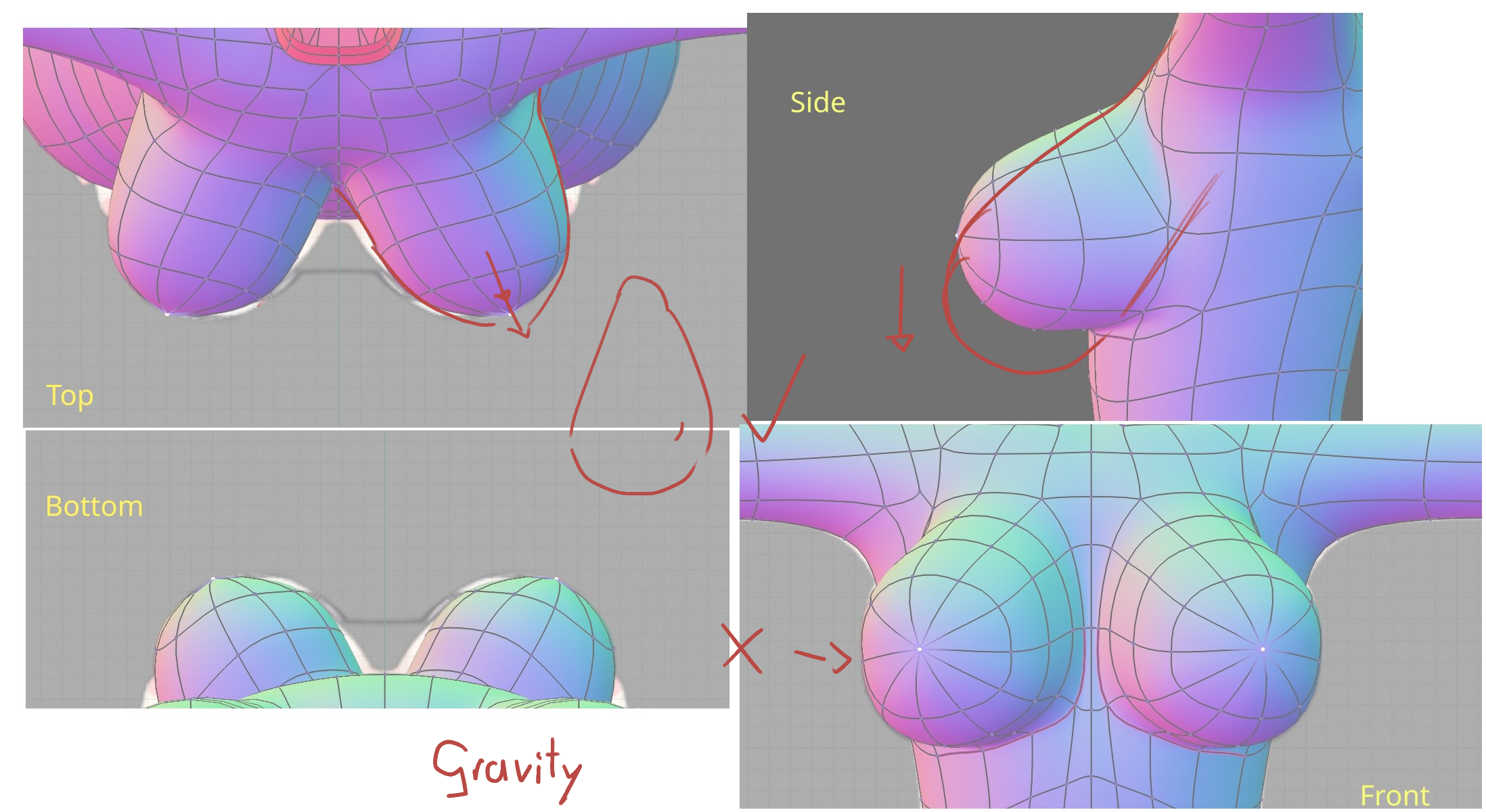
following that "Blender Character Modeling for Natural Light and Shadow" course that was mentioned here 1-2 threads ago. its pretty good! but I think I messed up the tits, they look a bit off but I'm not sure what the problem is. I know they dont line up exactly with the ref photos in the video but I moved them from that trying to fix them since they didnt look quite right there either.
>>
>>
>>
File: redline.png (1.9 MB)
1.9 MB PNG
>>1024469
>>
>>
>>
How do you guys manipulate a model extracted from a game? I see people doing animations, exposing jiggling bones and the like but when I open one I can't make heads or tails, the rig bones are all in different sizes, some don't seem to move anything etc.
I wonder if there is a program that just put this all in a set shape or size, cause I keep having trouble and in the end I give up and open it on Mixamo to put a new rig on it. but that distorts clothes and armor you know
>>
File: mmmmmBellyyy.png (574 KB)

574 KB PNG
Posting belly because i can and im delaying rigging this to move
>>
>>
File: 21-01_12-32.png (771.3 KB)
771.3 KB PNG
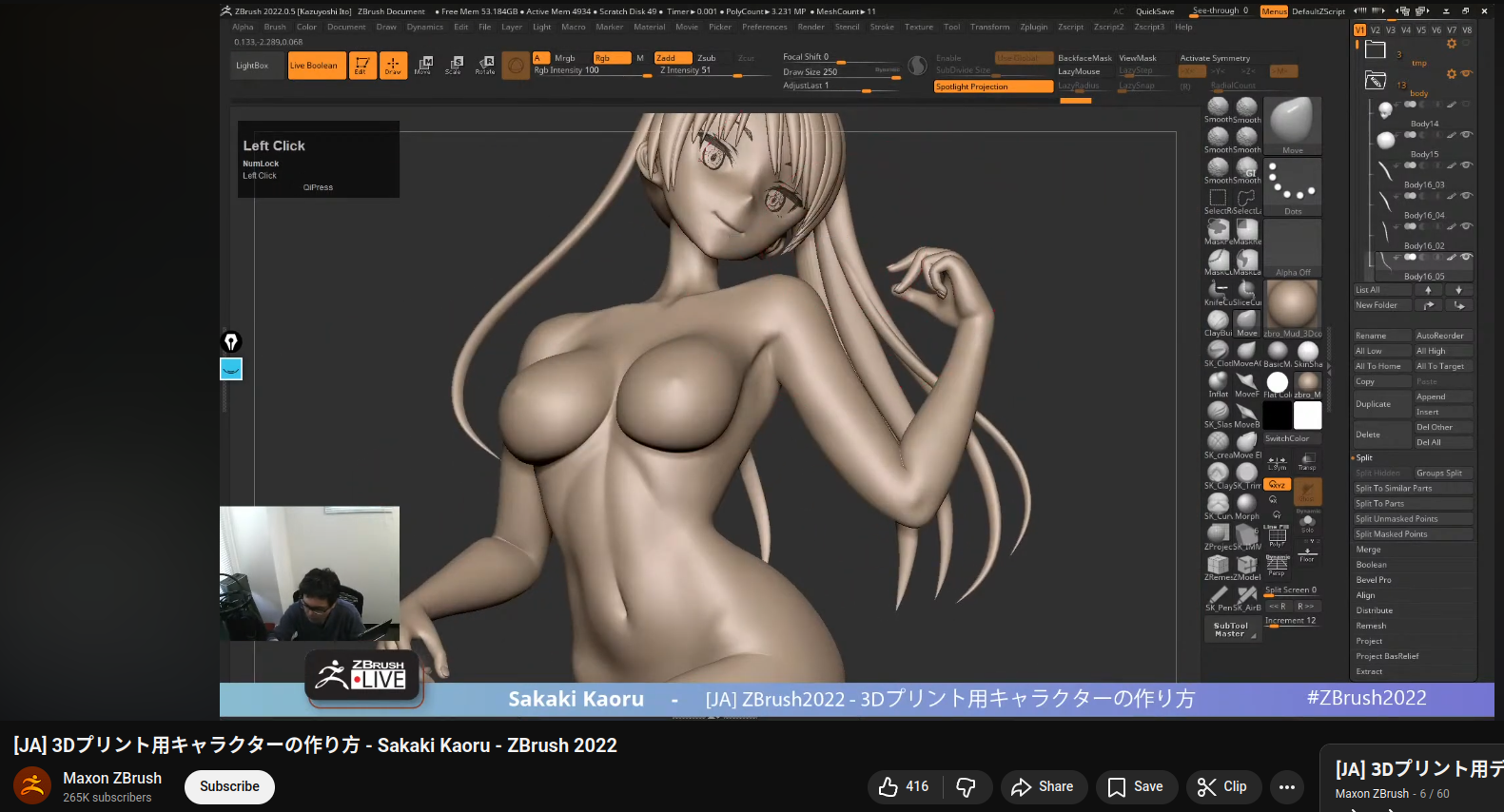
I've been watching Sakaki Kaoru and it's comforting to know that it doesn't matter if you're Japanese or using Zbrush, sculpting anime hair takes ages
As a Blender user I envy how easy it seems to switch back and forth between bend curve and sculpt mode in Zbrush, technically I can do a similar thing in Blender but it's a pain to set up
>>
>>
File: miro turorial.jpg (357.6 KB)

357.6 KB JPG
I am following Miro´s tutorial and I have the following problem:
eyes and face are seperate polygroups. when i use move brush to put the cheek out i get a dent in the eye instead of a puffy cheek. the profile drawing should make clear what i mean.
>>
File: miro turorial 2.jpg (89.2 KB)

89.2 KB JPG
>>1024843
polygroups and resolution of dynamesh are the same
>>
File: miro warmup.jpg (31.9 KB)

31.9 KB JPG
>>1024843
>>1024844
nvm i just put some clay on the cheeks.
>>
>>
File: miro warmup1.jpg (52.1 KB)

52.1 KB JPG
>>1024889
you were right. it is a masking issue. when masking the polygroup some of the masking "bleeds" over to the other polygroup. after masking these polygons manually the problem is gone. not sure how i would prevent this "bleeding" in the first place though.
>>
>>
File: miro warmup2.jpg (27.1 KB)

27.1 KB JPG
>>1024949
surprisingly that helped. thx!
>>
>>
>>
File: 51438948245_b3c8b0e3d7_z[1].jpg (76.9 KB)

76.9 KB JPG
>>1024469